
Check the acquisition promise
Read the store headline, screenshots and description. What problem is the app promising to solve?
Study the storefront ↗
Dexcom · iOS
Explore the ad evidence, study the storefront, and build your next acquisition hypothesis.
01 / Creative research
Read the store headline, screenshots and description. What problem is the app promising to solve?
Study the storefront ↗Explore apps with direct store-link matches. Compare their hooks and formats without assuming the same approach works here.
Browse observed advertisers ↗Store rankings and revenue estimates describe market context. They do not establish ad spend, conversions or ROAS.
Review the market context ↗02 / Storefront & product
Study the product story and store experience behind the acquisition funnel.


03 / Market context
Keep revenue, downloads and store rankings separate from advertising performance.
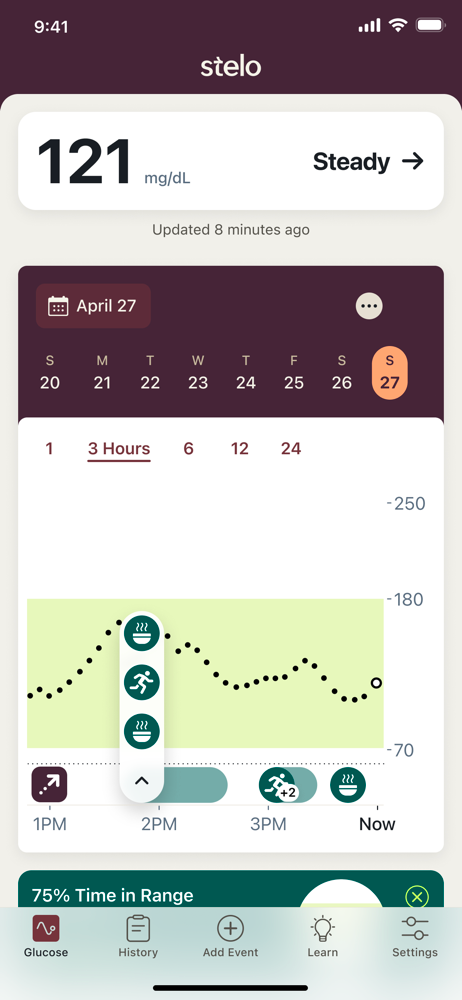
I have been using Stelo for a month after using another CGM. I find Stelo much more flexible and user friendly. Ordering is easy and promptly delivered. Applying the sensor is painless and not intimidating at all with the straightforward instructions. The thing I like most is how easy it is to navigate. I love love love the weekly summary for both my % in range chart and my average glucose for the day and the week. It has helped me make informed decisions about when I eat, what I eat that spikes or doesn’t spike, and seeing the timeline for how long those spikes take to come back to normal. I’m learning a lot! I’m thinking about getting an Apple Watch so I’m not tethered to looking at my phone throughout the day as I learn about my body’s response to foods. To Stelo Developers: I would like to see an enhancement that gives more than just the high number of the green range and the low number of the green range. sequential numbers in increments of maybe 10 or 25 in between the high and the low would be extremely helpful. (70, 80, 90, 100 etc). Usually I get “shakey”when I dip below 80, so I set my low to 80 but it didn’t show 80 on the green range. I had to guess when it went below 80, or slide my finger over the dots to see the actual number and time. I started Rybelsus this week so this CGM is now helping me see each day’s activity to keep myself in the healthy zone.
I ordered this to track what my glucose levels do throughout the day and try and get them under control. The app needs some updates. I have been wearing the Stelo for a week now. 1, there should be an option within the app to adjust the glucose reading. Something where you can do a figure stick and input that reading so the app will be closer to what your actual blood glucose level is maybe do something like take 5 readings throughout the day and input those results so the app can adjust to the correct readings. Or just how you can do it through the app for the G7. 2, the app tends to lock up when I tap on any of the notifications in the middle of the screen except for the glucose spike notification. This should be addressed. This is happening on a brand new iPhone 15 pro max running iOS 18. And was happening on the previous iPhone 13 Pro Max running iOS 17. It’s an issue with the app. As I said I’m using this to try and control what my glucose levels are doing throughout the day but being off 10 to 20 mg/dl doesn’t help. I’m thinking I’ll just do the 1 month the cancel my subscription as this doesn’t do what it should. I know it’s not ment to be as precise as my BGM but it could at least be a little closer to what it is. Also not being able to make contact with an actual person isn’t good either. I tried the Stelobot and couldn’t get anywhere with it. Even when I finally got to a point where I could open an issue. It would just start the bot over asking how it could help me. Not impressed with the app as it could be a lot better and I’m hoping Dexcom is actually reading these reviews to see where they need to improve it. I’m sure I’ll find other issues over the next 3 weeks.
Received my first sensors yesterday and it seems to be working fine. Not sure how accurate readings are but after reading it can take sensor as long as a couple days to fully calibrate I’m hoping my readings will start being closer to what my finger sticks are. Like others, would be nice to be able to look back previous days to see patterns. I’m getting extended periods of time with “below 70” readings, would be really helpful if it told me what the actual level was for these low readings. Last night while sleeping readings showed 3-4 hour period of continuous low readings. No way to know what actual levels were. I’m sure if I told my doctor I’m “below 70” 23% of a 24 hour period his first question would be “how low “. This app is new and has tons of potential, hopefully will see additional features on near future. Also hope sensor calibration completes soon and readings are more in line with my finger sticks. Really nice not having to stick 7-8 times a day. UPDATE- My readings are coming closer to my finger sticks. More importantly, after doing some research I learned that the Dexcom Clarity App is compatible with the Stelo sensor. This app incorporates all the information from the Stelo and provides a wealth of information including reports that can be downloaded and saved on your computer or even shared with your health provider. The Clarity app used in combination with the Stelo sensor is a game changer.
Welcome to the revolution in personalized glucose health. The Stelo by Dexcom Glucose Biosensor finally gives you an easy way to track your glucose...


