
Check the acquisition promise
Read the store headline, screenshots and description. What problem is the app promising to solve?
Study the storefront ↗
Open Jar Productions LLC · iOS
Explore the ad evidence, study the storefront, and build your next acquisition hypothesis.
01 / Creative research
Read the store headline, screenshots and description. What problem is the app promising to solve?
Study the storefront ↗Explore apps with direct store-link matches. Compare their hooks and formats without assuming the same approach works here.
Browse observed advertisers ↗Store rankings and revenue estimates describe market context. They do not establish ad spend, conversions or ROAS.
Review the market context ↗02 / Storefront & product
Study the product story and store experience behind the acquisition funnel.
03 / Market context
Keep revenue, downloads and store rankings separate from advertising performance.
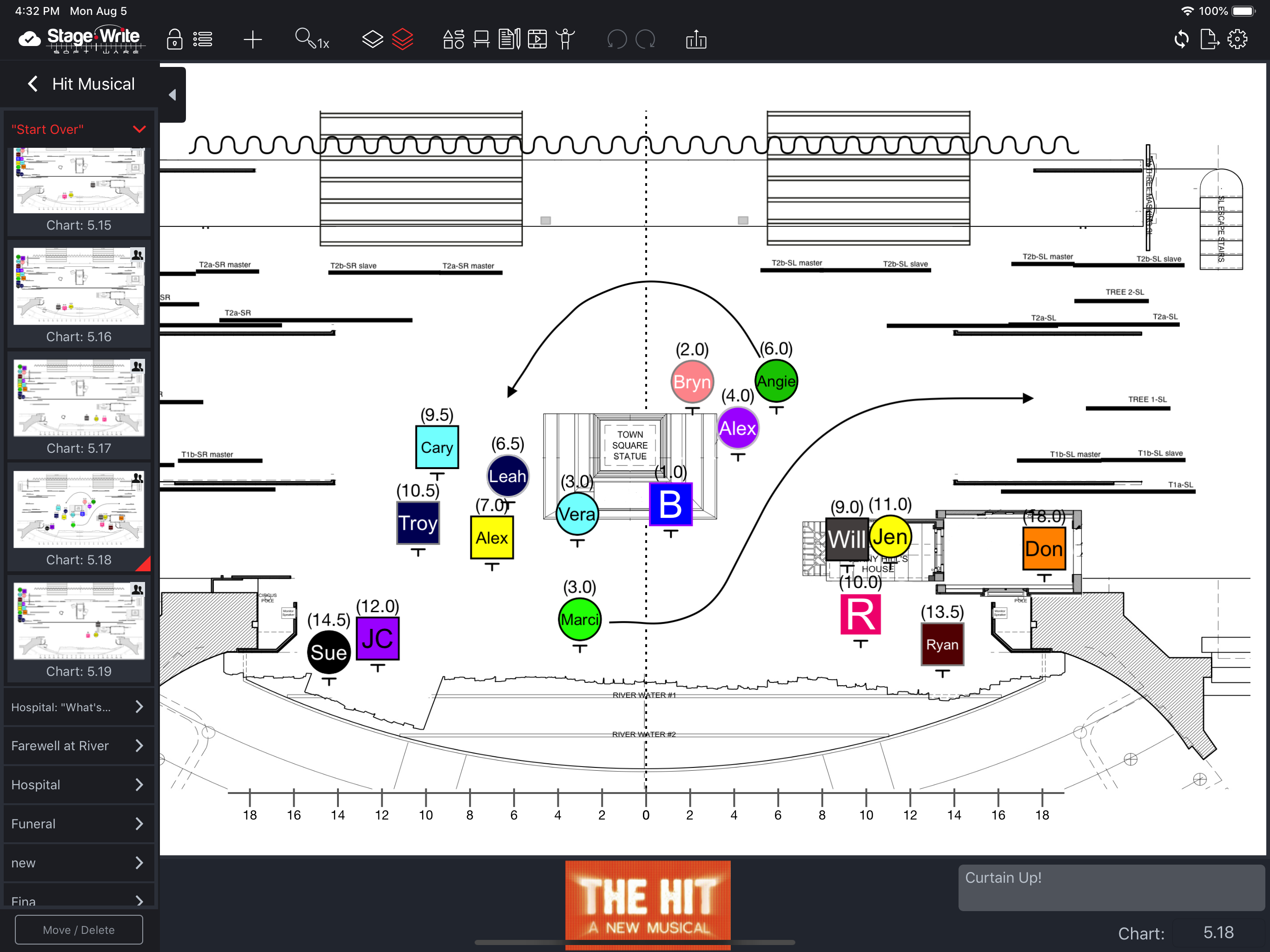
I used to love the app a lot more before the changes that took away the bottom hot bar for moving shapes flipping arrows etc having to adjust angles is annoying. I also am annoyed we can upload pdfs from the iPad. That being said it’s an app that is very helpful for stage managers it kept my blocking organized I do wish there was a way to mark where the blocking come in on what word, you can add it to the description of the chart but I wish you could have almost a footnote next to the word or phrase the notation of the chart on the side of the script goes away once you make it a pdf.
Just used Stage Write for calling my first show with a digital prompt book. It has been so useful in so many ways, and in new ways that I keep discovering! A few ideas that may help my, land others workflows, that I’ve noticed over this show process: - Ability to pinch/zoom - Ability to use/view in landscape - and pages fit to height - With a landscape view, view 2 pages side by side (many prompt books have a clean page next to the script to write cues) - A button to add a blank page, without needing to import one from a computer - An eraser tool that can swipe to erase (like photoshop), or object eraser, instead of manually erasing each stroke with a “select” and “delete” - More incorporation of the Apple Pencil - such as scribble/handwrite that turns into text - I didn’t use charts that much, but an easier integration of not needing to back out of the script - basically view charts and script side by side. I ended up just handwriting the blocking in, instead of using the charts as intended. Just some ease of life suggestions! Otherwise, I absolutely love this app, will suggest it to any and all!
This app is nothing short of pure brilliance. I am able to document every detail of a show with a level of precision unmatched by any other software like it. I also love how in pre-production I can play with formations and blocking without having to call an entire cast in. I walk into rehearsals with a fully fleshed out plan which I know my actors and dancers appreciate as it gives us a great jumping off point- especially when we are pressed for time. When I need to make changes, the software is intuitive enough do so in the room, in real time. As an associate, I can take notes quickly and efficiently. Once a show is set in stone, every detail can be accounted for which makes putting swings and understudies on an absolute breeze. Not to mention that my shows are now archived with a level of detail that no handwritten “show bible” has ever been able to achieve. The “score” feature is unmatched by any other notation software on the market. You will not find anything like it. If I ever need to revisit a show after some time- there is every step, every arm, every cue. No more sifting through piles of actor tracking- every single actors track is right there in time with the script and score, all in the same place, on the same page. With any new software there is a learning curve but the online tutorials make learning all the shortcuts a breeze. Stage Write is a gem. 10 out 5 stars in my book. An absolute essential software for theatre creatives. This is the new format- the future of theatrical notation and what a joy it is to have it at my fingertips.
Stage Write is the best method to capture choreography, staging blocking for theatrical productions of all sizes. Upload the ground plans and scenery...


