
Check the acquisition promise
Read the store headline, screenshots and description. What problem is the app promising to solve?
Study the storefront ↗
孛 刘 · iOS
Explore the ad evidence, study the storefront, and build your next acquisition hypothesis.
01 / Creative research
Read the store headline, screenshots and description. What problem is the app promising to solve?
Study the storefront ↗Explore apps with direct store-link matches. Compare their hooks and formats without assuming the same approach works here.
Browse observed advertisers ↗Store rankings and revenue estimates describe market context. They do not establish ad spend, conversions or ROAS.
Review the market context ↗02 / Storefront & product
Study the product story and store experience behind the acquisition funnel.


03 / Market context
Keep revenue, downloads and store rankings separate from advertising performance.
Honestly i don't even know where to begin on how good this app is. My purpose for downloading this app was so i could create a mix of songs that i needed for a dance. Before downloading SoundLab i tried two different apps and they were so difficult to use. When i tell you that i was able to complete a 7 minute mix with 7 different songs in 1 hour im not lying! I was a little confused at first because i didn't know that i had to buy the music from iTunes (you don't necessarily have to do that but that was my case) but after i did that i was able to do my mix. Honestly im not gonna lie but i did get the premium thingy because i needed to use 7 songs but it is still super good. Without the premium you can do everything but you get more limits (like you can only use 4 different sounds and only 2 effects) Everything else was super easy to do like saving it to your files. I will definitely be using this again for my next dance.
I mostly downloaded this app because my laptop stopped working. Audacity was my main app for creating clean radio edits fast, which is something I need to do because I work in radio. This app was perfect, in fact, I’m more of an iPad guy anyway, and this paired with AirPods is just a heavenly combination. Yeah, you can pretty much do anything this app does in GarageBand, but this is perfect for when you need those quick and easy edits. For example, simply tapping and reversing bad words, or replacing it with an instrumental section, feels so much quicker. It makes me a couple minutes to do in this app. GarageBand, because it’s a bit more bloated despite how great it is, probably takes 10-15 minutes. Yeah, this is amazing for my workflow. Some suggestions: first of all, please fix the AI vocal remover. It works great, but it starts with a skip every single time. It seems to be some type of error written into the algorithm or something. Also, please add a TV censor bleep type effect like you can do on Audacity and other apps. Maybe you can already do that on this app, but I haven’t figured it out yet. Other than that, I love it.
Have used Audacity Windows for many, many years. Yes, there’s a lot of things the PC version does this app doesn’t. I have used…or know about 90% Windows capabilities, so I’m not a novice. But I’ll be darned, on this app, I can’t figure out how to delete a “project”. Tried everything I could think of and can’t get rid of them! Has to be something simple, but I couldn’t figure it out in a half hour of trying. Maybe the IOS crew can explain? Other than that, this app works very well with the editing features as is. No need for me to buy the extras, because 3.1.3 does it all. In lieu of my PC, I use my iPad more, so this app is 5 stars despite my inability to figure out something so seemingly simple… UPDATE: Thank You Liu Bei for replying. Upon opening the app, the screen displaying the large icons at the opened…instead of the editing screen. I found the the lower right option I hadn’t seen before. It worked as you said. I’m unfamiliar if Sound Lab is part of Audacity or you license their brand, but your app is truly excellent. I don’t know what the pay features do, but it works fine for my limited audio editing. I have to say I’ve reviewed apps in the past…maybe 10 or so…and no developer ever responded. As a user, I appreciate it. I’ve tried almost every editing IOS app at the store and only one other works well, but the EQ is only 5 bands and exports as M4A. Your app is way better in the quality of the edited file as well. Regards, Dave.
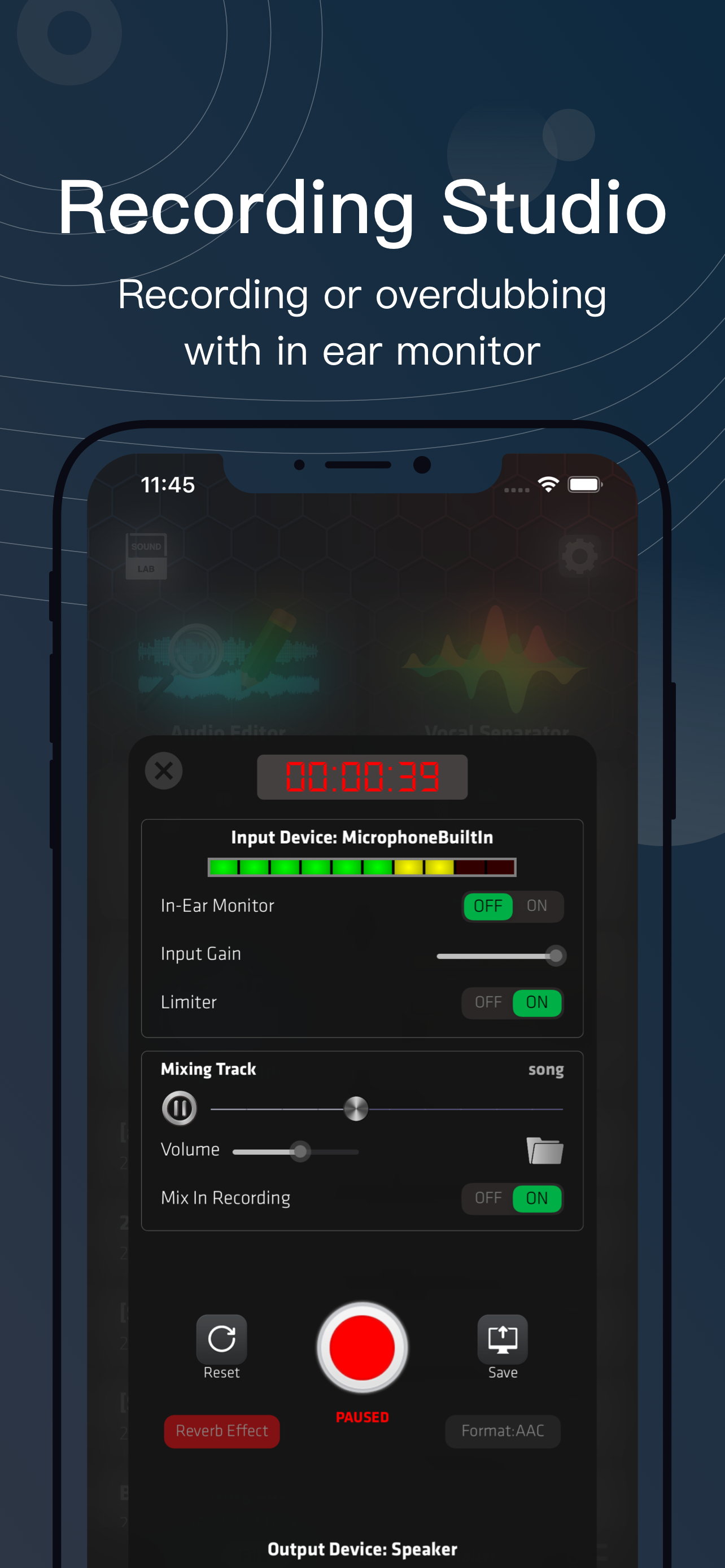
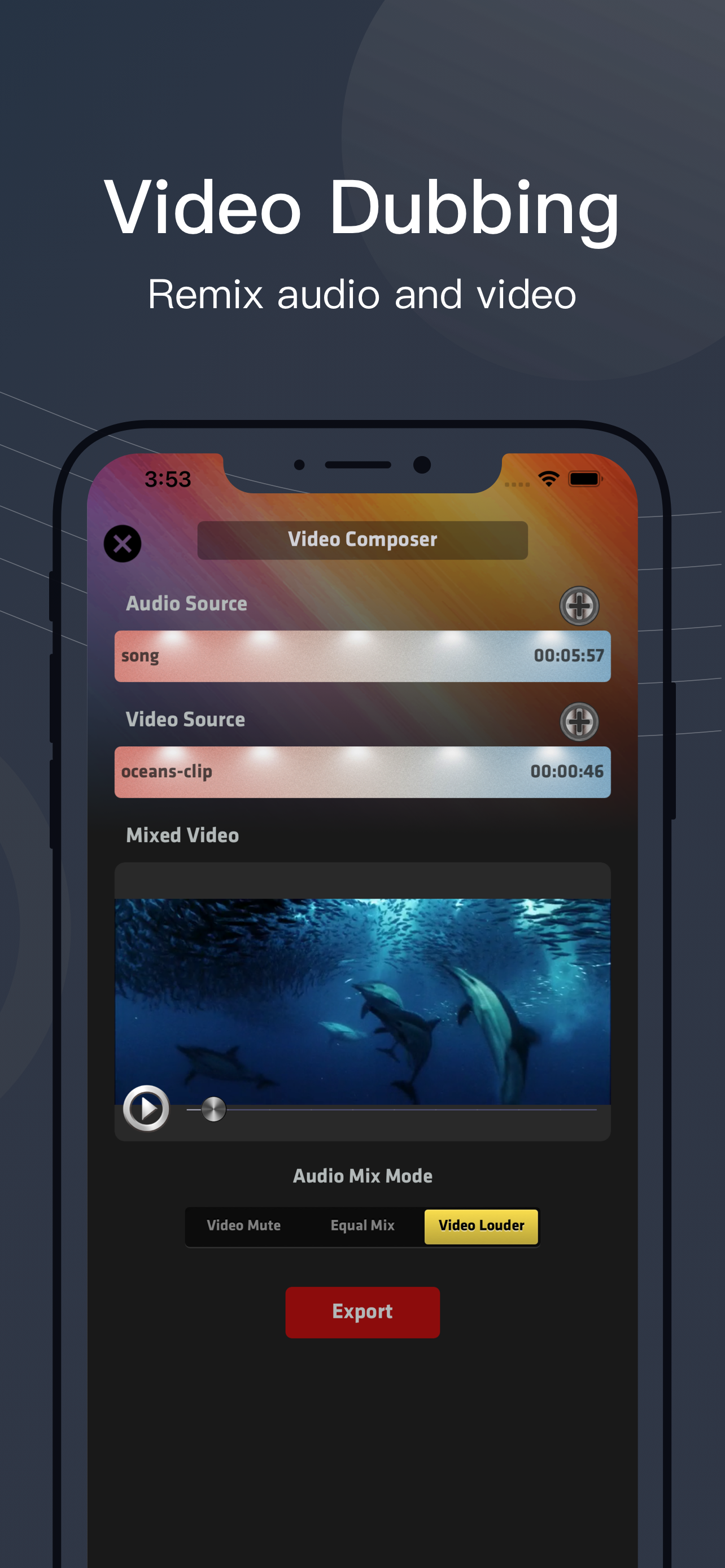
SoundLab bring desktop grade audio editing to mobile, as a audio editor in your pocket with following features: • Audio Editor: includes a 16-track, o...
| Name | Price | Type |
|---|---|---|
| PRO Monthly Subscription | $3.99 | Monthly |
| PRO Annual Subscription | $19.99 | Yearly |
| Permanent PRO | $39.99 | One-time |


