Check the acquisition promise
Read the store headline, screenshots and description. What problem is the app promising to solve?
Study the storefront ↗
Semicolon LLC · iOS
Explore the ad evidence, study the storefront, and build your next acquisition hypothesis.
01 / Creative research
Read the store headline, screenshots and description. What problem is the app promising to solve?
Study the storefront ↗Explore apps with direct store-link matches. Compare their hooks and formats without assuming the same approach works here.
Browse observed advertisers ↗Store rankings and revenue estimates describe market context. They do not establish ad spend, conversions or ROAS.
Review the market context ↗02 / Storefront & product
Study the product story and store experience behind the acquisition funnel.


03 / Market context
Keep revenue, downloads and store rankings separate from advertising performance.
Love this set of games! Everyone who loves a Solitaire game needs this! Suggestions: Would like a gesture to start a new game. Would like a setting to control the order of the suits in the top row of most of the games. Would like to see the automatic play when won behavior in the Mac version of the games. Really enjoy how it acts in the app. Possible bug: Several times I have won a game. Selected cancel when asked if I wanted to play a new game then exited the game. I go to the control screen to remove the active app from memory. Then next launch of the app, I select new game from the pop up menu and I get the very same game - started over from the beginning - that I last won. Observed in Klondike Easy and Eight Off for certain- other games not sure. Could not choose the card style. Settings won’t save and statistics have disappeared. Had to delete and reinstall. Lost statistics, but seems like normal behavior is close to being restored. Addendum: The new rosette control wheel is a bad idea with horrible execution. In most games it is in the way and the least convenient way to perform an action. The worst is it is enabled by default and you have to turn it off in each and every game! User unfriendly!!! Dude, I love your games but forcing a new UI on us because some people cannot learn the finger swipes? Pu-lease!
I've used other solitaire games on my iPad and always wished I had solitaire till dawn instead. I particularly like the bookmark feature, which makes it much easier to experiment with different moves. The app keeps track of how many moves I made and how many games were won and lost, just the stats I like to know. I wish I could make the cards smaller. I find them hard to read, somewhat like a large-type book. It seems to be a common failing with iPad solitaires. But it's still definitely worth 5 stars.
Solitaire Till Dawn, at last for the iPad! Excelent port of his game for the Mac and just as addictive! The interface is good and be sure to scan through the help screens when the program starts for the 1st time, can get you up and going right away. The in-app purchases are well worth the few $$ that he charges, I opted for the full set of options and it makes playing the game as easy as the versions for desk top or laptops.
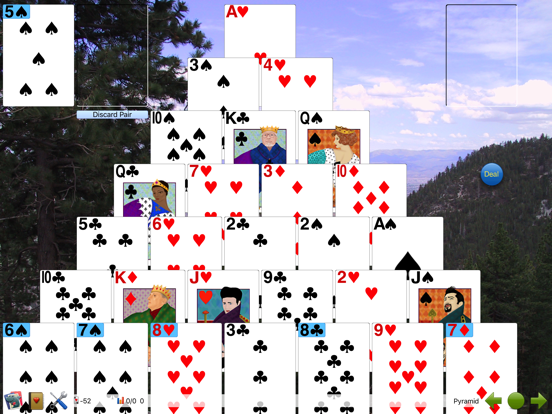
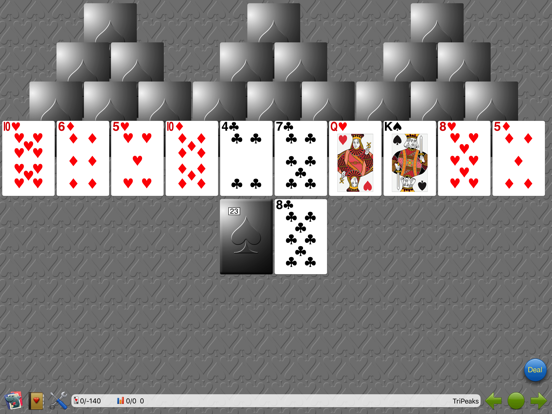
Solitaire Till Dawn offers over 100 different solitaire card games, from familiar favorites to obscure delights waiting for you to discover! Play Klon...
| Name | Price | Type |
|---|---|---|
| All Games | $2.99 | One-time |
| Ad-Free Solitaire Till Dawn | $2.99 | One-time |
| Fancy Features | $2.99 | One-time |
| Deluxe | $4.99 | One-time |