Sketch Steps: AI Loomis Draw

Recep Can Akdemir · iOS

Sketch Steps: AI Loomis Draw

Explore the ad evidence, study the storefront, and build your next acquisition hypothesis.

Paid-ad activity not yet verified
Compare appsMy watchlist

01 / Creative research

Turn the unknowns into a research plan.

01

Check the acquisition promise

Read the store headline, screenshots and description. What problem is the app promising to solve?

Study the storefront
02

Look for ad evidence

Explore apps with direct store-link matches. Compare their hooks and formats without assuming the same approach works here.

Browse observed advertisers
03

Separate demand from paid growth

Store rankings and revenue estimates describe market context. They do not establish ad spend, conversions or ROAS.

Review the market context

02 / Storefront & product

Where the click lands.

Study the product story and store experience behind the acquisition funnel.

Screenshots

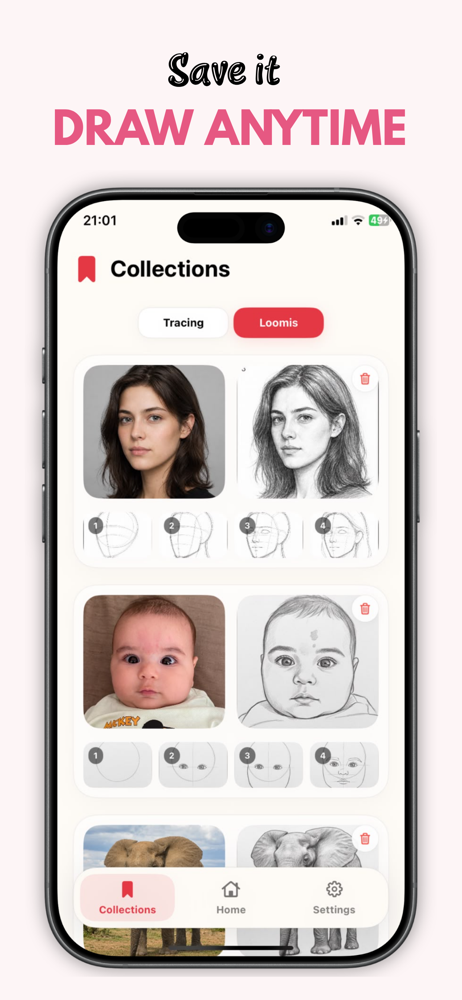
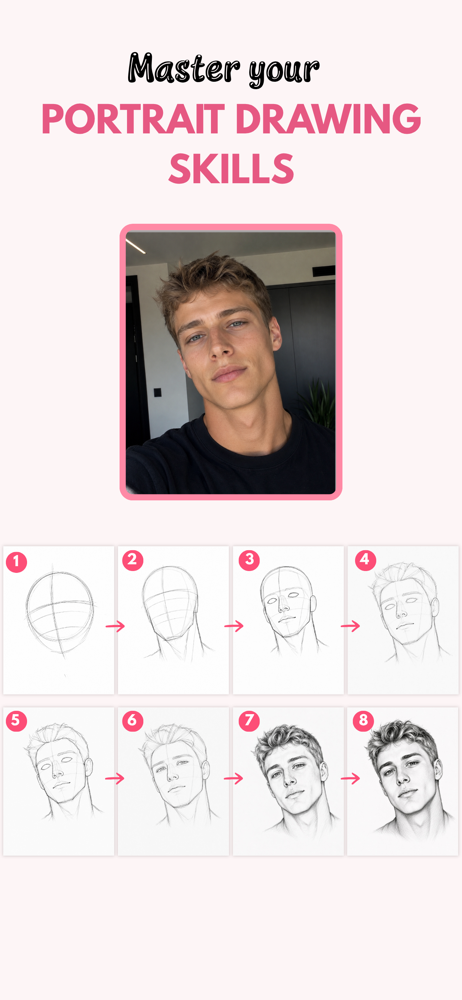
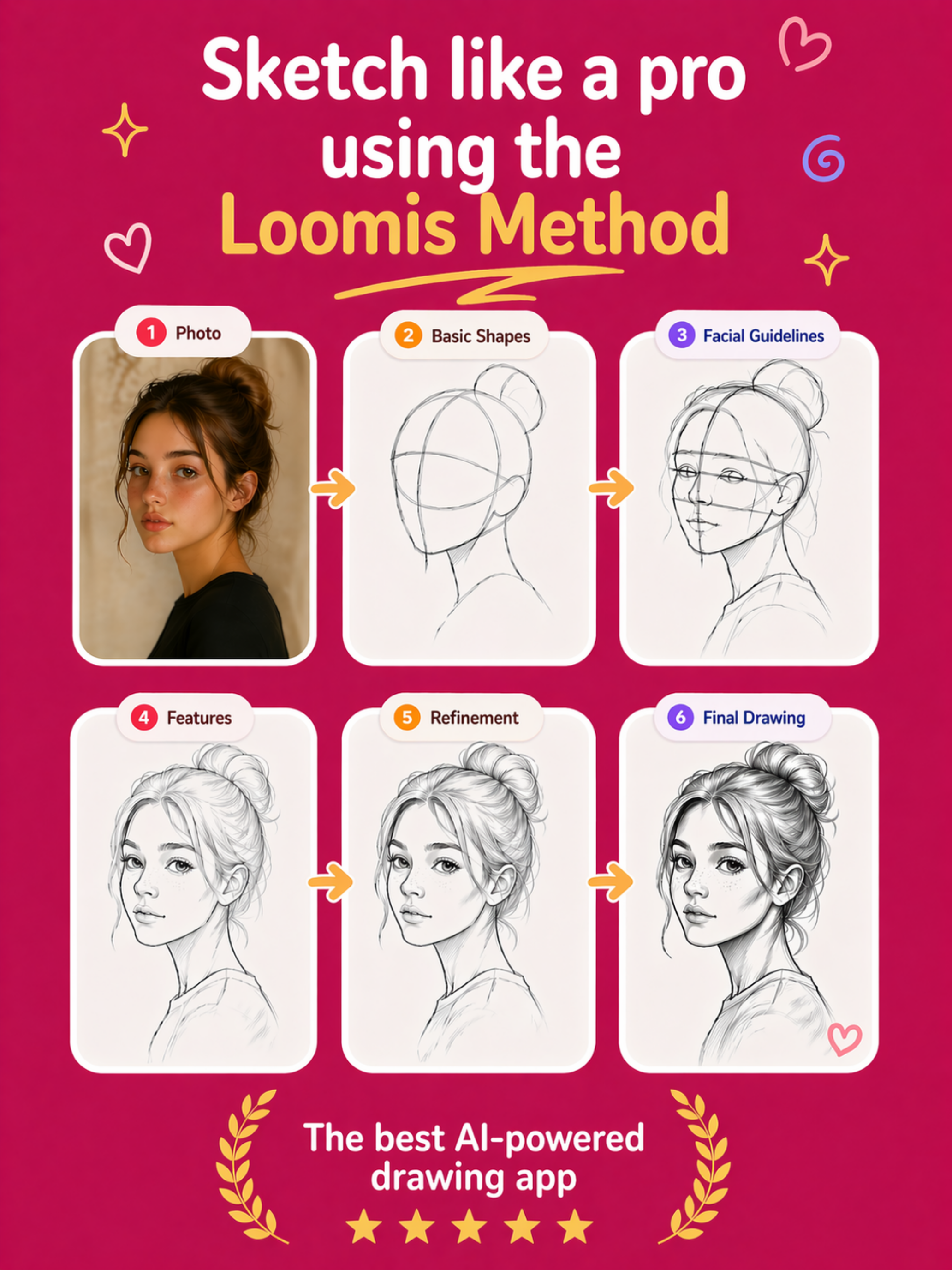
Sketch Steps: AI Loomis Draw screenshot 1Sketch Steps: AI Loomis Draw screenshot 2Sketch Steps: AI Loomis Draw screenshot 3Sketch Steps: AI Loomis Draw screenshot 4Sketch Steps: AI Loomis Draw screenshot 5Sketch Steps: AI Loomis Draw screenshot 6Sketch Steps: AI Loomis Draw screenshot 7Sketch Steps: AI Loomis Draw screenshot 8

03 / Market context

The business behind the app.

Keep revenue, downloads and store rankings separate from advertising performance.

How Much Does Sketch Steps: AI Loomis Draw Make?

Monthly Revenue
$1.0K
Annualized estimate
$12.0K
Per Download
$0.05

Platform Performance

🍎iOS
Revenue
$1.0K
Downloads
20.0K
Rating
4.1 (109)

Rating Distribution

4.1
★★★★
109 reviews
5
15%
4
4%
3
6%
2
8%
1
68%

Top Countries

🇮🇳 IN🇺🇸 US🇹🇷 TR

Rankings

Category Rank
#227
Reviews (3)
★★★★★Amir_kurdish8/8/2026
Nice

Good app

★★★★★Hamsi 507/10/2026
To pay

I need bank transfer

★★★★★Paul_wiggins7/8/2026
Avesome!

I really like how the app turns a photo into clear step by step drawing guidance. It makes sketching feel much easier, especially for beginners. The interface is simple, and the results are useful for practicing proportions and improving drawing skills. Great app for anyone who wants to learn how to draw from references.

Version History (8)
1.0.79/8/2026
1.0.68/11/2026
1.0.58/5/2026
1.0.46/25/2026
1.0.36/18/2026
1.0.26/12/2026
1.0.15/27/2026
1.05/12/2026
Available In (111 Countries)
🇺🇸 United States🇦🇺 Australia🇨🇦 Canada🇨🇳 China🇫🇷 France🇩🇪 Germany🇬🇧 United Kingdom🇮🇹 Italy🇯🇵 Japan🇰🇷 South Korea🇷🇺 Russia🇩🇿 DZ🇦🇴 AO🇦🇷 Argentina🇦🇹 Austria🇦🇿 AZ🇧🇭 BH🇧🇾 BY🇧🇪 Belgium🇧🇷 Brazil🇧🇬 Bulgaria🇨🇱 Chile🇨🇴 Colombia🇨🇷 CR🇭🇷 Croatia🇨🇾 CY🇨🇿 Czech Republic🇩🇰 Denmark🇩🇴 DO🇪🇨 EC🇪🇬 Egypt🇸🇻 SV🇫🇮 Finland🇬🇭 GH🇬🇷 Greece🇬🇹 GT🇭🇰 Hong Kong🇭🇺 Hungary🇮🇳 India🇮🇩 Indonesia🇮🇪 Ireland🇮🇱 Israel🇰🇿 KZ🇰🇪 Kenya🇰🇼 KW🇱🇧 LB🇱🇹 Lithuania🇱🇺 LU🇲🇴 MO🇲🇾 Malaysia🇲🇹 MT🇲🇽 Mexico🇳🇱 Netherlands🇳🇿 New Zealand🇳🇬 Nigeria🇳🇴 Norway🇴🇲 OM🇵🇰 Pakistan🇵🇦 PA🇵🇪 Peru🇵🇭 Philippines🇵🇱 Poland🇵🇹 Portugal🇶🇦 QA🇷🇴 Romania🇸🇦 Saudi Arabia🇷🇸 RS🇸🇬 Singapore🇸🇰 Slovakia🇸🇮 Slovenia🇿🇦 South Africa🇪🇸 Spain🇱🇰 LK🇸🇪 Sweden🇨🇭 Switzerland🇹🇼 Taiwan🇹🇭 Thailand🇹🇳 TN🇹🇷 Turkey🇺🇦 Ukraine🇦🇪 UAE🇺🇾 UY🇺🇿 UZ🇻🇪 VE🇻🇳 Vietnam🇧🇴 BO🇰🇭 KH🇪🇪 Estonia🇱🇻 Latvia🇳🇮 NI🇵🇾 PY🇬🇪 GE🇮🇶 IQ🇱🇾 LY🇲🇦 MA🇲🇿 MZ🇲🇲 MM🇾🇪 YE🇧🇯 BJ🇧🇫 BF🇨🇲 CM🇨🇬 CG🇨🇮 CI🇯🇴 JO🇱🇦 LA🇲🇱 ML🇸🇳 SN🇹🇿 TZ🇺🇬 UG🇿🇲 ZM🇿🇼 ZW
Supported Languages (11)
EnglishFrenchGermanIndonesianItalianJapaneseKoreanPortugueseChineseSpanishTurkish
App Details

Sketch Steps helps you practice drawing with two powerful tools in one app: AI Loomis Studio and Tracing Studio. AI Loomis Studio turns a portrait in...

iOS App ID
6763632360
Content Rating
4+
Min OS
18
Size
153.2 MB
In-App Purchases
Yes
Publisher
Recep Can Akdemir

In-App Purchases (7)

NamePriceType
10 Credits$3.99One-time
SketchFlow Pro Weekly$8.99Weekly
25 Credits$8.99One-time
SketchFlow Pro Monthly$19.99Monthly
60 Credits$19.99One-time
150 Credits$39.99One-time
Sketch Steps Pro Yearly$79.99Yearly