Check the acquisition promise
Read the store headline, screenshots and description. What problem is the app promising to solve?
Study the storefront ↗
Ludovic Landry · iOS
Explore the ad evidence, study the storefront, and build your next acquisition hypothesis.
01 / Creative research
Read the store headline, screenshots and description. What problem is the app promising to solve?
Study the storefront ↗Explore apps with direct store-link matches. Compare their hooks and formats without assuming the same approach works here.
Browse observed advertisers ↗Store rankings and revenue estimates describe market context. They do not establish ad spend, conversions or ROAS.
Review the market context ↗02 / Storefront & product
Study the product story and store experience behind the acquisition funnel.


03 / Market context
Keep revenue, downloads and store rankings separate from advertising performance.
Recently and historically noticed that photos on iCloud account have been getting removed from unknown SOuRces. Even though that I have utilized additional storage services they were not removed when I personally utilized those services and selected the remove and/or clean up features.
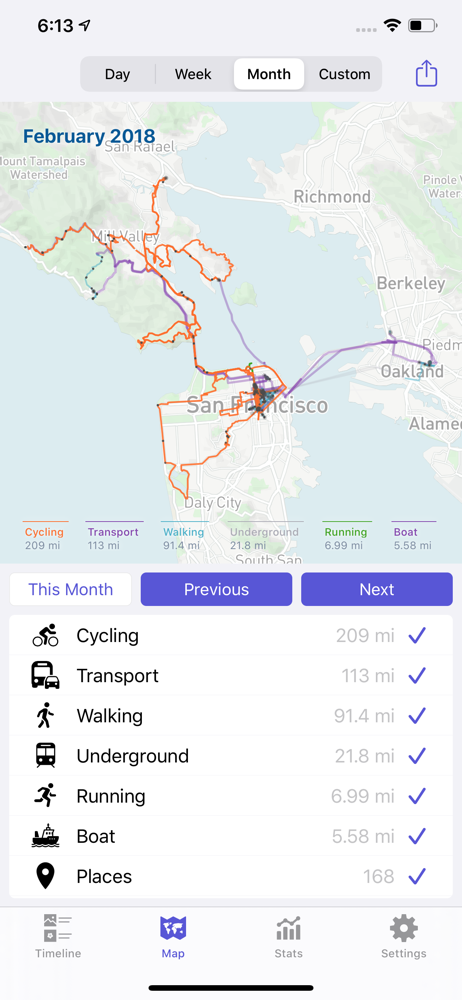
I have been using this app to track my daily walks for quite some time. I plan to walk all the streets within a 5 mile radius of my home. But 2-3 update ago, it stopped being able to refresh to import new walks that were recorded by apple’s workout app. The only way I can get new walks to show up is to 1) clear all cached data, 2) refresh activities (which always causes the app to crash if I’ve cleared the cache), 3) re-launch and then refresh activities once again. I have to do that every single day if I want to see that day’s walk. It used to work by simply choosing refresh activities, but something got broken in a recent update. I also find the night mode map to not have enough contrast. I can barely see the streets, especially the ones I have yet to walk. I wish there was a app-specific setting to disable night mode. Finally, I wish there was the standard compass needle icon that would zoom the map to my current location and display a dot to indicate where I am on the map. Sounds like it’s time for to to search for a better walk tracking app.
I had used this app to map data from Moves app for quite a while. Developer was responsive to requests for features. When Facebook killed Moves app, Quantified Map was quickly updated to add collection and import of saved Moves app data. App has had a number of rapid updates to improve stability and capability Best replacement for Moves out there. Low cost of operation and easy to use. I have tried several others and they, plus their support, have disappointed and cost too much battery to run.
Keep track of your activity and travel through the years. Create high quality personalized maps using your data, visualize your day to day timeline, t...