
Check the acquisition promise
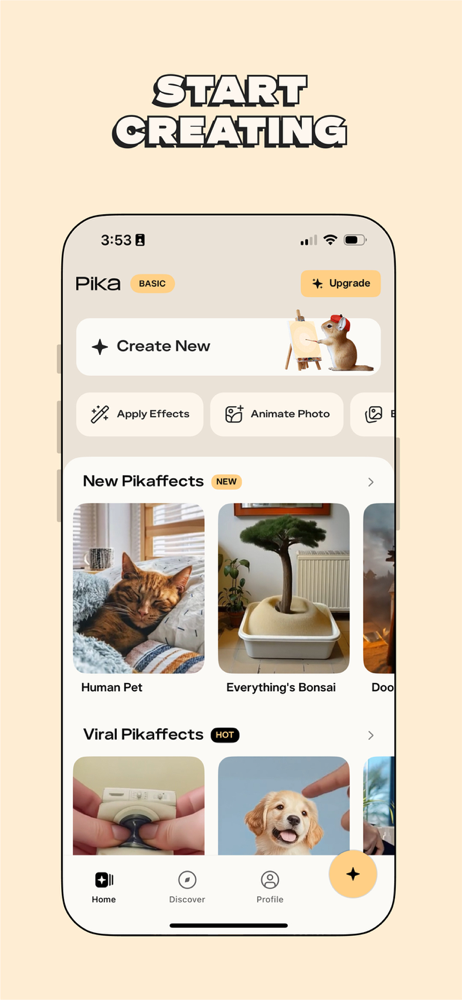
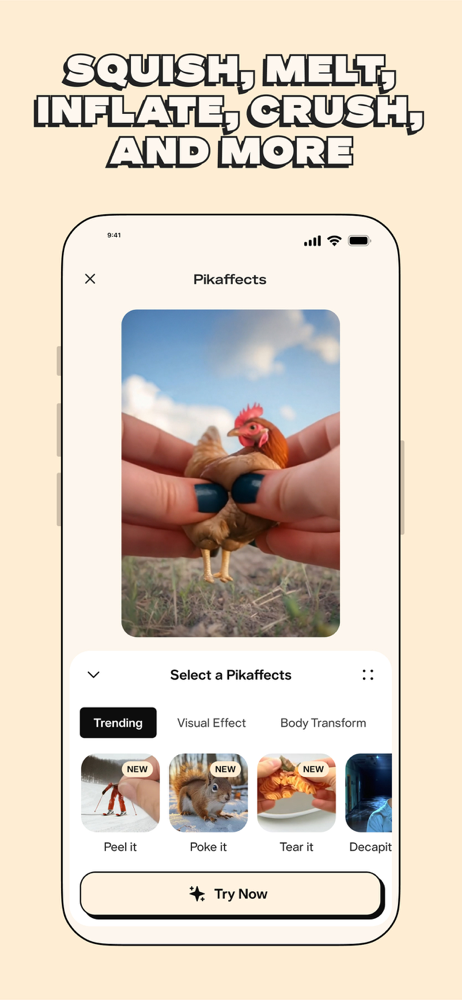
Read the store headline, screenshots and description. What problem is the app promising to solve?
Study the storefront ↗
Mellis, Inc. · iOS
Explore the ad evidence, study the storefront, and build your next acquisition hypothesis.
01 / Creative research
Read the store headline, screenshots and description. What problem is the app promising to solve?
Study the storefront ↗Explore apps with direct store-link matches. Compare their hooks and formats without assuming the same approach works here.
Browse observed advertisers ↗Store rankings and revenue estimates describe market context. They do not establish ad spend, conversions or ROAS.
Review the market context ↗02 / Storefront & product
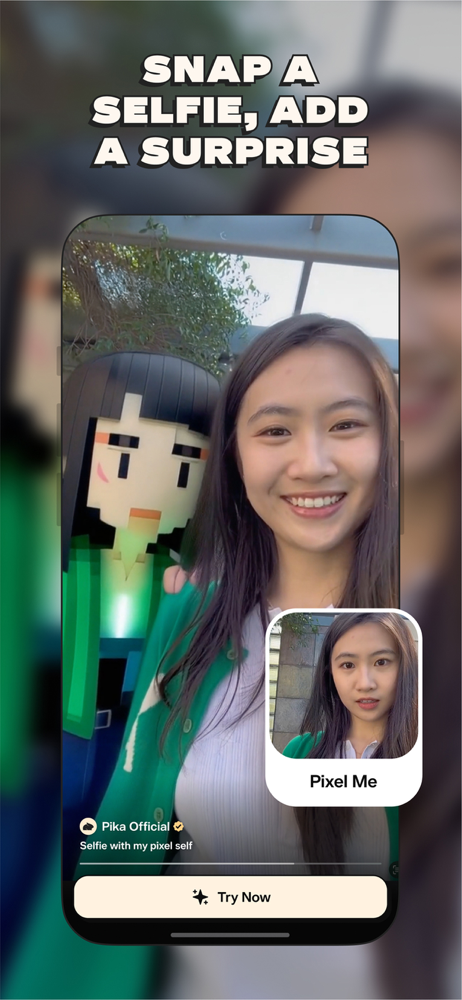
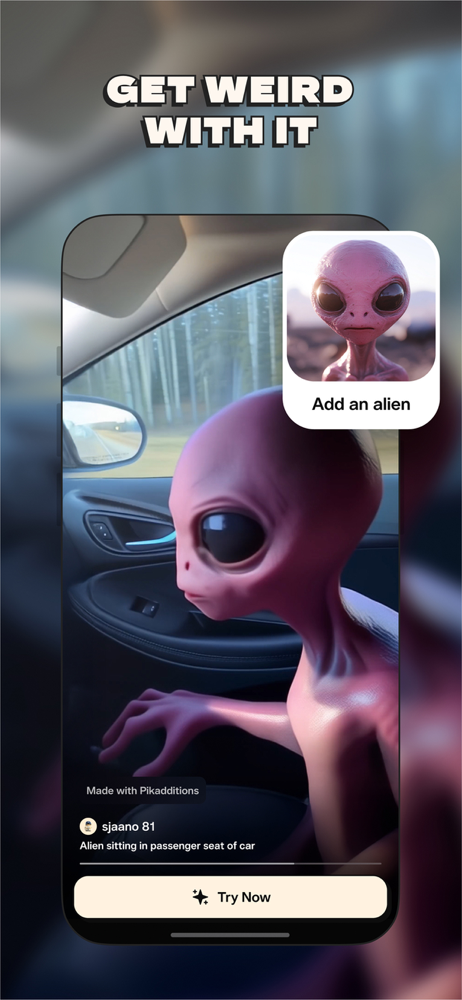
Study the product story and store experience behind the acquisition funnel.


03 / Market context
Keep revenue, downloads and store rankings separate from advertising performance.
It’s a powerful tool to use artificial intelligence to manipulate photos into interesting pieces of art. I like being able to animate photos, especially loved ones that have passed away and kind of cherishing memories of them in a different way. I’m sure it’s hard work creating this technology, but it shouldn’t be so limited for the user. You can only use a few times then you have to pay money which I think it’s very expensive going by their plans. You should always be able to animate photos as much as you need to especially since the watermark is there. Then of course, charge for using other tools and effects for those are able to afford it, but I can’t. I need to be able to buy you know things I need like food and water and gas and pay my electric bill. I’m not going to pay money on an app that applies effects/animations to photos and sometimes it doesn’t even create it properly. Also, it doesn’t explain very well how many credits are being used when you do something. It explains it in a Help section which I didn’t think to do when I first started using this app. The amount of credits is based on the speed of your work being generated, but I can’t make sense of it. I guess I get 150 credits per month for free and it cost five credits per generation is what I’m getting. That means 30 generations but I did not create 30 generations and it’s already telling me I’m out. I’m not sure if that’s right. I just know I can’t afford it. I guess I can explore other AI apps and see if I can find something that’s not so limited. Probably not though. Developers just want to charge you for every little thing you do in an app.
I’ve been a user since day 1. And I can honestly say, Pika provides one of the best AI video generation platforms in the AI video market today. I’ve tried practically all of them (Runway, Luma, Sora, Kling, MiniMax, etc.), and Pika always comes through as one of the more capable and versatile products in this space. Their mobile app is relatively new, and they don’t always port all of the features available on the web interface directly to the app right away. But they’re faster than most in translating new features to the mobile platform from their main web based interface. Quality-wise, the Pika 2.1 video generation model provides the best, most coherent, and aesthetically dynamic output. Very realistic motion with some of the best image/text prompt adherence I’ve come across. The Turbo model is also excellent. 2.2 is good at very specific things, but with less temporal cohesion and consistency than the 2.1 model. I use Pika to create video assets for professional-level projects, including music videos, short films, proof-of-concept storyboarding, and cinematic test sequencing. All in all, I highly recommend Pika. Whether you’re learning and exploring, a seasoned video/content creator, or a pro/semi-pro filmmaker, Pika provides an incredible range of creative tools within their platform that allow for a wealth of possibilities. It can get a bit pricey for the professional-level subscription. But it’s still pretty competitive. And for me, so far, it’s been worth it.
This app is seriously impressive! I’ve tried a bunch of AI video tools, but Pika makes it super easy to create really cool, high-quality videos straight from my phone. Just type in what you want, and boom—a fully animated video that actually looks good. The effects are fun too! You can make things melt, explode, or just add wild details that make your videos stand out. It’s perfect for social media, music videos, or just messing around with ideas. Plus, it runs smoothly, and the videos render faster than I expected. I love how creative I can get with this—every time I use it, I discover something new. Whether you’re a content creator or just someone who likes experimenting with cool tech, Pika is 100% worth downloading. Highly recommend!
Meet Pika, the mind-blowing AI video maker that brings your wildest dreams and weirdest ideas to life. Insert yourself into a famous painting. Kiss a...
| Name | Price | Type |
|---|---|---|
| Standard Weekly | $8.99 | Weekly |
| Pro Weekly | $14.99 | Weekly |
| Standard Monthly | $16.00 | Monthly |
| Pro Monthly | $35.00 | Monthly |
| Pro Monthly | $35.00 | Monthly |
| Fancy Weekly | $48.00 | Weekly |
| Standard Yearly | $96.00 | Yearly |
| Fancy Monthly | $119.00 | Monthly |
| Pro Yearly | $199.00 | Yearly |
| Pro Yearly | $199.00 | Yearly |


