
Check the acquisition promise
Read the store headline, screenshots and description. What problem is the app promising to solve?
Study the storefront ↗
Adam Oxner · iOS
Explore the ad evidence, study the storefront, and build your next acquisition hypothesis.
01 / Creative research
Read the store headline, screenshots and description. What problem is the app promising to solve?
Study the storefront ↗Explore apps with direct store-link matches. Compare their hooks and formats without assuming the same approach works here.
Browse observed advertisers ↗Store rankings and revenue estimates describe market context. They do not establish ad spend, conversions or ROAS.
Review the market context ↗02 / Storefront & product
Study the product story and store experience behind the acquisition funnel.


03 / Market context
Keep revenue, downloads and store rankings separate from advertising performance.
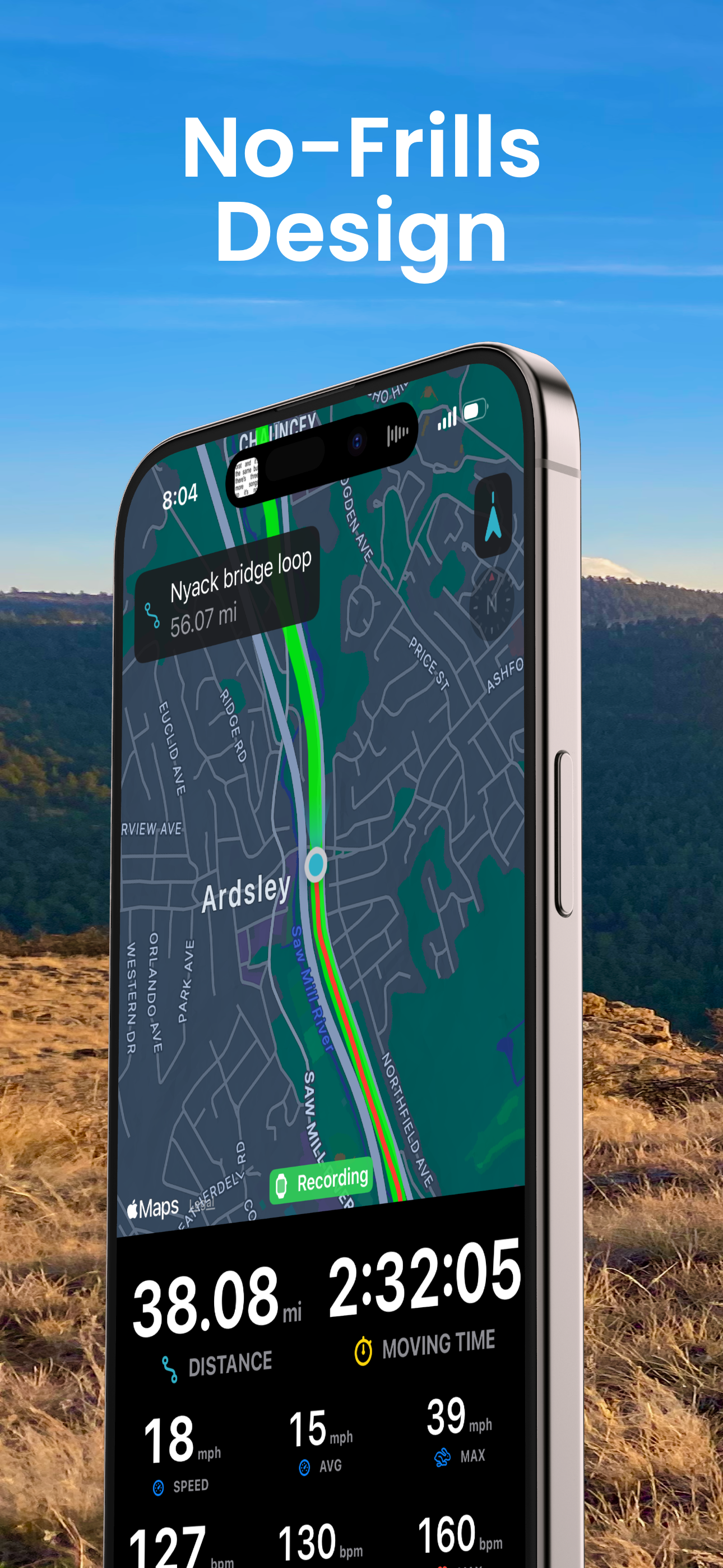
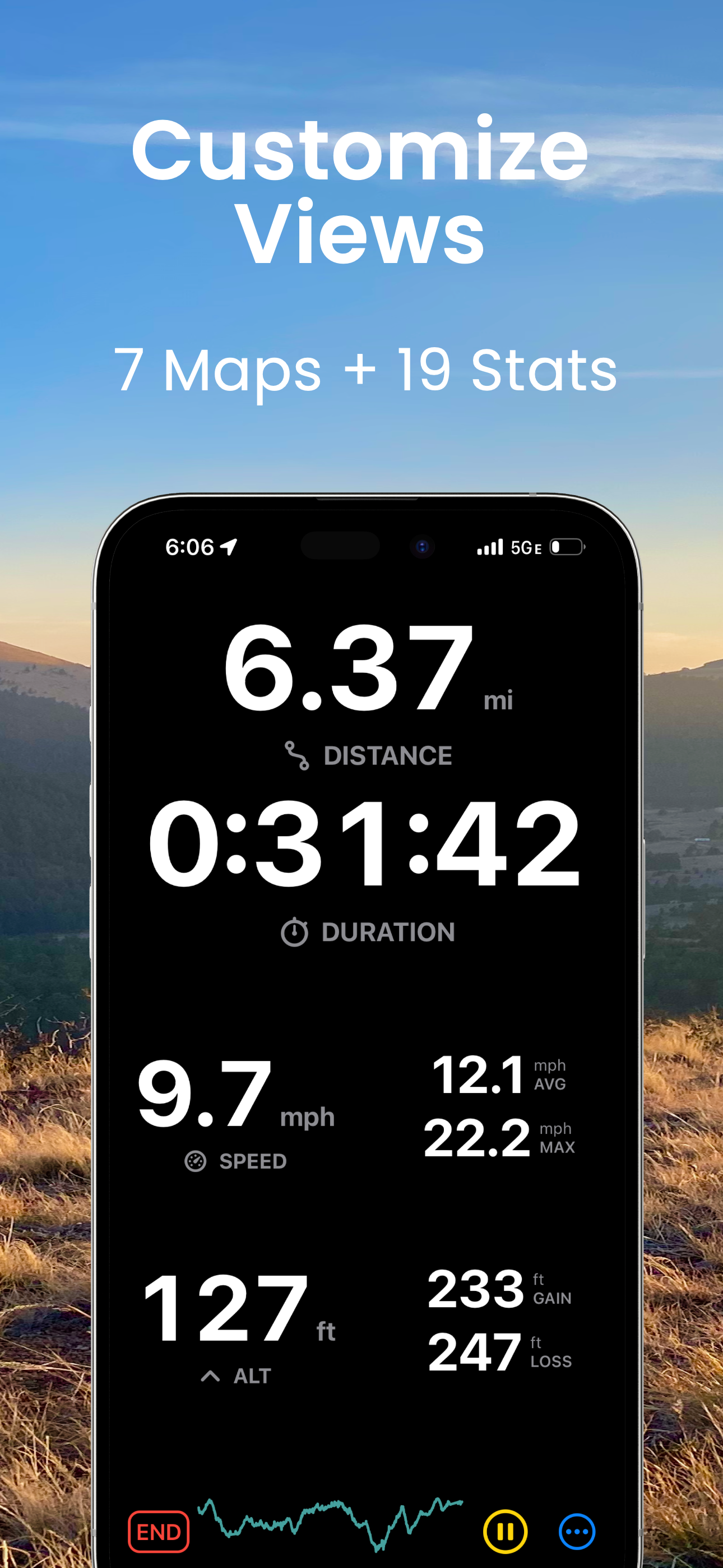
What a lot of other developers get wrong is treating route planning and social fitness as the same thing as the utility of a bike computer. This app gets it—it’s laser-focused on being an incredibly intuitive, tactile, and reliable bike computer. It just works without making you fidget with a million settings or distractions mid-ride. Even without formal integrations, the companion watch app is a brilliant bridge—enabling heart rate monitoring and Bluetooth power meter connections so you get most of the critical ride metrics. If I had one feature request, it’d be this: support for radar info (like from a Garmin Varia or Wahoo Trackr) connected via Bluetooth through the Apple Watch, displayed just like power data. That addition would complete the ride picture and make this the most capable bike computer app on the platform—no question.
I have to give a huge shout out to the developer and designer of this amazing cycling app. Your hard work and dedication is greatly appreciated for those of us who enjoy a short ride through a park with family friends or even longer rides of a half century or more. As someone who lives on a fixed income, it’s wonderful that you freely share your talent with others only asking for what they can afford as a tip. Thank you again from my entire cycling family. 🚴🚴♀️🚴♂️
I wrote the following review ( see below) about a month ago. Since then, the developer notified me that the crashes when trying to open settings were solved. I have tried it and indeed it has not happened again. I still want to know if anyone has done any accurate testing of altitude gain, perhaps using a good barometric altimeter. I suspect the altitude gain difference I observe between Strava and this app suggests one of them is not very accurate. Maybe both of them. But Strava shows greater altitude gains. So anyone out there with a good altimeter, please help with your data on this question. Meanwhile, crashes are solved, and I am increasing my review to 4 stars. The moment this app tells me I am Superman and climbed Mt Everest and not my local hills, I am immediately updating with 5 stars! Here’s my old review before this update: I have been using this as my on-bike computer for a while, and I endorse the straightforward simplicity and apparent respect of privacy and noncommercial nature of it. However, perhaps coinciding with some IOS updates, a crash began to occur every time I turned it on and tried to go to settings. I am using older phones like 6s and 6s Plus, but updated to the most current iOS. Is anyone else having a similar problem? I do have one other observation. The altitude gain is always about 30% less than shown in Strava. I have not compared either to an accurate altimeter, but I suspect Strava’s deeper pockets have allowed development of a pretty accurate system, so my suspicion is that the altitude gain and loss stats in this app may be less accurate. If anyone has done some ground-truth analysis please share your data.
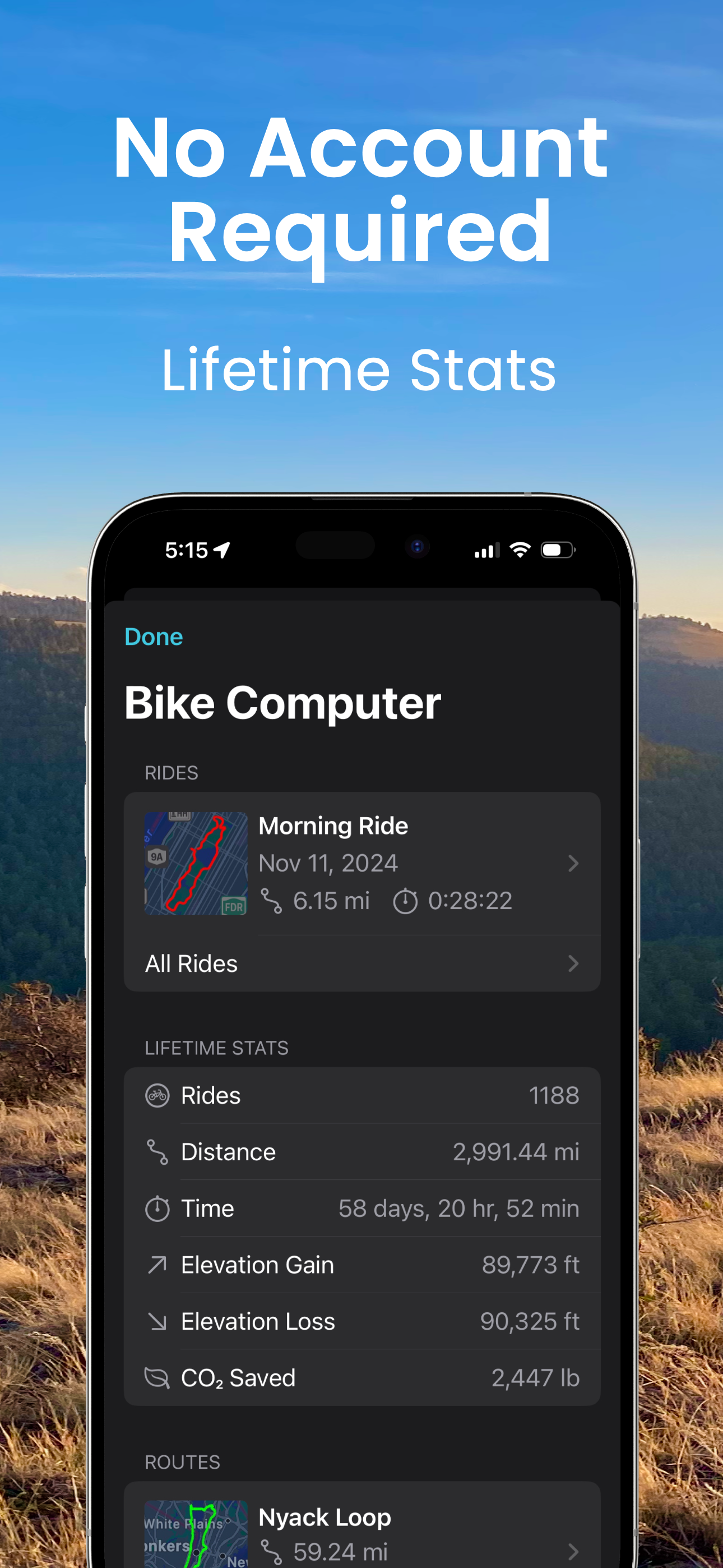
A simple, no-frills, bike computer to mount on your handlebars. No account required. FREE FEATURES: - Apple Watch app streams stats to your phone or...
| Name | Price | Type |
|---|---|---|
| Tip a Coffee | $1.99 | One-time |
| Pro Subscription (Monthly) | $2.99 | Monthly |
| Tip a Trail Snack | $4.99 | One-time |
| Tip a New Tube | $9.99 | One-time |
| Pro Subscription (Annual) | $19.99 | Yearly |


