Check the acquisition promise
Read the store headline, screenshots and description. What problem is the app promising to solve?
Study the storefront ↗
David Cordero · iOS
Explore the ad evidence, study the storefront, and build your next acquisition hypothesis.
01 / Creative research
Read the store headline, screenshots and description. What problem is the app promising to solve?
Study the storefront ↗Explore apps with direct store-link matches. Compare their hooks and formats without assuming the same approach works here.
Browse observed advertisers ↗Store rankings and revenue estimates describe market context. They do not establish ad spend, conversions or ROAS.
Review the market context ↗02 / Storefront & product
Study the product story and store experience behind the acquisition funnel.


03 / Market context
Keep revenue, downloads and store rankings separate from advertising performance.
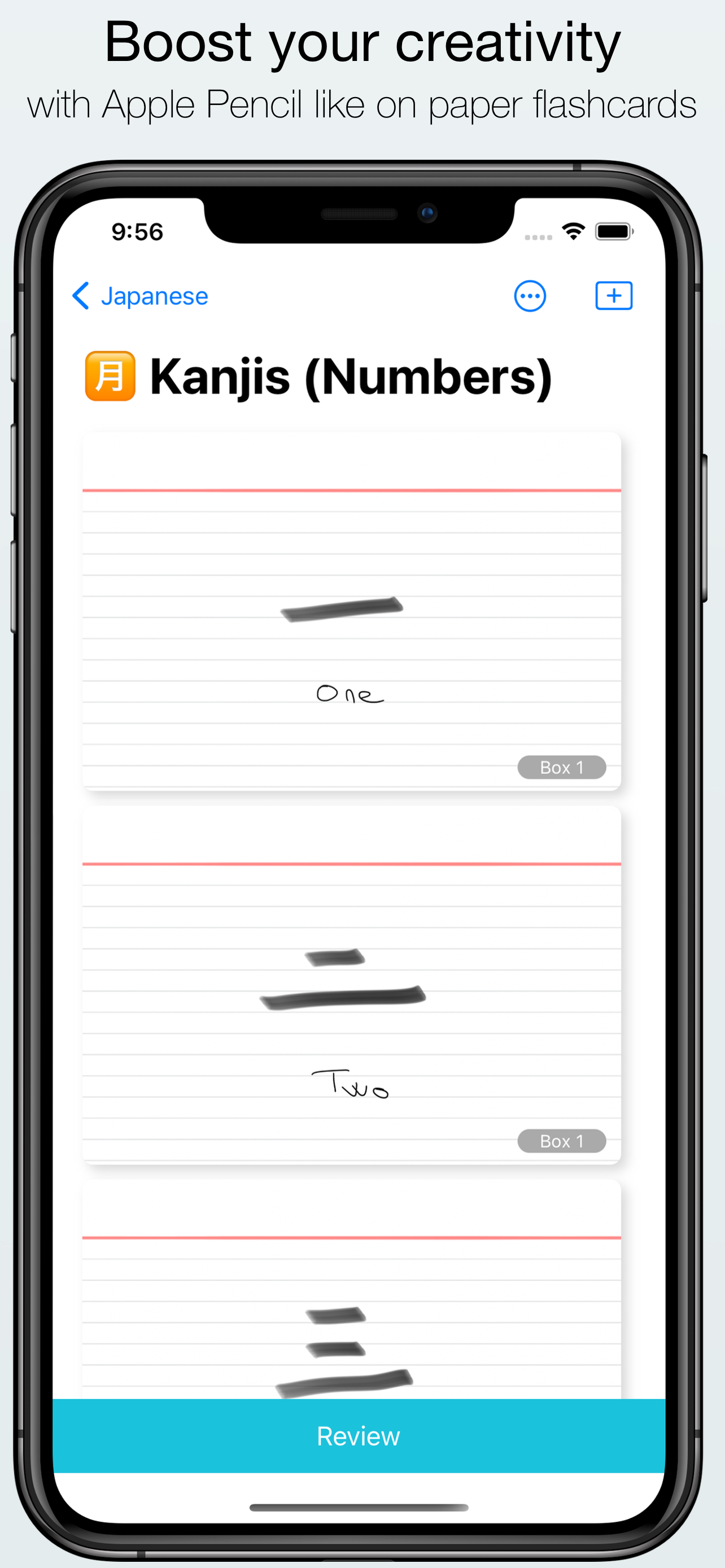
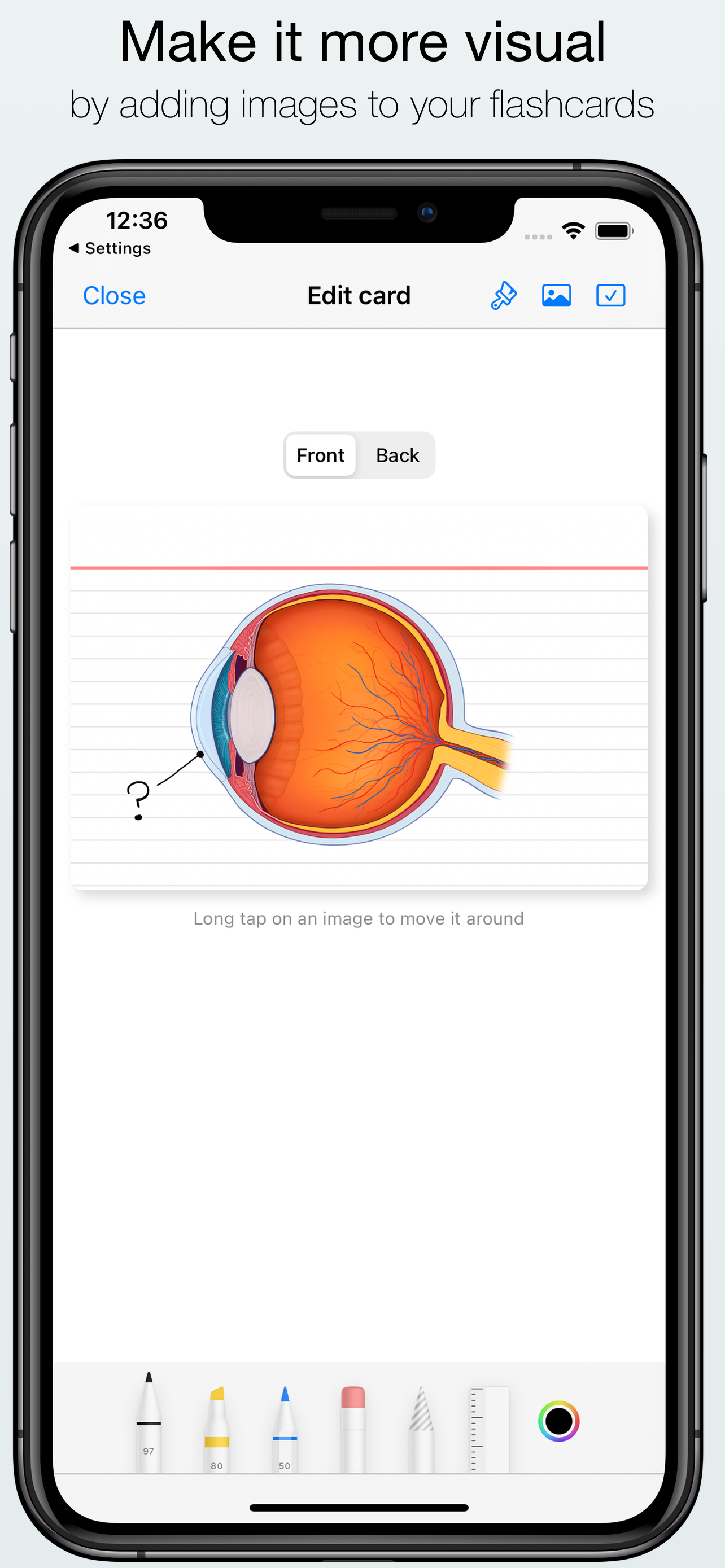
I think Kyoku flashcards is a very intuitive Flashcard creation app, but it can benefit from a few improvements. The main issue with it is that it doesn’t have a text tool, which makes using it difficult. Here are some areas where I think this app can improve: (1) Please add a text tool to Kyoku Flashcards. I know that Kyoku is advertised as a flashcard app for the Apple Pencil, but that doesn’t mean it shouldn’t also have a text tool. I purchased this app on my iPhone, which doesn’t support the Apple Pencil. I’m forced to write with my finger in order to use this app, which I don’t like. This app isn’t usable to me on my iPhone unless we are given the ability to add text. The absence of this feature is the reason why I took off one star from my rating. (2) It would help a lot if a feature such as image occlusion was added. This is a time-saving feature because it would allow us to use diagrams that contain many labels (think of anatomy diagrams that contain numerous labels). We can draw boxes on each label to cover them up, and tap on a box whenever we want to reveal the answer. This feature can also be used to conceal certain words in a sentence, which gives users a chance to guess the hidden words before revealing the answer. (3) Lastly, I wish there was a way to search for specific flashcards that I’ve created. Currently, it’s not possible to do this because there is no search bar. It’s hard to keep track of flashcards within a large deck, but I want to avoid repetition. I want to know what flashcards I have already created, and what I still need to create. Sometimes I might realize that I made a mistake on one of the flashcards, and I want to edit it or delete it, but this is not easy because searching manually is time-consuming. It’d be very useful if there was a way to at least make the titles of each flashcard searchable, even if nothing else in the card is searchable.
I use this app all the time especially because I love having my own handwritten notes but I also like to be able to use flashcards to quiz myself and this is much more sustainable given that I have over 600 flashcards for every exam. The only issue that would be great if it was fixed is sometimes the app gets overwhelmed probably because I have so many flashcards, but it ends up shutting down on me and restarting, and I lose where I’m at sometimes and I have to scroll all the way back down, but in the process of doing that, the app gets overwhelmed and shuts down again. If I go very slowly, I can avoid this.
This is an awesome app! If you're trying to go paperless, but prefer studying on handwritten flash cards, then this is what you're looking for. Kyoku makes great use of the Leitner space repetition system for studying or memorization. It seemlessly integrates with iCloud. Let's say you want to draw a deck on your iPad and then review it later on your computer or phone, no problem, it's ready to go. Not to mention, it looks great. The app is refreshingly simple, but still looks great. You can add pictures to any card, and choose between several different backgrounds. One thing I'd like to see added is setting seperate backgrounds on each side of the card. But the best feature by far is the Apple Pencil integration. From what I can tell, this is the only iPad app that lets you use the Pencil. And at this is all at a unbelievable price compared some of the more popular flashcard apps. Keep up the good work! I'll be telling everyone I know to download this app!
Kyoku Flashcards is a powerful flashcards app ready to use with your Apple Pencil. It will make it easier to learn anything you want. Transform your f...