
Check the acquisition promise
Read the store headline, screenshots and description. What problem is the app promising to solve?
Study the storefront ↗
Michael Hansen · iOS
Explore the ad evidence, study the storefront, and build your next acquisition hypothesis.
01 / Creative research
Read the store headline, screenshots and description. What problem is the app promising to solve?
Study the storefront ↗Explore apps with direct store-link matches. Compare their hooks and formats without assuming the same approach works here.
Browse observed advertisers ↗Store rankings and revenue estimates describe market context. They do not establish ad spend, conversions or ROAS.
Review the market context ↗02 / Storefront & product
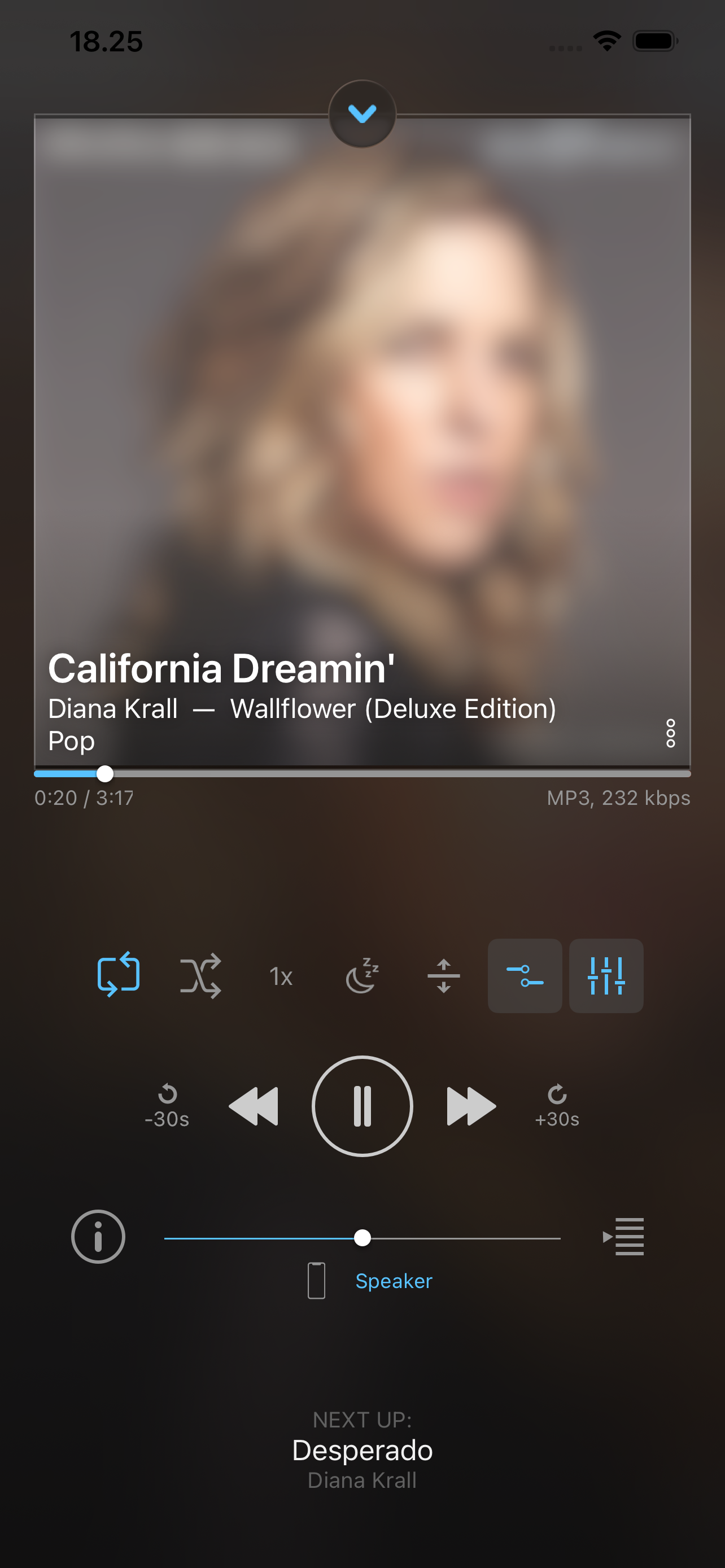
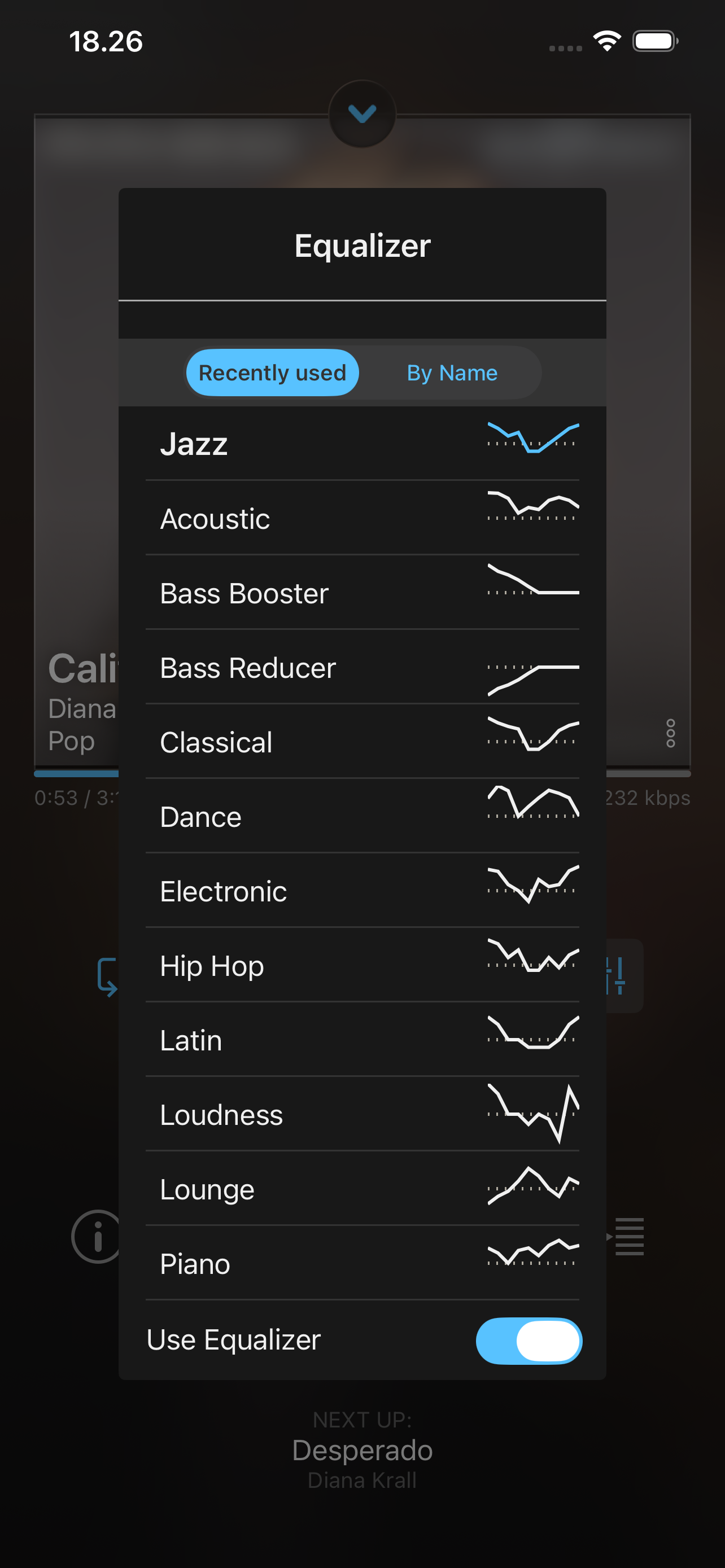
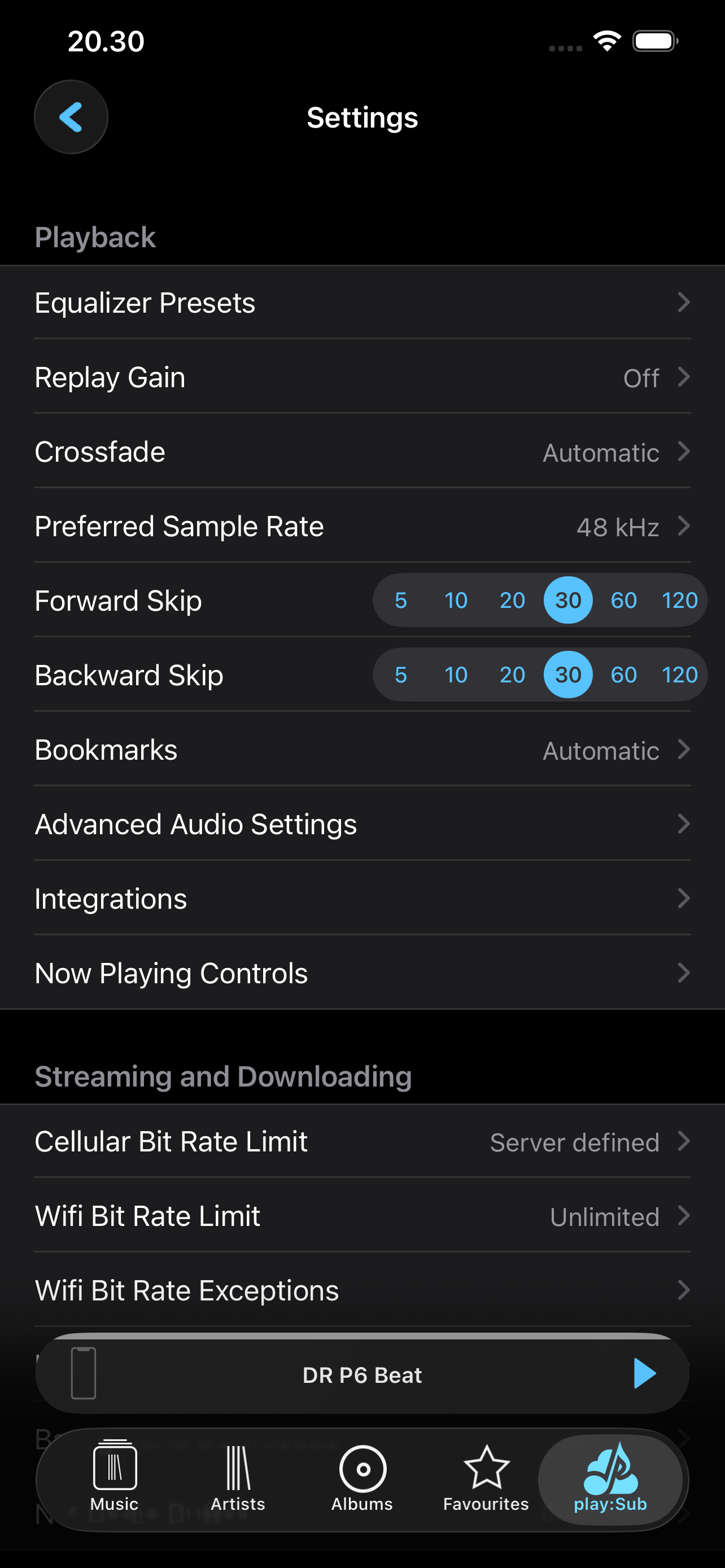
Study the product story and store experience behind the acquisition funnel.



03 / Market context
Keep revenue, downloads and store rankings separate from advertising performance.
Most important: gapless playback works flawlessly. If (like for me) this is a critical requirement for you, then this program is what you need. No microgaps, just seamless playback from track to track. The program has very nice features for server connections including letting you choose to accept self-signed certificates and letting you use a server with http Basic Auth. It's easy to configure multiple servers and switch between them. Clearly the developers have put a lot of thought into makeing the app as widely useful as possible. Oh, and it works well with Apple Car Play taboot. The user interface seems great to me. I do wish that after briging up the list of genres, selecting a genre brought up a list of album-artists rather than albums, but that's just a small quibble. I'm connecting to navidrome servers, and I've noticed some problem with flakey behavior when first visiting a new server, but it was not reproducible and never appeared after the first visit. Perhaps the problem was at my end. Overall my experience with the app is off-scale good. The perfect way to access my home music collection when on the road.
Been using Play:Sub forever. I love the app, but I think the most recent update messed something up. In Folder view, whenever I click on an album, it doesn’t always load the list of songs. I have to click the back arrow to go back to the list of artists and click the artist again to go back to their albums only to list the next albums songs. I have to go through this whole process just to see the next albums songs. Also, on occasion - some of the albums at the bottom of the list don’t show up. Just blank lines. This happens in both online and offline mode and just started happening this past week. No error dialogs appear. Would love resolution on this because I don’t want to change to iSub.
I use this with my booksonic server connected to unraid and it works beautifully. However, there’s 1 feature I would love to see you implement (btw, I’ve downloaded every subsonic music/audiobook player and none have it) is being able to play back at faster speeds. I have some audiobooks which are great, but the narrator speaks at terribly slow pace. Hopefully you can implement this feature relatively easily and soon! Otherwise, love the app and features! -update: and this was improved! We have faster playback, integration into every Bluetooth/wireless device I have. I’ve deleted all my other apps and use this one exclusively. Works with my audiobooks, podcasts and on a separate server I’ve linked my music. Overall, this is a total win!
Stream your Subsonic-server-hosted music to your iOS or CarPlay device, Chromecast device or Subsonic Jukebox. Enjoy your music everywhere, anytime, i...
| Name | Price | Type |
|---|---|---|
| Generous Tip | $1.99 | One-time |
| Amazing Tip | $3.99 | One-time |
| Unbelievable Tip | $8.99 | One-time |


