
Check the acquisition promise
Read the store headline, screenshots and description. What problem is the app promising to solve?
Study the storefront ↗
Anything is · iOS
Explore the ad evidence, study the storefront, and build your next acquisition hypothesis.
01 / Creative research
Read the store headline, screenshots and description. What problem is the app promising to solve?
Study the storefront ↗Explore apps with direct store-link matches. Compare their hooks and formats without assuming the same approach works here.
Browse observed advertisers ↗Store rankings and revenue estimates describe market context. They do not establish ad spend, conversions or ROAS.
Review the market context ↗02 / Storefront & product
Study the product story and store experience behind the acquisition funnel.



03 / Market context
Keep revenue, downloads and store rankings separate from advertising performance.
I have downloaded apps that say they can do what this app does, and they don’t come close. I have downloaded apps that just barely do what this app does but deleted them because I couldn’t figure them out for the life of me and it was a waste of time trying. This app does it all and makes it simple. Of course I spent some time learning but I didn’t watch tutorials and had it figured out in less than an hour with good progress made on my project in that time as well! Thank you to the moon and back for designing a legitimate app that works exactly as promised, without making it impossible to use, and for making sure that it works seamlessly! Just editing to add… remember to be diligent about saving your work. The app has been crashing quite a bit when I’ve been adding text… this issue does not change my mind at all on the quality of the app. It is minor compared to how perfectly the app works in every other way, how well thought out it’s features are, and how easy they’ve made it to get the most out of the app.
This app rivals a professional design program, and the basic version is FREE! I’ve created my entire small business identity using this app and one other, including business cards. It’s easy to move objects around, edit text, and re-layer, and it comes with a lot of re-sizable shapes that’ll really spruce up your design. Highly recommend, and I’ll definitely be purchasing the paid version, which lets you have more than two saves. Had an earlier question about transparent PNG’s, and the developer had a great response. Please see it if you’re struggling to get transparent images to work!
I've been looking for a good, reliable, and simple app to use for graphic design or to just mess around. The full version for this app is worth what it charges. If you're confused about how to use it, they already have little videos to let you see how it can be used. And I have not experienced any bugs, crashes, glitches, or any inconveniences whatsoever. So I give this app 5/5. Update: This app is still really great, but I’ve experienced a few minor issues and have some suggestions. Issues: 1. All my old designs that I once had started losing their original shape and I had no way to fix it, so I ended up deleting all my designs. I tried reinstalling the app but it didn’t give me back the designs. Suggestions: 1. Allow users to color specific parts of text instead of the whole text itself. 2. Create default dimension set ups (like the dimensions to design an album artwork for a band, or a movie poster.) Other than that, this app is still top-notch.
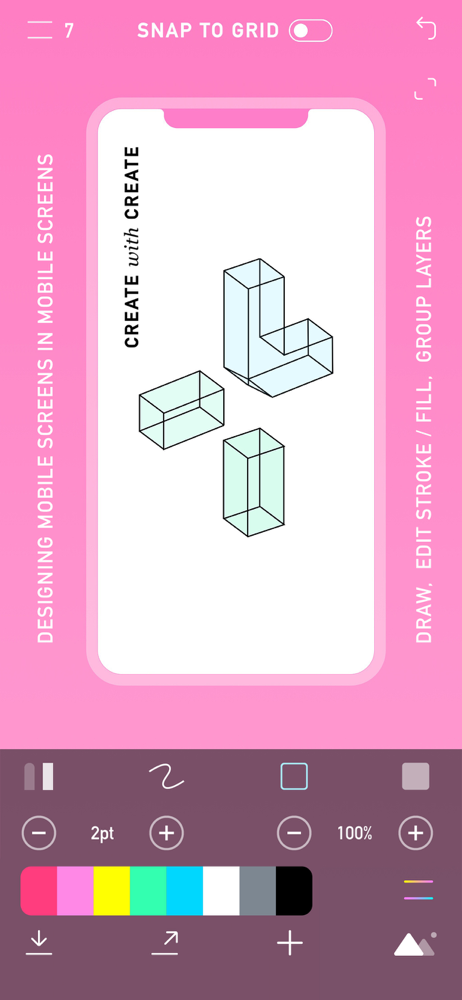
CREATE — The powerful and easy to use graphic design + drawing app. Create and share sophisticated projects - design and collaborate anywhere. Use ph...
| Name | Price | Type |
|---|---|---|
| Install fonts | $3.99 | One-time |
| CREATE PRO - Monthly | $4.99 | Monthly |
| CREATE PRO - 3 Monthly | $12.99 | Quarterly |
| CREATE PRO - 6 Monthly | $24.99 | Semi-Annual |
| All features | $49.99 | One-time |


