Check the acquisition promise
Read the store headline, screenshots and description. What problem is the app promising to solve?
Study the storefront ↗
CCC Intelligent Solutions Inc. · iOS
Explore the ad evidence, study the storefront, and build your next acquisition hypothesis.
01 / Creative research
Read the store headline, screenshots and description. What problem is the app promising to solve?
Study the storefront ↗Explore apps with direct store-link matches. Compare their hooks and formats without assuming the same approach works here.
Browse observed advertisers ↗Store rankings and revenue estimates describe market context. They do not establish ad spend, conversions or ROAS.
Review the market context ↗02 / Storefront & product
Study the product story and store experience behind the acquisition funnel.



03 / Market context
Keep revenue, downloads and store rankings separate from advertising performance.
Needs the ability to add photos from Camera Roll. Scans VINs 50% of the time, very hit or miss. Ability to add more than 60 photos would be helpful.
This is a great app and allows me to add pictures and invoices to my files in an instant!! Only things I would change are please take the time stamp off the bottom of the pictures...it is constanly blocking invoice totals and parts of my pictures...also please make it so that I can scan a vin tag after the file has already been created on our desktop. There is no way to scan a vin after a file has been created already. Otherwise I love this app and it saves me a ton of time!
1- History button should also be available on the initial screen. 2- History should hold at least the last 20 claims/cars. 3- You should be able to rescan the VIN at any time and be able to add supplemental photos to the claim. (Don’t think it does that currently?) 4- Camera button should still be exposed after taking a photo. It goes away and shows you the “retake” button instead. Remember as an appraiser, we often have a laptop and or an umbrella on top of the camera. One handed operations mean productivity. 5- THE BIG ONE for me would be the camera button acknowledges or acts as the “use” button. Right now it goes away. When you can take a pic, and if you like it, hit the shutter button again which takes the next photo. I could walk around the vehicle just clicking away if the photos are clear. 6- Once you’ve decoded the VIN, the plus button should be bigger and a circle with a plus sign. 7- When adding a manual ViN, the numbers and letters should be a little bigger and all on the same page QWERTY style. 8- Once you enter the VIN, it should be larger also to make it more legible. Most of us use iPhones 6. 9- Replace the “Headrests” button with an “Engine” pre-labeled button. Please at least give me number FIVE and I will appreciate you so much. Thank you for your time.
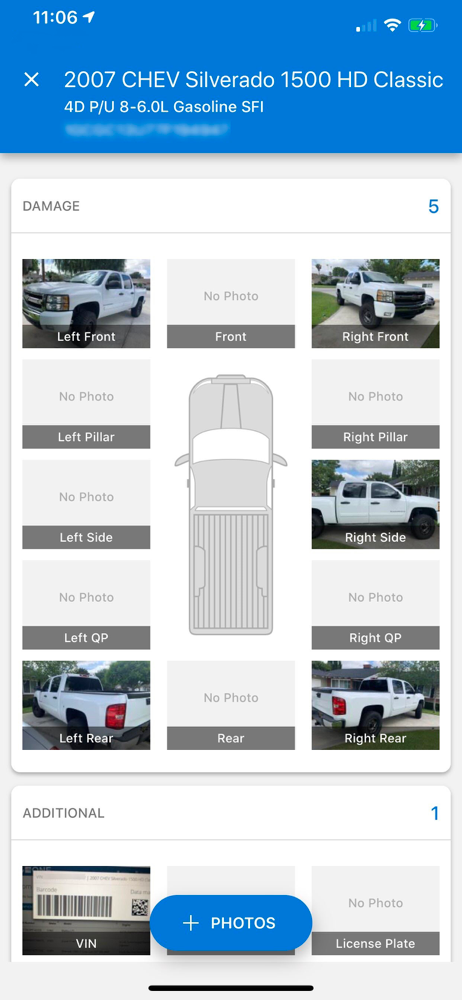
CCC ONE™ Mobile Appraiser enables insurance appraisers to ditch the camera and wirelessly sync photos to CCC ONE Estimating from your iPhone, iPad, or...