
Check the acquisition promise
Read the store headline, screenshots and description. What problem is the app promising to solve?
Study the storefront ↗
Publix Super Markets, Inc. · iOS
Explore the ad evidence, study the storefront, and build your next acquisition hypothesis.
01 / Creative research
Read the store headline, screenshots and description. What problem is the app promising to solve?
Study the storefront ↗Explore apps with direct store-link matches. Compare their hooks and formats without assuming the same approach works here.
Browse observed advertisers ↗Store rankings and revenue estimates describe market context. They do not establish ad spend, conversions or ROAS.
Review the market context ↗02 / Storefront & product
Study the product story and store experience behind the acquisition funnel.




03 / Market context
Keep revenue, downloads and store rankings separate from advertising performance.
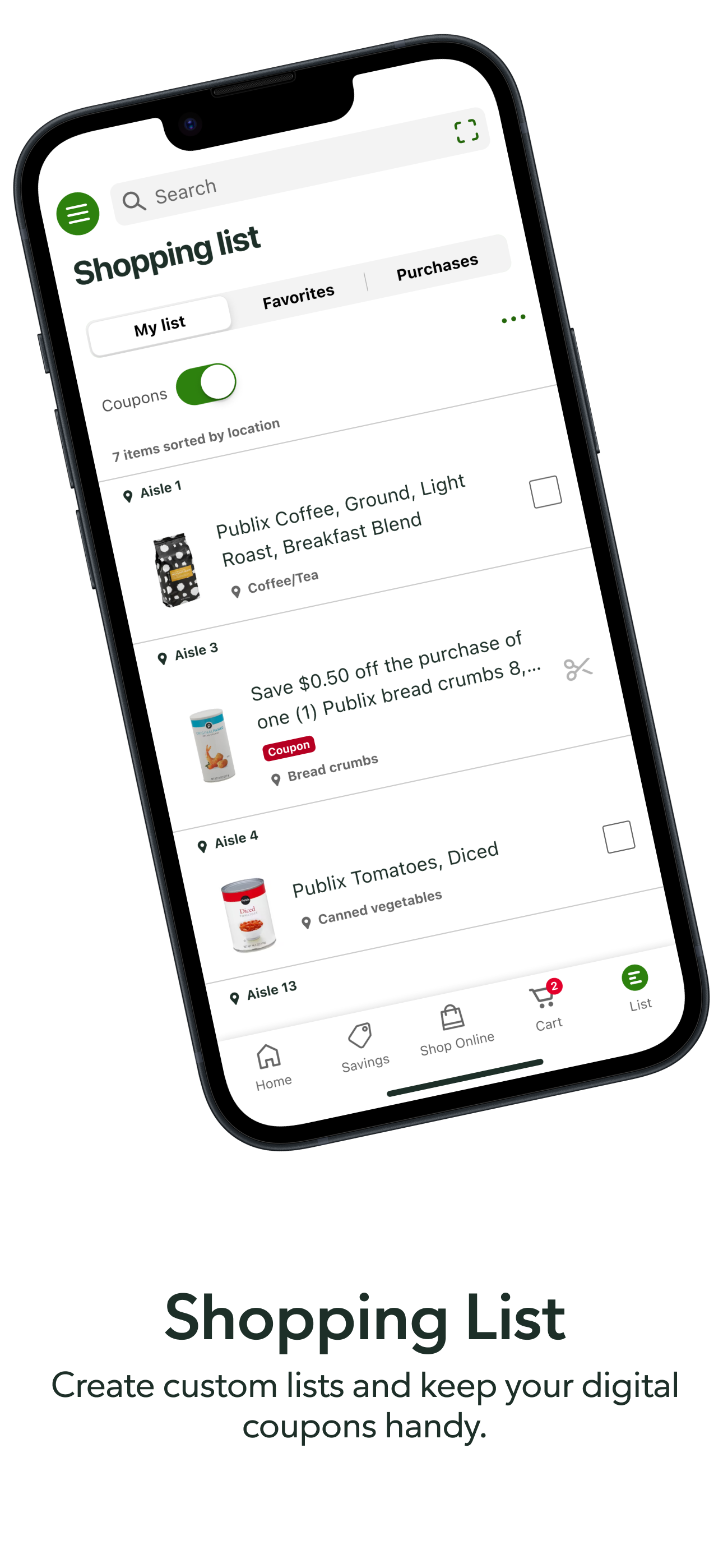
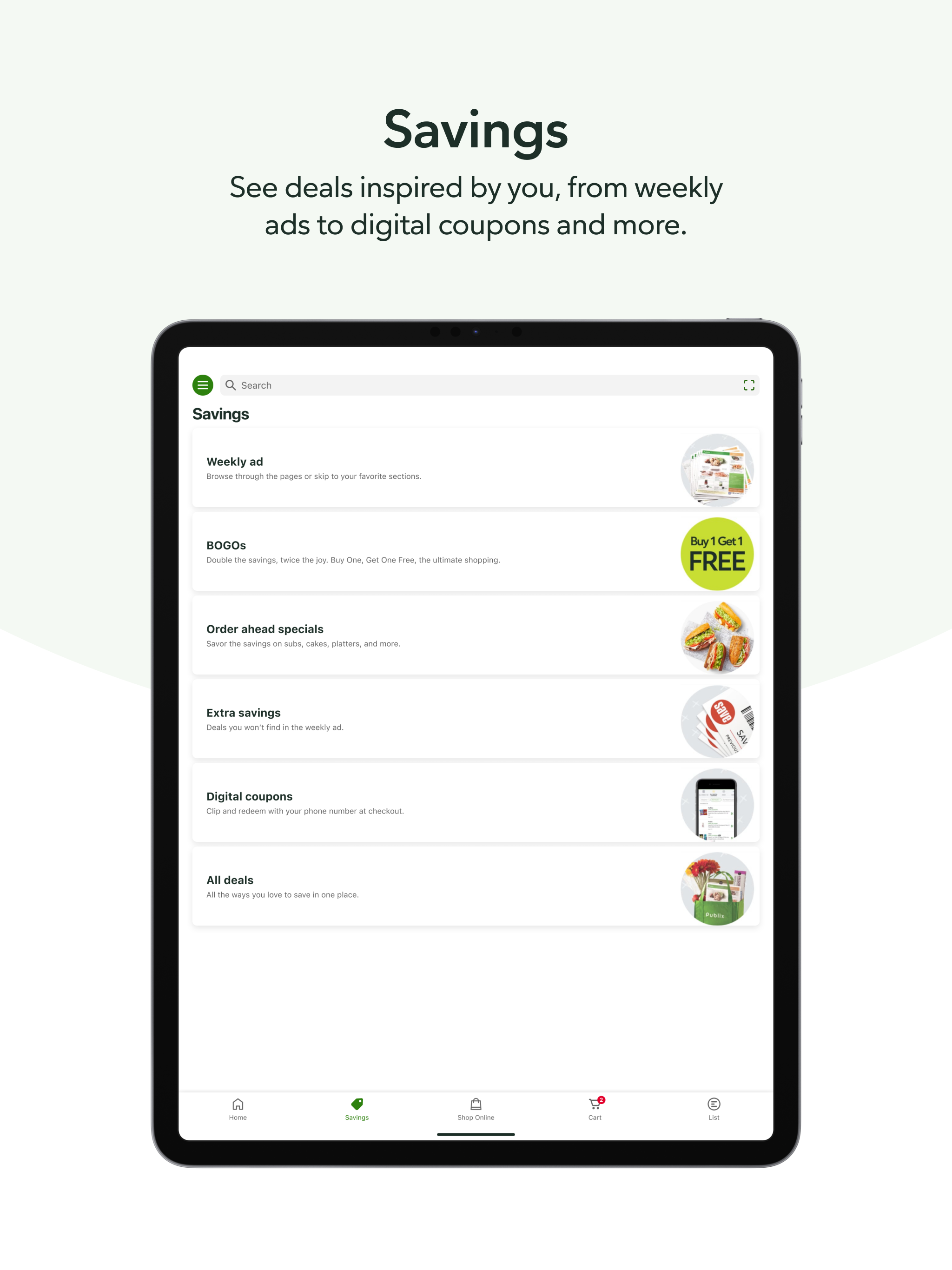
The Publix app has a better user experience and better features than other shopping apps. A great example is being able to open the app and, in one tap, see all store BOGOs. You can easily refine any product list by category and the categorization is meaningful and well selected. On other shopping apps, it feels like you have to hunt around to find any items that are on sale, like they’re trying to hide the best deals. It’s just as time consuming as browsing through store aisles. On top of that, most shopping apps overload each view with promoted items that aren’t related to the filters you have set, like they’re trying to force you see those promotions on every page. It’s hard to tell where those promotions end and the actual product list begins. The Publix app isn’t like that. It simply shows you the items you ask for in a very easy-to-see list. It’s also easy to find and look at all your past receipts so you don’t need printed receipts if you have this app, which is perfect if you’re budgeting or itemizing expenses. It also shows you clearly what perks you currently have, lets you make a shopping list, and lets you save a list of favorite items. Every week I can just pop open the favorite items list and instantly see if any of them are on sale.
I’ve been shopping at Publix since I was 12yrs old and would walk to the store after school and always get cookies and doughnuts for me to have a nice snack and then when I got married at 16 I went weekly for me to get groceries in right way along with all recipes that I was taught to do home style scratch ones so the food was good and set well then when Clermont went up told manager and Publix workers to build more stores and it all started happening and doing good and when the old man would help and get you in would always give a hug and be well with them also was able to get and help on recipes and have well set and production food with right price to be able and afford right types and stuff could need, now to much high price and have to see what is on sale and okay to make me an my husband go weekly and I always have the month set up for what we want to eat and get things can afford an set up to make, we go to all stores set around if need to just is the Groveland one isn’t to well and not getting right type so it’s need if have to but if not don’t go keep all stores as can well and right well with sections you need to go in early morning or right way in afternoon hope helped you to be well with how you train and take care Peace is placed and be okay just need to have a food setup for 4-5 weeks so can get the right price and food style for you keep right and well thank you
Update: Thank you for bringing back the Coupon On/Off button on the List function! Maybe some of the other issues will get fixed soon, too. Hoping! I’ve used the app for quite a while, but never the list function. I used Grocery IQ, which was the best when it existed. I started using the Publix list function a few months ago. It has some bugs, like the produce, deli and bakery are always at the bottom of the list even though they are the first section of every store I shop and there is no way to reorder the aisles myself. Also when adding items to the list there is no indication after you type the item that it has been added, so I often add the same item multiple times. Just a blink or something please. But the WORST, is a recent update that has taken away the button to filter out digital coupons. There are many, many more coupons on my list than items I actually need to purchase so I have to scroll and scroll to find what I need to buy, and several times have missed items. PLEASE bring back this function.
Never miss a deal or a meal with the Publix app. We’ve designed our app to help you save money and time, whether you’re looking for deals on items you...


