
Check the acquisition promise
Read the store headline, screenshots and description. What problem is the app promising to solve?
Study the storefront ↗
Mario Zullo · iOS
Explore the ad evidence, study the storefront, and build your next acquisition hypothesis.
01 / Creative research
Read the store headline, screenshots and description. What problem is the app promising to solve?
Study the storefront ↗Explore apps with direct store-link matches. Compare their hooks and formats without assuming the same approach works here.
Browse observed advertisers ↗Store rankings and revenue estimates describe market context. They do not establish ad spend, conversions or ROAS.
Review the market context ↗02 / Storefront & product
Study the product story and store experience behind the acquisition funnel.




03 / Market context
Keep revenue, downloads and store rankings separate from advertising performance.
UPDATE: The app experienced that thing where Apple and iOS think you haven’t paid for it. The way it manifested I wasn’t sure what was happening. I contacted the developer and he got back to me right away and told me how to restore the in-app purchase I had made many years ago. Worked, and this very useful and excellent app is working again. I also had to go into Dropbox restore the database to an earlier date to get the lists back. We have been using IntelliList for a few months and it’s perfect for our grocery shopping lifestyle. The scanner is fast and accurate. The search works great. Easye to add photos to items. Works well with Dropbox to keep your list synced between devices. The developer is actively improving the app and listens to users. We had a small problem recently with a list and their customer support was great. They even helped us on the weekend. I recommend trying it out for a couple of weeks to learn the ins and outs before buying the full version. You will need the full version if you want to create more than 30 items in your database. I feel the UI esthetics could be improved, but in some ways I like the minimal design. I set mine to black and white for maximum contrast in harsh grocery store lighting.
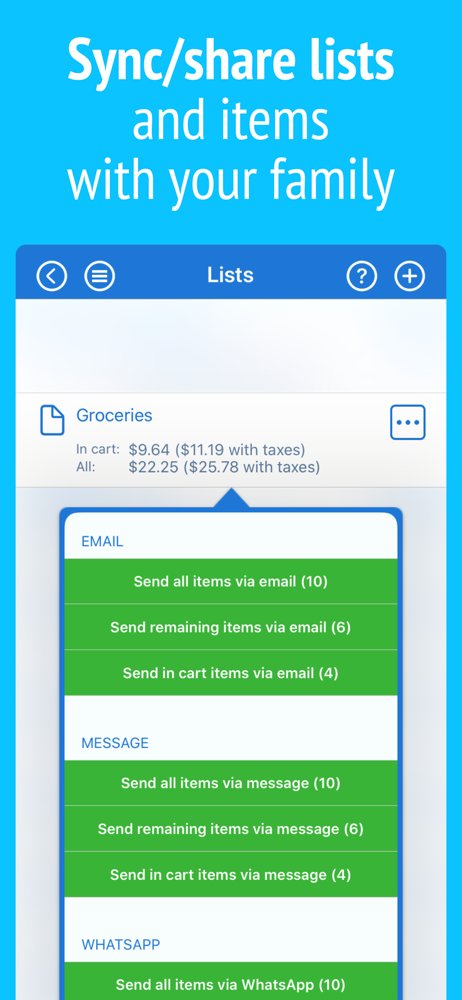
This app is the answer to all of my grocery needs. It was so well thought out and I’ve never run into any glitches with it. I can even put in my own pictures for items and can do price comparisons between stores. For a one time purchase you could not beat this app with a stick. The developers took the time to make a great app for one time cost Which is not the way developers or companies are offering applications anymore. Everyone wants money and they will charge whatever they can get away with to do so. One time cost is becoming unheard of. Everyone wants money and they will charge whatever they can get away with to do so:Capitalism at its best. But the developers for intellilist must love their work and be incredibly good-willed. They literally thought about everything including whether an item is on sale, The time frame of the sale, you can scan in barcodes, do Price comparisons, And so much more. You can save your favorite items So that when you want to go shopping you can go to your favorites and just check of the items you need that are basically the regular things you yourself purchase. There is nothing this grocery application cannot do; I am a bargain shopperThis app helps me to do it to the fullest. I had a previous grocery app which I paid for but it was purchased by another company and they required everyone to Re-pay for the app as a subscription to remove the adds in re-introduced to people who had already paid for the app under the previous and original developers of the app. Nonetheless if I had ever known about Intellilist before having made that purchase for that app I would’ve never Had to look any further.
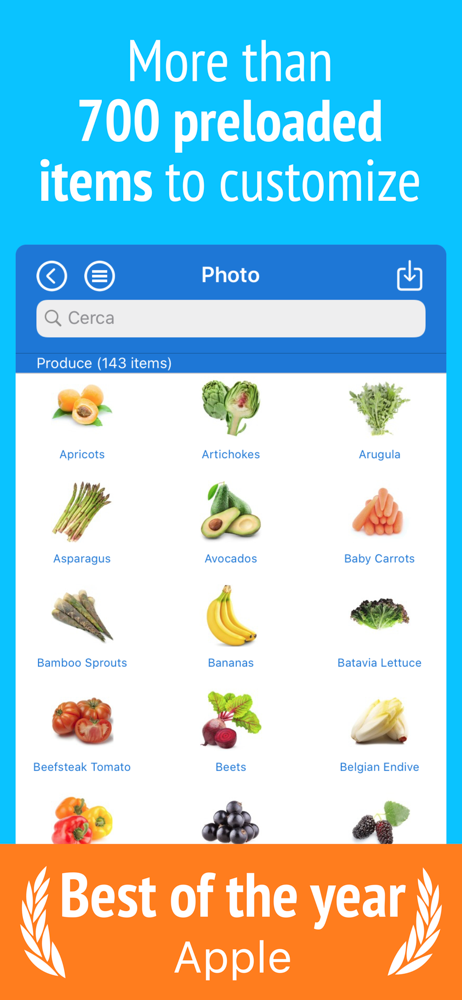
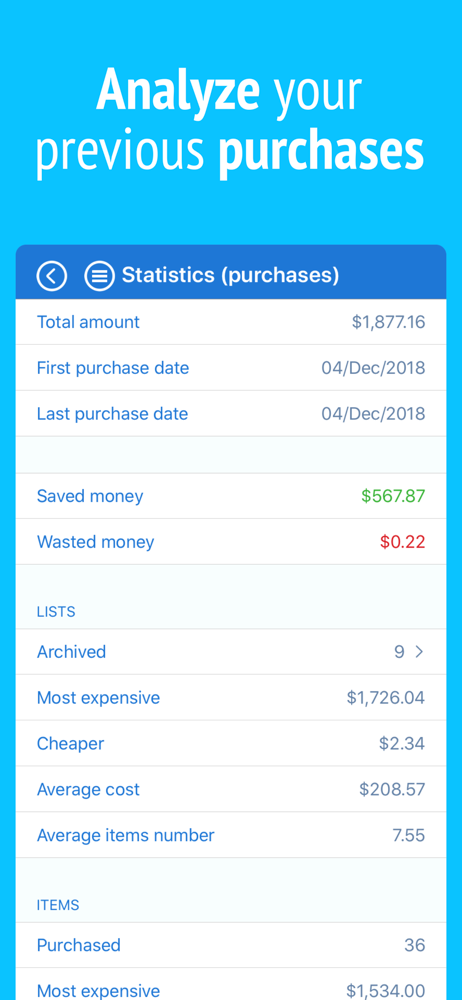
I love IntelliList because I can create multiple shopping lists and I even put in lists by store. I call one my TODAY list if there are things I need to pick up today. When you put an item in your cart you can add the price so you keep track of your shopping expense. The list crosses it off the cart. And it keeps track by store. The only thing I would like to see added is a way to clear the list of things I have bought after check out but have a basic list remain. I like seeing things I buy regularly so I don't forget them like blueberries and strawberries for example. The way I know to do this is to delete the item. I have lists for Next Week, Family Events, Today, and by stores like Costco so I remember what I need when I go there. I also like the pictures of the item the app gives if you click the arrow to the right of the name like corn or coffee. And when you start another list and put in an item you've used before, the picture comes up. Big bonus, if you've gone overboard on spending, you can put some items back for next time!
The best and easiest shopping list on the App Store, WITHOUT monthly subscriptions, WITHOUT recurring fees and WITHOUT advertisements. If you want (an...
| Name | Price | Type |
|---|---|---|
| 'Dark themes' | $1.99 | One-time |
| 'Unlimited items' | $5.99 | One-time |


