Check the acquisition promise
Read the store headline, screenshots and description. What problem is the app promising to solve?
Study the storefront ↗
i-SmartSolutions · iOS
Explore the ad evidence, study the storefront, and build your next acquisition hypothesis.
01 / Creative research
Read the store headline, screenshots and description. What problem is the app promising to solve?
Study the storefront ↗Explore apps with direct store-link matches. Compare their hooks and formats without assuming the same approach works here.
Browse observed advertisers ↗Store rankings and revenue estimates describe market context. They do not establish ad spend, conversions or ROAS.
Review the market context ↗02 / Storefront & product
Study the product story and store experience behind the acquisition funnel.

03 / Market context
Keep revenue, downloads and store rankings separate from advertising performance.
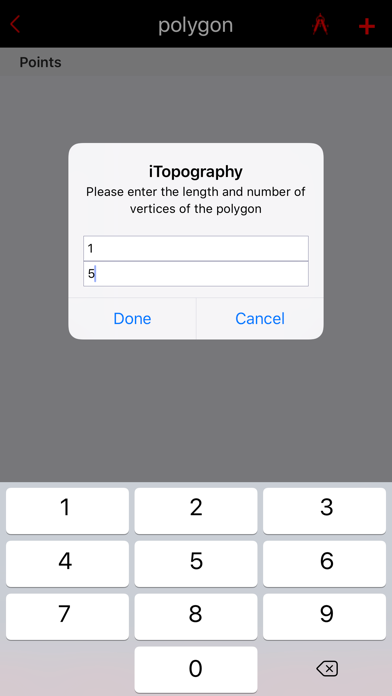
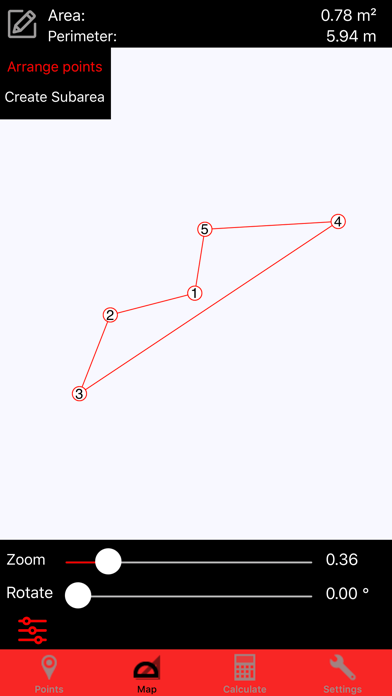
I was trying to measure the area of an irregular polygon where I knew the lengths of the sides. Ideally, I wanted to draw this on a map and measure. It doesn't do that. You can drop pins where you think they belong, but you can't make precise measurements. Apparently Apple won't refund your money unless you spend hours hunting down the developer and getting it in writing the functionality you need doesn't exist. So if this is the functionality you need bypass the expense.
I purchased this app because it claimed I could manually enter points on a map to find the area. Doesn't work! Even when trying to use it to physically go to each point, no map is displayed. Don't bother with this unless major changes are made.
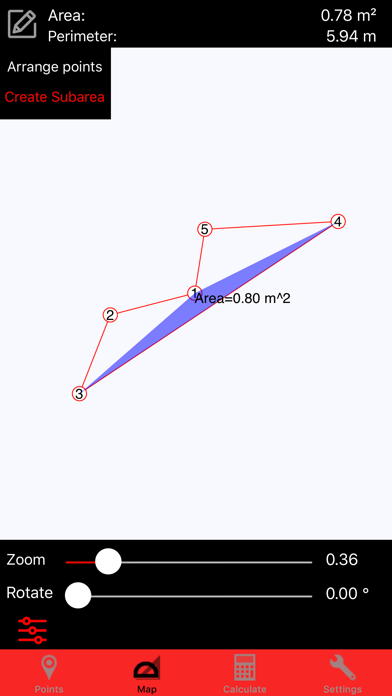
I find it extremely useful to be able to calculate the area of any sub-region. Thank you for the update
Key Features: - Computes the angles of any up to 5 vertices polygon - Obtain coordinates (longitude, latitude) from the Google Map - Create an infi...
| Name | Price | Type |
|---|---|---|
| Arrange points on the map | $0.99 | One-time |