Check the acquisition promise
Read the store headline, screenshots and description. What problem is the app promising to solve?
Study the storefront ↗
Rafal Kopiec · iOS
Explore the ad evidence, study the storefront, and build your next acquisition hypothesis.
01 / Creative research
Read the store headline, screenshots and description. What problem is the app promising to solve?
Study the storefront ↗Explore apps with direct store-link matches. Compare their hooks and formats without assuming the same approach works here.
Browse observed advertisers ↗Store rankings and revenue estimates describe market context. They do not establish ad spend, conversions or ROAS.
Review the market context ↗02 / Storefront & product
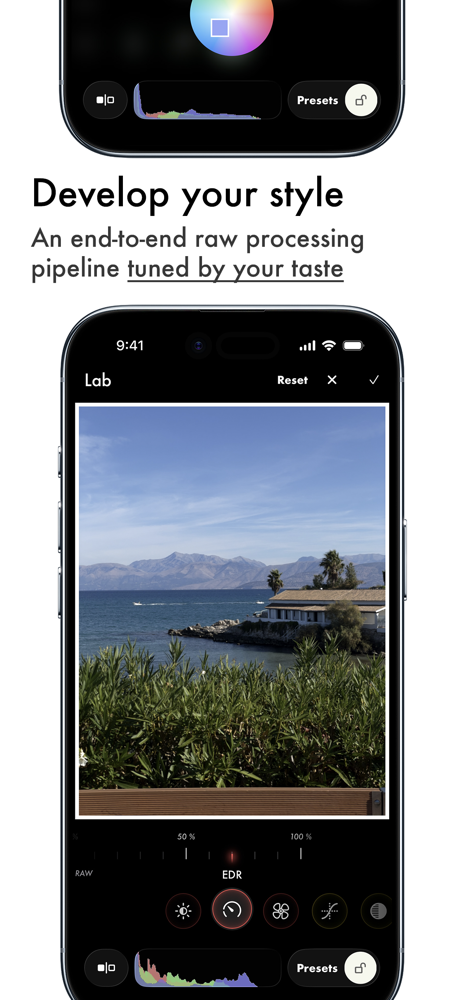
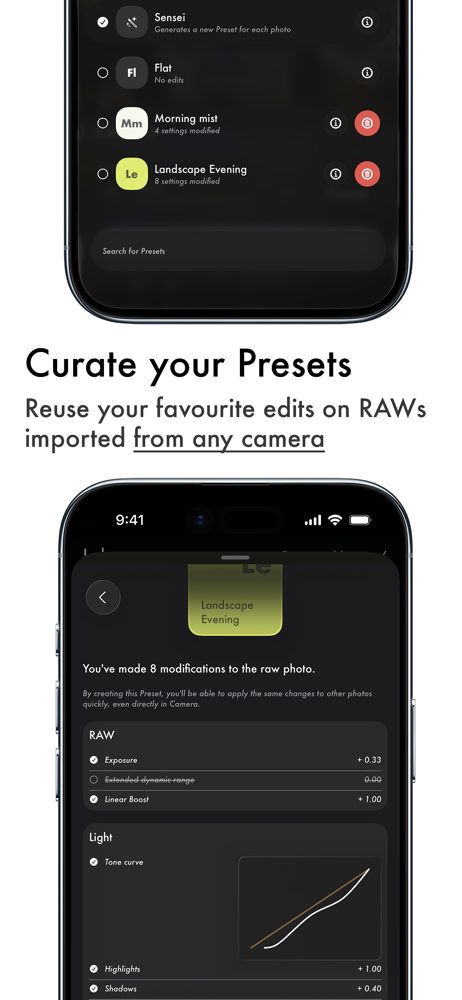
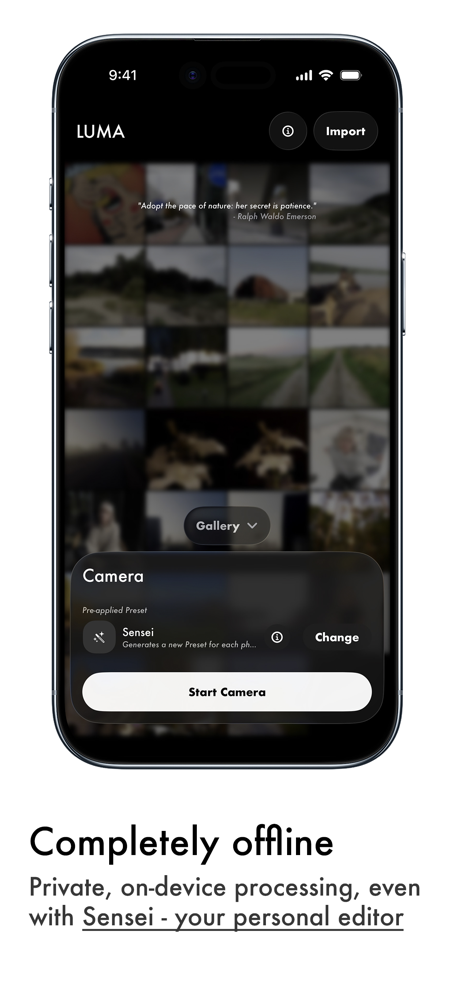
Study the product story and store experience behind the acquisition funnel.


03 / Market context
Keep revenue, downloads and store rankings separate from advertising performance.
I love the functionality of the app. Everything is amazing and I love the attention to little details. However there is a singular bug which causes major pains. In manual mode, setting the shutter speed to the longest setting breaks the check button. The app starts lagging and the shutter speed button stops working entirely. Happens on iPhone 17 Pro Max.
I love the app, it takes pretty decent picture, but it's just a couple tiny problems first of all. It's there's literally no way to find out how to do anything. It's a little bit complicated and I still don't know how to zoom and other stuff like that. I just wish there was like a tutorial when you install the app or even something to do it. Also I cannot make presets because I literally try to but. Nothing happened when I clicked anything, so I'm still confused what to do. If you can just add a simple tutorial or even label something that would be really nice. If, but everything else is perfect. Four out of five stars If once they can fix that, I will probably up my reveal. To fight swords but I'd say my only issues.
Edit: An update came out that addressed the auto-exposure when tapping in manual. I have removed this from the review and changed the rating accordingly. This app is by far the best of any I’ve tried and it’s made me a lot more willing to take photos with my phone camera. Normally I wouldn’t bother taking pictures on my phone even if I didn’t have my camera with me as I really didn’t like the lack of control vs a DSLR, but LUMA has the full manual I want, along with presets (although at the moment does not have pre-made presets) and an editor. If you don’t like the options available, you can take the RAW files to your computer and play around with them in your editor of choice. It’s an excellent app with so much versatility, whether shooting manual like me or someone shooting much more casually, there’s something here for every level of photographer who wants more from their shooting experience than the default camera app.
LUMA - the one-frame, processed-by-you raw camera app. Break free from simple, processed photos and a lack of control and enter the world of LUMA. Bu...