
Check the acquisition promise
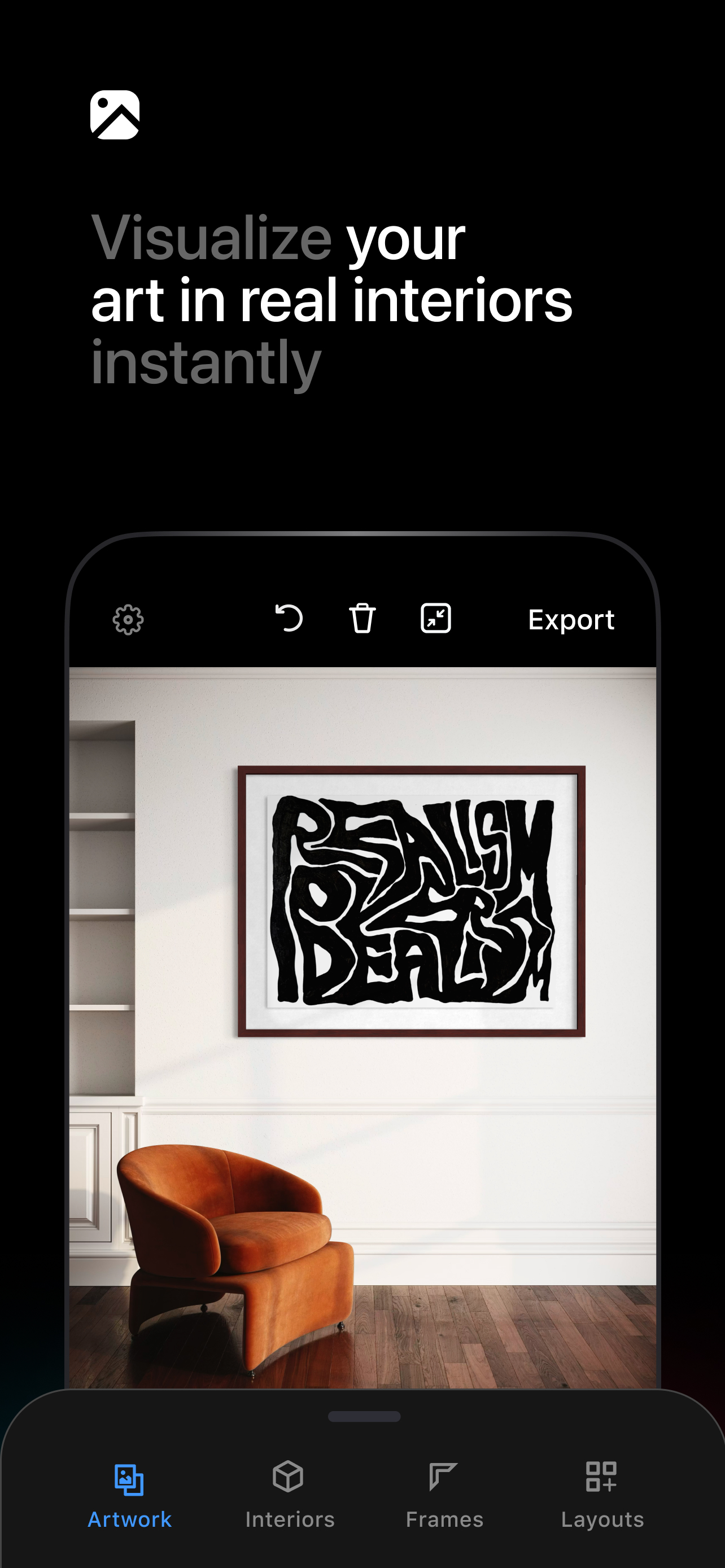
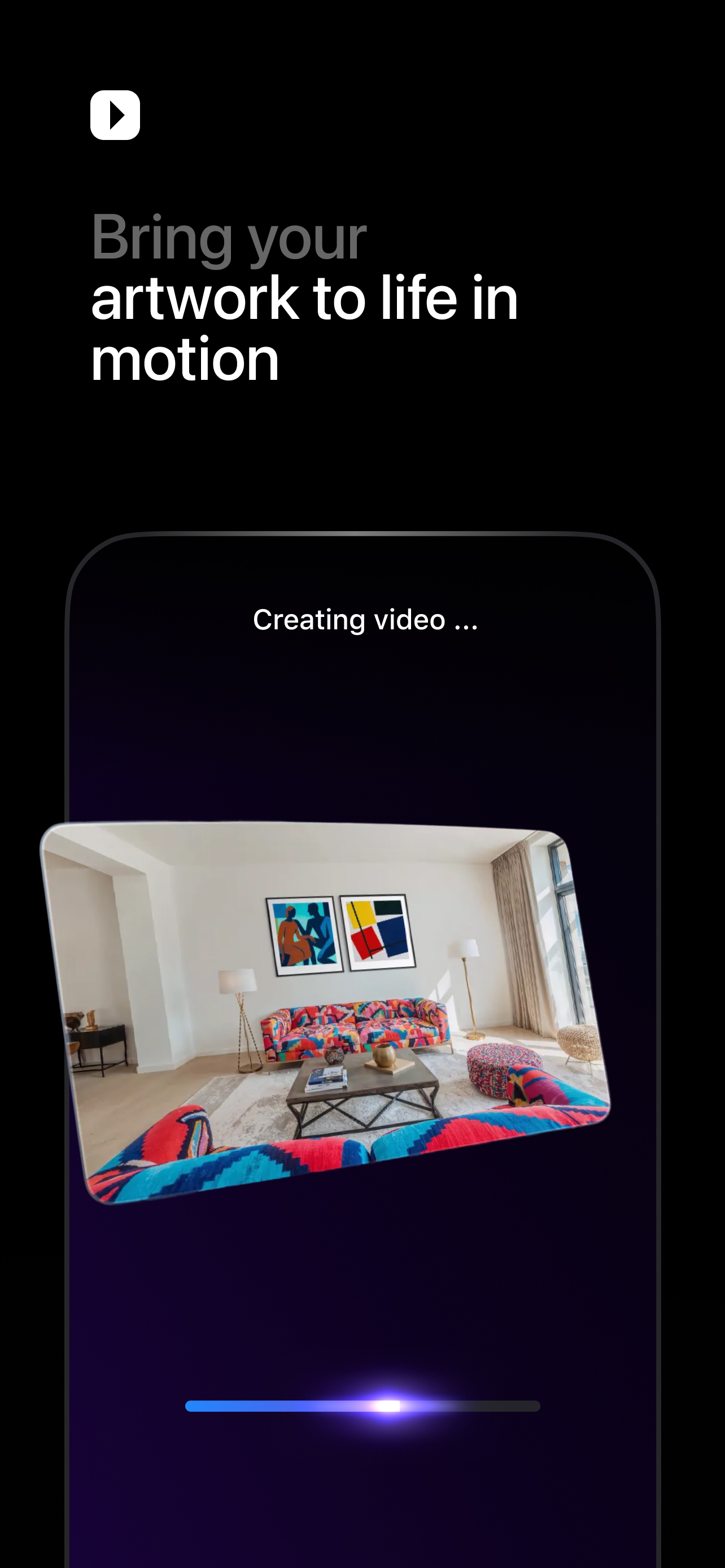
Read the store headline, screenshots and description. What problem is the app promising to solve?
Study the storefront ↗
Smartist, Inc. · iOS
Explore the ad evidence, study the storefront, and build your next acquisition hypothesis.
01 / Creative research
Read the store headline, screenshots and description. What problem is the app promising to solve?
Study the storefront ↗Explore apps with direct store-link matches. Compare their hooks and formats without assuming the same approach works here.
Browse observed advertisers ↗Store rankings and revenue estimates describe market context. They do not establish ad spend, conversions or ROAS.
Review the market context ↗02 / Storefront & product
Study the product story and store experience behind the acquisition funnel.



03 / Market context
Keep revenue, downloads and store rankings separate from advertising performance.
I’ve been working full time as a freelance painter barely half a year. I don’t have any professional training or help yet, figuring out as I go. Running my own business while spending as much time as I can painting is already a full time job and a half, and running my social media is another full time job on its own. In terms of bringing in steady profit, my social media updating has become a vital part of my workday. I work out of a small apartment & I used to spend 10+ hours a week posing, photographing & editing photos to make an eye catching post. I’ve spent money on fake props, bought curtains and blankets as backdrops, dropped countless spotlights on my head trying to get that perfect angle.. A week ago, while zoned out half consciously scrolling Instagram and sipping coffee in between a couple 7 hour painting stretches, I saw the Smartist ad pop up on in my feed. I hate having to spend any more time on my phone and using apps than I absolutely have to - But I tried it out last night, and felt like a master within minutes. I’ve gone through my photos and already created incredibly complimentary and high quality prepared posts of about 10 of my paintings, planning to do more later today. I’ve made one post and a couple stories in the past 12 hours and the positive feedback I’ve already received has caught me off guard! If you are an artist, and you don’t have the resources yet to photograph and model your own art in beautiful settings, RUN don’t WALK and just get the free trial. And take your time with frame design and positioning - the personalization makes it all the more unique to your style. Can’t recommend enough.
Update: Just now as I’m trying different interiors, I’m finding the shift in luminance of the frame, mat, and artwork is not limited to just the isometric views. It seems to actually be tied to the shadows in the space, but it looks like it’s being too heavy-handed in trying to make the artwork blend in naturally with the chosen space. Some of the views are just not usable because of how it misrepresents the art. In one example, switching to the isometric view actually fixed the issue… so it’s not consistent. This app is WONDERFUL for easily creating art mock-ups in realistic spaces, with a huge variety of options for frames, mats, and interiors. However, there is one glaring issue that has not yet been fixed in the couple of months I’ve had the app: When you switch to an isometric view of a space, there’s a *significant* shift in color/brightness of the mock-up elements. For instance, I’m currently trying to create a triptych mock-up for three black and white photography prints. Standard black frame, white mat. It looks great in the straight-on view, but as soon as I switch to the isometric view, the white mat turns dark gray, and the photos themselves also become far darker. This basically renders any of the 3D isometric views useless. It does it on every one I’ve tried, although to varying degrees. I created one last week using a light brown wood frame, and in the isometric view the frame turned a much darker brown. I’m really hoping they fix this soon as it’s the only major complaint I have. The only other minor thing would be the placement of art in some isometric views, where it looks wildly off-centered compared to the main straight-on view, but that’s easily fixed by dragging it into place. I cannot find any workaround to fix the other issue, unfortunately.
I’ve used a number of services in the past of a similar vein but they all required me to use to laptop and were a bit clunky. Either that or I’d find myself having to comp them together myself in photoshop. This eliminates either of those situations. It’s all available on my mobile app, it’s quick and robust, giving you a great number of options for various rooms (and they keep adding more!) as well as many variations and options to crop and export the images. Also I find the angle view to be a really unique feature. With the paid version you get a version of most space at an angle, so it gives the opportunity to show the viewer a better idea of how it’ll look in a space. I also find that the compositing is pretty realistic, not always easy to tell that it’s a composite image, which is great. Many of these services look like fake rooms with fake art and it doesn’t do the art much justice. I don’t find that to be the case here at all. Feels very natural.
Designed by artists for artists, Smartist is the ultimate AI-powered art visualization app that helps creators transform their artwork into stunning,...
| Name | Price | Type |
|---|---|---|
| Weekly | $8.99 | Weekly |
| Weekly + 7-days free | $8.99 | Weekly |
| Smartist Pro, 7-days free | $12.99 | Monthly |
| Smartist Pro (Monthly) | $12.99 | Monthly |
| Smartist Pro (Monthly) | $19.99 | Monthly |
| Smartist Pro (Monthly) | $19.99 | Monthly |
| Smartist Pro, 50% off (Annual) | $39.99 | Yearly |
| Smartist Pro (Annual) | $89.99 | Yearly |
| Smartist Pro (Annual) | $89.99 | Yearly |
| Smartist Pro (Annual) | $89.99 | Yearly |


