Check the acquisition promise
Read the store headline, screenshots and description. What problem is the app promising to solve?
Study the storefront ↗
Jampaq, Inc. · iOS
Explore the ad evidence, study the storefront, and build your next acquisition hypothesis.
01 / Creative research
Read the store headline, screenshots and description. What problem is the app promising to solve?
Study the storefront ↗Explore apps with direct store-link matches. Compare their hooks and formats without assuming the same approach works here.
Browse observed advertisers ↗Store rankings and revenue estimates describe market context. They do not establish ad spend, conversions or ROAS.
Review the market context ↗02 / Storefront & product
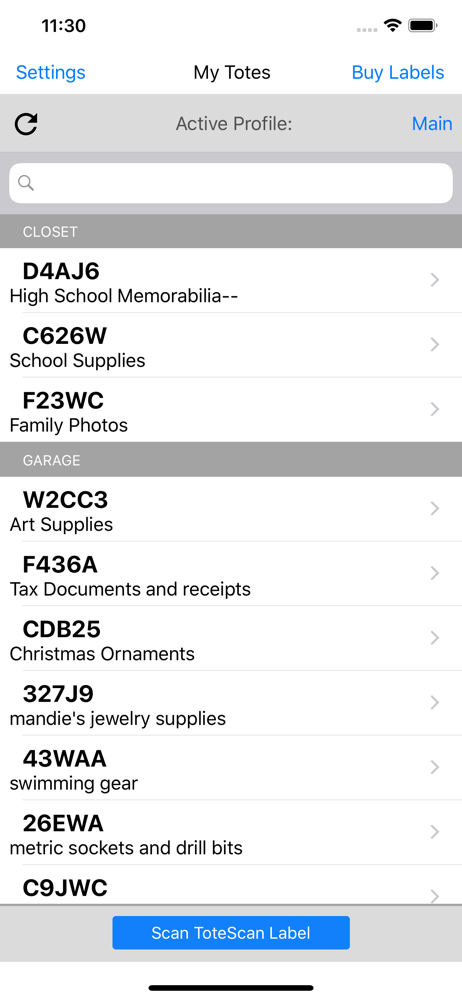
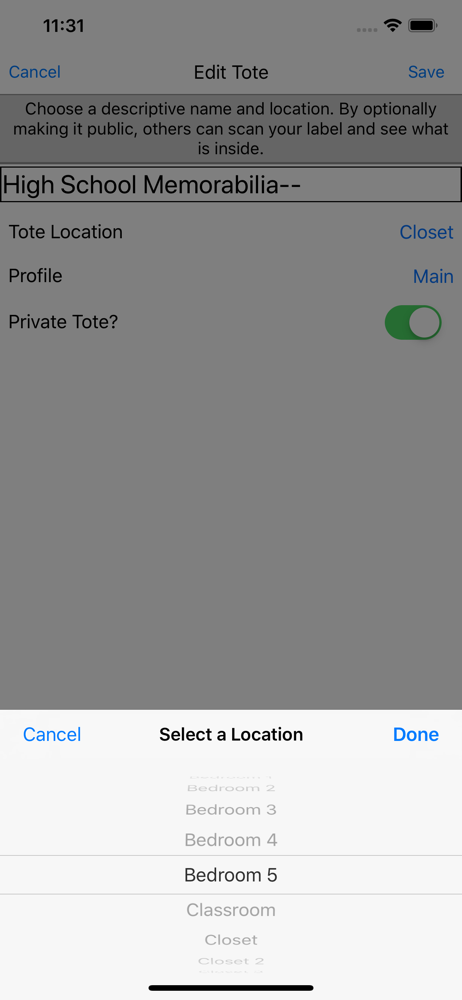
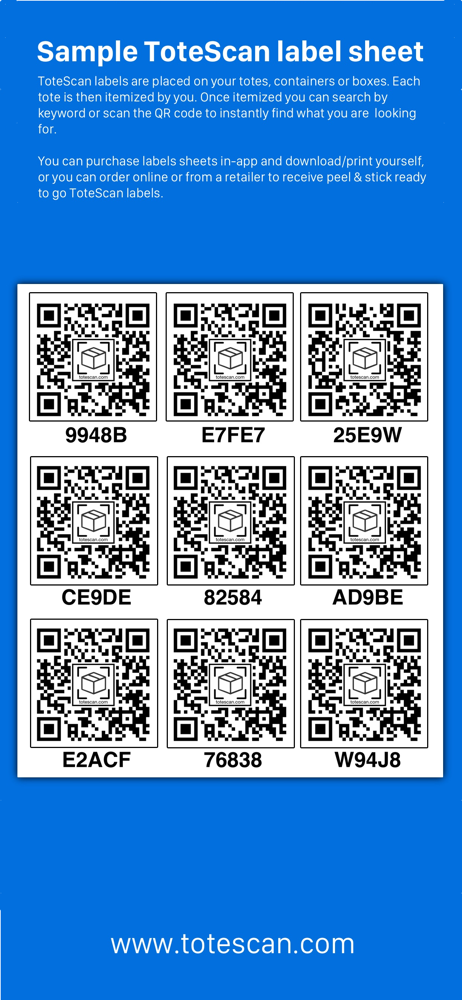
Study the product story and store experience behind the acquisition funnel.


03 / Market context
Keep revenue, downloads and store rankings separate from advertising performance.
Tote scan does the things it needs to do but it is not optimized for an efficient work flow. The worst part is the 3-5 seconds that it takes to save an item. This might not sound like much but when you are cataloging hundreds of items it adds up quickly, resulting in frustration, every single time I add an item. Also doesn’t function without an internet connection.
Been using the app for a few days and like it for its simplicity. Bug 1: If I enter the quantity greater than 1 and add a photo after, the quantity goes to 1. Bug 2: The number of items listed in the tote description does not take into account the quantity you enter for an item. Example: if I enter plates, bowls, and mugs and I have 3 of each, the tote details says 3 items even though there’s 9 pieces. Feature request: When listing the Totes, please add the number of items/total items in the tote to the line with the XXXXX identifier.
The Pros: 1. Easy to set up 2. Can use multiple pictures for each entry 3. Easy to “move” totes between locations 4. Easy to add or subtract items, or move items between totes The Cons: 1. Search only pulls up to 50 items based on, I’m gathering, the first 50 items entered. Therefore, anything past this number is just in the ether. As a collector of Jim Shore collectible figurines, I assure you I have more than 50 in various totes in various locations. (Don’t tell my husband.) 2. Along the search line, it’s unclear whether regular Boolean search queries work or not. I haven’t tried, but then again, there is little information out there, either. The con is a lack of instruction on using the app, which I guess is the UI/UX. 3. Nowadays, if I know I’ll probably want to use an app on my iPad, I won’t even download an iPhone only app. It’s time to have a true iPad version, plus usable for the Mac or PC. 4. Which leads to the fourth con - you should be able to run a sort and then print from your Mac or PC. It’s an extra step to receive the data in a format that needs to be then dumped into excel, then sorted and printed. I don’t normally review apps but this is one I do use a lot. The labels are cheap to buy, so that’s the main revenue stream, but fixing the app would go a very long way for those of us who aren’t as clever as more computer literate folks out there (who have discovered using other programs like airtable). I would sing the praises if you’d get your UI/UX fixed.
With ToteScan you can easily itemize your storage totes and containers to help you quickly find the things you need. ToteScan works by scanning offic...
| Name | Price | Type |
|---|---|---|
| 10 - 4"x6" sized labels | $1.99 | One-time |
| 25 - 4"x6" sized labels | $3.99 | One-time |
| 45 - 2.5"x3" sized labels | $4.99 | One-time |
| 50 - 4"x6" sized labels | $5.99 | One-time |
| 50 - 1.57"x1.18" sized labels | $5.99 | One-time |
| 5 sheets of ToteScan labels | $7.99 | One-time |
| 10 sheets of ToteScan labels | $11.99 | One-time |
| 90 - 2.5"x3" sized labels | $11.99 | One-time |
| 100 - 4"x6" sized labels | $11.99 | One-time |
| 120 - 1.5"x1.5" sized labels | $17.99 | One-time |