Check the acquisition promise
Read the store headline, screenshots and description. What problem is the app promising to solve?
Study the storefront ↗
AnnapurnApp Technologies UG haftungsbeschrankt · iOS
Explore the ad evidence, study the storefront, and build your next acquisition hypothesis.
01 / Creative research
Read the store headline, screenshots and description. What problem is the app promising to solve?
Study the storefront ↗Explore apps with direct store-link matches. Compare their hooks and formats without assuming the same approach works here.
Browse observed advertisers ↗Store rankings and revenue estimates describe market context. They do not establish ad spend, conversions or ROAS.
Review the market context ↗02 / Storefront & product
Study the product story and store experience behind the acquisition funnel.



03 / Market context
Keep revenue, downloads and store rankings separate from advertising performance.
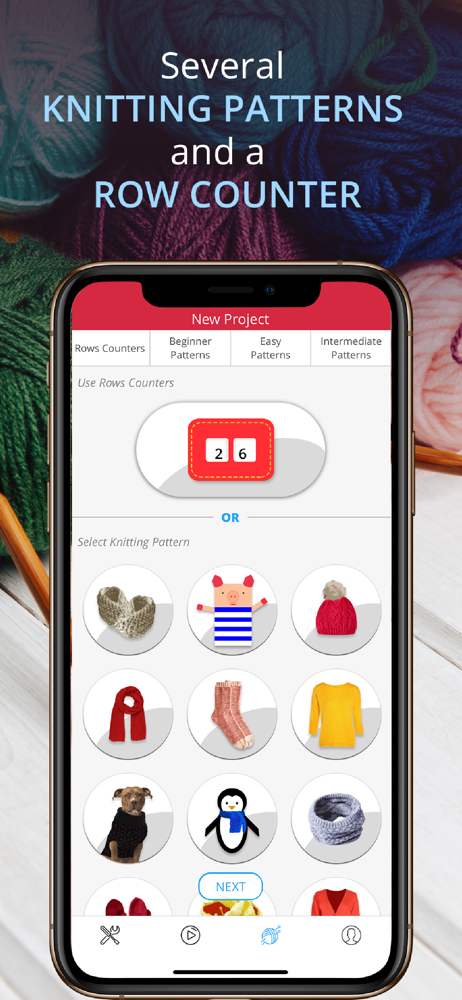
I use this mainly for crochet. It has been extremely useful! It keeps all of my projects organized, and it’s great to look back at past projects. (You can upload pictures of each project.) I also like how easy it is to access the patterns for each project- upload it once and it’s easy access after that. It also connects to Ravelry, and the voice activated row counter is amazing because you don’t have to put the project down in order to keep track of rows. This app is definitely worth paying for, without a doubt.
I’ve used this for a couple projects and the only thing I’d change is having the counters start at 0 instead of 1. Maybe just a personal preference but I like setting up all my counters ahead of time, so it bugs me to have one say 1 when I’m not at that part yet.
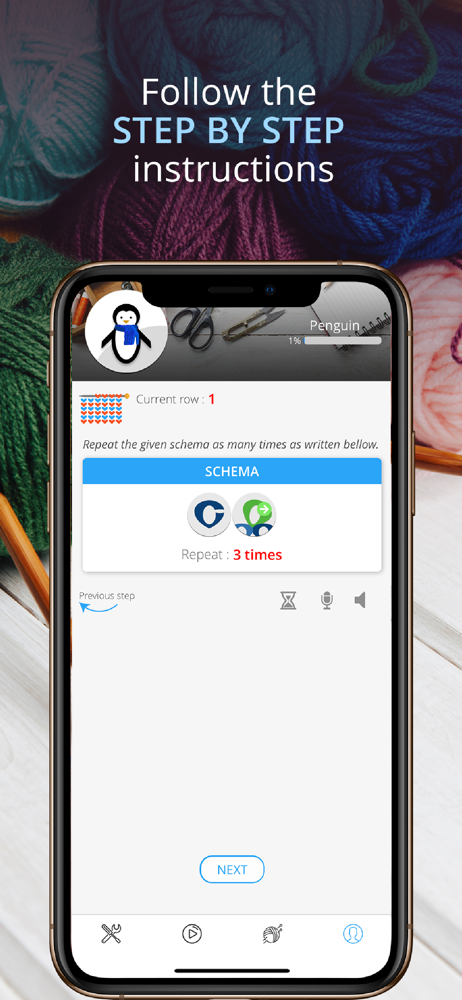
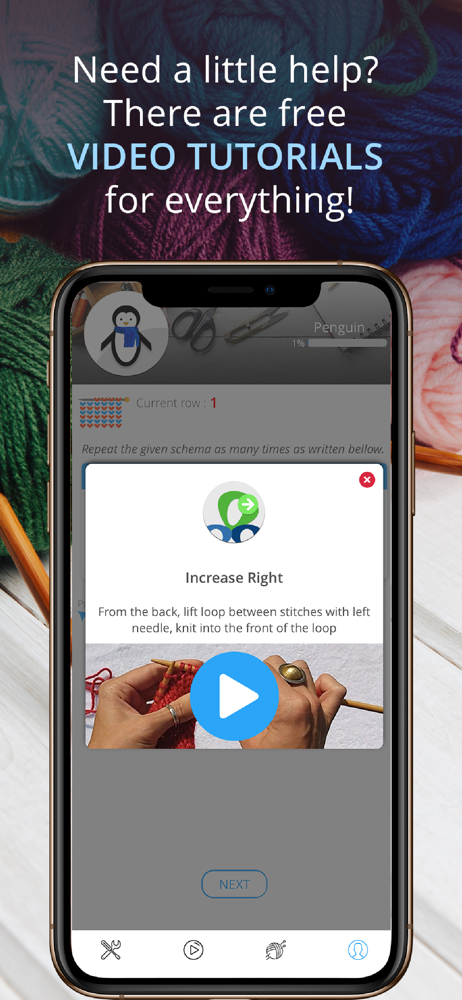
Before I even begin a project with this app, I can already say I’m liking the tutorial videos all being in one easy-to-get-to place. However, there hasn’t been any sound in any of the videos I’ve tried. Not sure at the moment if my sound is malfunctioning, or if audio simply isn’t available. I do wish the various buttons/icons were labeled for those who rely on voiceover. (For those who aren’t aware, voiceover is a built in screen reader used by the blind and visually impaired. I use voiceover occasionally when my eye condition causes a bad eye day and makes me do all tasks in a non-visual manner.) If this were the case, I would likely use this app regularly. For now, I can always hope for improvement on the accessibility features. Meanwhile, I’ll explore my way around during my good eye days. I did explore the cardigan pattern. From what I understand of this app, directions are supposed to be available on a line by line basis. I can find the individual lines...but cannot figure what the actual directions are. I just find text that says “repeat the schema” for a certain number of times. How do I know what “the schema” is? Perhaps a simple “knit all stitches” or K1P1 across row” would be helpful.
Knitting Genius is the perfect app to guide you while learning and knitting amazing accessories : ___ +40 Free Patterns ___ Choose what you want to...
| Name | Price | Type |
|---|---|---|
| Socks pattern | $2.99 | One-time |
| Cardigan | $2.99 | One-time |
| Pullover | $2.99 | One-time |
| Baby Hoodie | $2.99 | One-time |
| Beanie | $2.99 | One-time |
| Shawl | $2.99 | One-time |
| All patterns | $4.99 | One-time |
| Restore backup | $9.99 | One-time |
| Premium (Annual) | $9.99 | Yearly |
| Premium (Annual) | $9.99 | Yearly |