Check the acquisition promise
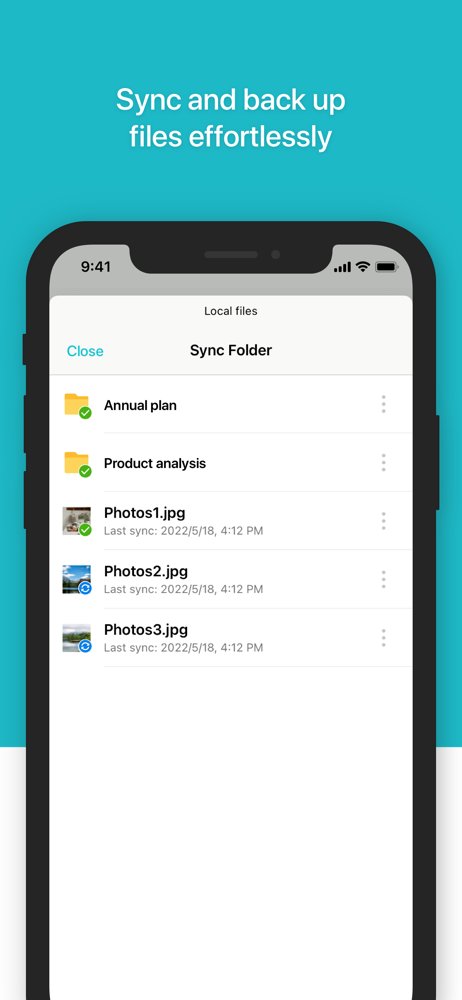
Read the store headline, screenshots and description. What problem is the app promising to solve?
Study the storefront ↗
Synology Inc. · iOS
Explore the ad evidence, study the storefront, and build your next acquisition hypothesis.
01 / Creative research
Read the store headline, screenshots and description. What problem is the app promising to solve?
Study the storefront ↗Explore apps with direct store-link matches. Compare their hooks and formats without assuming the same approach works here.
Browse observed advertisers ↗Store rankings and revenue estimates describe market context. They do not establish ad spend, conversions or ROAS.
Review the market context ↗02 / Storefront & product
Study the product story and store experience behind the acquisition funnel.



03 / Market context
Keep revenue, downloads and store rankings separate from advertising performance.
I love this app. I wish it had a document scan feature using your iPhone camera like OneDrive has. However, even without the flashy features of the cloud providers Drive shines. Great indexing. Fast responsive playback, even off the local network. Works really well with iOS Files. I can’t easily download from my phone and save directly on my drive. Then it’s right on my pc when I’m at my desk. Seamless, just like the big guys.
The app is not responsive at all. Text doesn’t flow to adjust for screen size. This means it’s super small on a 5in iPhone. In landscape, the keyboard covers the interface to the point that you can’t see what you’re typing. Worse yet, while typing, any suggestions that might complete the current word do not take and instead insert a space after the portion of the word you completed. So if you type wi and autocomplete suggests will, you tap on “will” and get stuck with “wi “. So, in its present state, this app can not in effect be used for much other than viewing odocs and perhaps some copy, paste or formatting operations. Actually typing up or editing a doc is way too slow and cumbersome to be useful. Please fix this soon. Otherwise we’re stuck using Google Docs. Because it’s hard enough to get people to try something else. If it then falls way short of established shared doc platforms, you’re done.
I have Synology Drive installed on both an iPhone and an iPad. I’m occasionally in environments outside of my home (which is where my NAS is) in which I do not have cellular or Wi-Fi access, but I still want to be able to access my synced files. So, I painstakingly selected a few thousand files for offline access. Please Synology, give us the ability to select offline access by folder like you used to in DS Cloud. That being said, I was camping a few weeks ago somewhere without internet access, and I needed to access a file. I fired up Synology Drive on both devices and kept on getting a “Failed to establish network connection” message. What use is selecting a file for offline access when you can’t actually access it when you’re offline? But it gets worse. As I write this I’m away from home at my office, connected to my office’s WiFi on both my phone and iPad. I need to access a file, but I keep on getting the same “Failed to establish network connection” message on both devices and am unable to access any of my synced files. Synology Drive has been a pile of garbage since it was first released.
**To use this app and enjoy its features, you must own Synology NAS and install the latest Synology Drive Server.** Synology Drive iOS mobile app all...