Check the acquisition promise
Read the store headline, screenshots and description. What problem is the app promising to solve?
Study the storefront ↗
凌 王 · iOS
Explore the ad evidence, study the storefront, and build your next acquisition hypothesis.
01 / Creative research
Read the store headline, screenshots and description. What problem is the app promising to solve?
Study the storefront ↗Explore apps with direct store-link matches. Compare their hooks and formats without assuming the same approach works here.
Browse observed advertisers ↗Store rankings and revenue estimates describe market context. They do not establish ad spend, conversions or ROAS.
Review the market context ↗02 / Storefront & product
Study the product story and store experience behind the acquisition funnel.



03 / Market context
Keep revenue, downloads and store rankings separate from advertising performance.
I love it! Free features are excellent, I paid the 1-time purchase for $9.99 for extras and it's totally worth it! Easy-to-use user interface, the programmers really focused on the experience adding features like a little magnifier box appearing to the side, for easy, pinpoint, viewing when you hold your finger in one spot for a couple of seconds. Lots of options like layering border boxes to make it "pop" in your image, rotating the angle of the object with an "auto-snap" feature to reset to perfectly vertical if needed, but allowing for fine-tuning if you use the delay as described previously. Great job guys, huge fan here! P.S. ChatGPT recommended I use your app so you're in the big show, keep it up!
I use this app (since I’m a frustrated commercial photo 2 year grad) to take nature photos and place Bible scripture on for eventual book(s) or sale as posters at craft shows “when I’m old”and to post scriptures on FB, even before FB allowed folks to pick a colored background for their thoughts. Aggravating, however, that more and more the app places a “dollar sign” in the annotations as if I haven’t paid, and I must open the app to “restore purchases” from the Home Screen after using it from the photo editing menue: even though it’s paid, —which makes the fact that Retouch appears in the native iPhone photo editing menu less convenient since I must actually open the app, to restore, so frequently. Had to contact you to find out how to do this … are some people paying you twice or just giving up on your app due to this glitch? Will continue to use the app, though: especially to mark photos in my property maintenance work to add arrows, explanations to photos of damage, or in proposals to identify photos of my plans by number or letter for easier review by the customer. Choice of typestyles & ability to custom mix more muted colors than the default pallet is cool, takes a bit for an old fart to discover - ideas: an actual “arrow” graphic which could be turned 365° once added easier than using < and > and ^ symbols as I often do now; also: how about an automatic color sampling ability from a key location in a photo for type color to be immediately used without having to color mix with graphic display which some folks who are colorblind (not me!) or musical rather than visual, could use to custom-tailor their type colors?
I downloaded this a long time ago, but never got around to really trying it out - and now I see the error of my ways - Annotable is *awesome*! It combines the best features of Apple’s Markup tool and Skitch (especially the outlined text, which can hugely improve readability on varied backgrounds), and gives you lots of additional tools (the one that recognizes text in images and nearly highlights it is kind of magical), and lots of knobs to tweak to fine tune edits. This is the only image annotation tool I’ll ever need. I’d like the ability to nudge items around a pixel at a time (with tony arrow keys), but the app already puts up a magnifier if you long press an item before moving it, which is almost as good.
Annotable is the most full-featured all-in-one image annotation tool. Featured by Apple in many places: ● Best of 2016 ● New Apps We Love ● Best Apps...
| Name | Price | Type |
|---|---|---|
| Blur Tool | $1.99 | One-time |
| Text Highlighter & Redaction Tool | $1.99 | One-time |
| All Text Styles & Fonts | $1.99 | One-time |
| Loupe Tool | $1.99 | One-time |
| Color Customization | $1.99 | One-time |
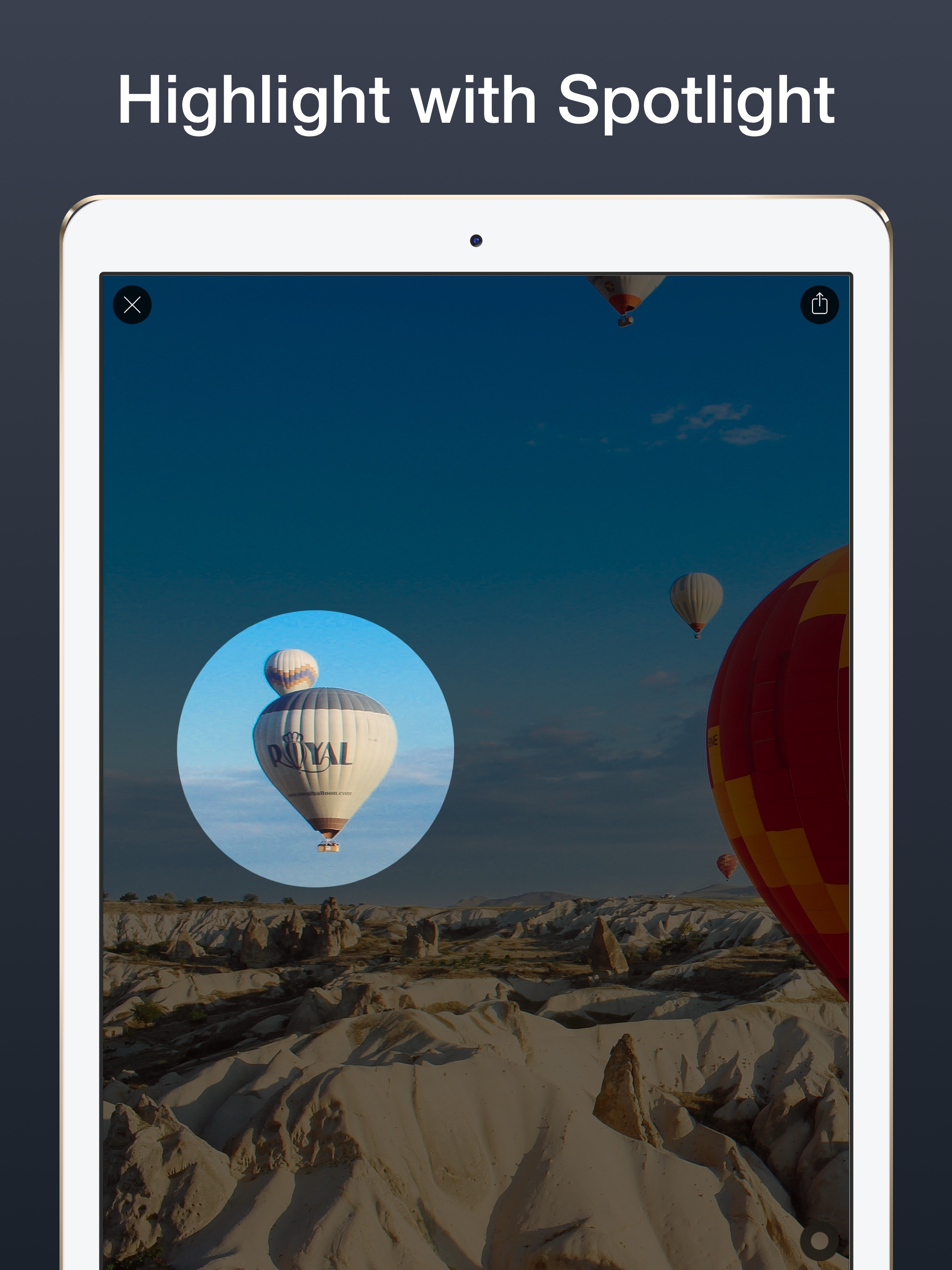
| Spotlight Tool | $1.99 | One-time |
| All Obscuration Styles | $1.99 | One-time |
| All Features | $9.99 | One-time |