
Check the acquisition promise
Read the store headline, screenshots and description. What problem is the app promising to solve?
Study the storefront ↗
Dexcom · iOS
Explore the ad evidence, study the storefront, and build your next acquisition hypothesis.
01 / Creative research
Read the store headline, screenshots and description. What problem is the app promising to solve?
Study the storefront ↗Explore apps with direct store-link matches. Compare their hooks and formats without assuming the same approach works here.
Browse observed advertisers ↗Store rankings and revenue estimates describe market context. They do not establish ad spend, conversions or ROAS.
Review the market context ↗02 / Storefront & product
Study the product story and store experience behind the acquisition funnel.


03 / Market context
Keep revenue, downloads and store rankings separate from advertising performance.
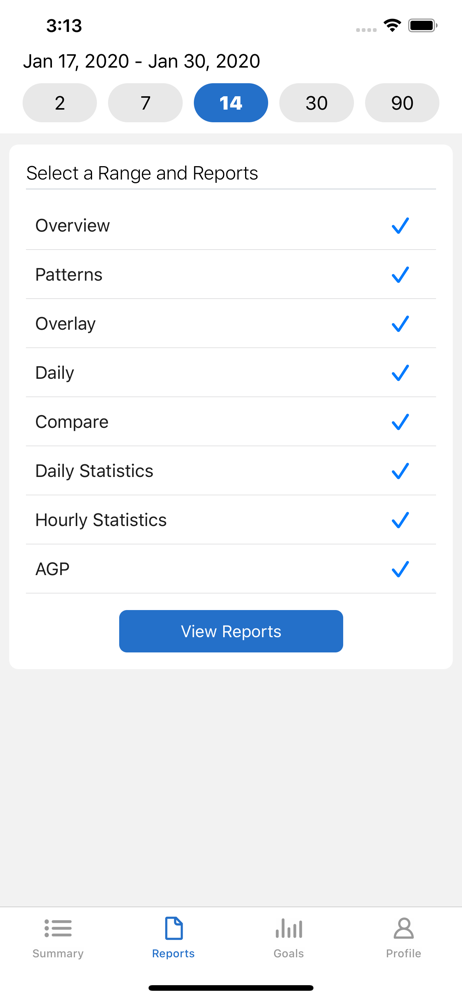
Reports are generally nice, but not quite enough for me. I’d love to see more customizable reports in formats such as *.csv files so I can download raw data to my computer to create my own charts and graphs that will be more useful for me. For example, I’d like to see how my sleep is affected by glucose activity and how my eating choices several hours earlier enters into the equation. That data isn’t shared between Apple Health and the G7 app. Same goes for other things like skin conditions that can only be tracked manually to see if/when glucose levels may be implicated. Our bodies contain dozens (hundreds or thousands?) of systems that do not work in isolation. Update: I discovered there is an export to csv function by logging into my account on the website. Sadly it’s only partially useful as the raw data doesn’t include meal text or details regarding activities. So to get the info I need, have to get glucose data here, then download custom reports to PDF, which then need to be saved as spreadsheet files, edited to remove unnecessary data and formatting, then merged with the glucose data file. Just include ALL data in the export file, please!!!!
If you are diabetic, you need a continuous blood glucose monitoring system. I’d have a continuous blood glucose monitoring system, it should be a Dexcom g7, as it is the best on the market. If you use the Dexcom continuous blood glucose monitoring system, you must use the clarity app to collect meaningful trend data about your sugar history. It can change you life. T has changed mine. I wish I’d started using it four or five years sooner, as doing so would have prevented a heart attack — and maybe I’d still have ten toes. My a1c has gone from 13 to 6.2. I give all the credit to proper use for g ozempic, Dexcom, and the clarity app. Take care of yourself. Stay healthy. Don’t die. Someone in this world loves and needs you, I promise.
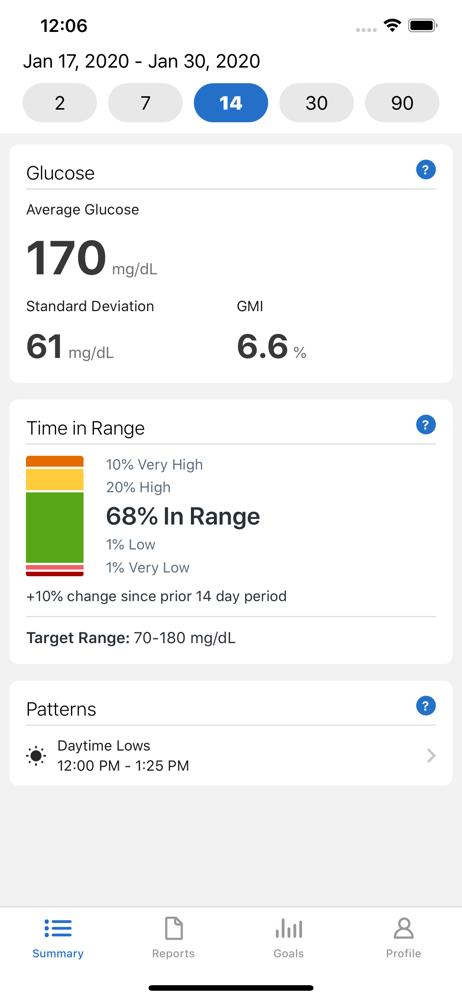
I used to really love to review the AGP report from the Clarity app because it had detailed information regarding time in each blood glucose range. A recent update simplified the time in range information to be basically the same information on the summary. I used to see the actual percentage of time in each blood glucose range to the tenth decimal. Each .1 of a percent is 1.5 minutes! Now the AGP report removes the less than one decimal information. For example the old report would say 0.2% below 55 mg/dl now it would just show <1 for the same data. Why can’t I have more detailed information on the AGP report anymore? I love the app but liked it better when it had more of my data available to me. Hopefully this can be brought back. I already completed a support ticket right when the update came out thinking maybe the data just got moved. I learned then that the data I was looking for was removed not just moved. The change was a choice made by the developer. Per the suggestion below I put in another service request. I also removed a star because I doubt doing the same thing I did before will change anything.
Dexcom Clarity is a diabetes management application for CGM users. It provides relevant insights into users’ retrospective glucose values, patterns, a...


