
Check the acquisition promise
Read the store headline, screenshots and description. What problem is the app promising to solve?
Study the storefront ↗
Hidden Key LTD · iOS
Explore the ad evidence, study the storefront, and build your next acquisition hypothesis.
01 / Creative research
Read the store headline, screenshots and description. What problem is the app promising to solve?
Study the storefront ↗Explore apps with direct store-link matches. Compare their hooks and formats without assuming the same approach works here.
Browse observed advertisers ↗Store rankings and revenue estimates describe market context. They do not establish ad spend, conversions or ROAS.
Review the market context ↗02 / Storefront & product
Study the product story and store experience behind the acquisition funnel.




03 / Market context
Keep revenue, downloads and store rankings separate from advertising performance.
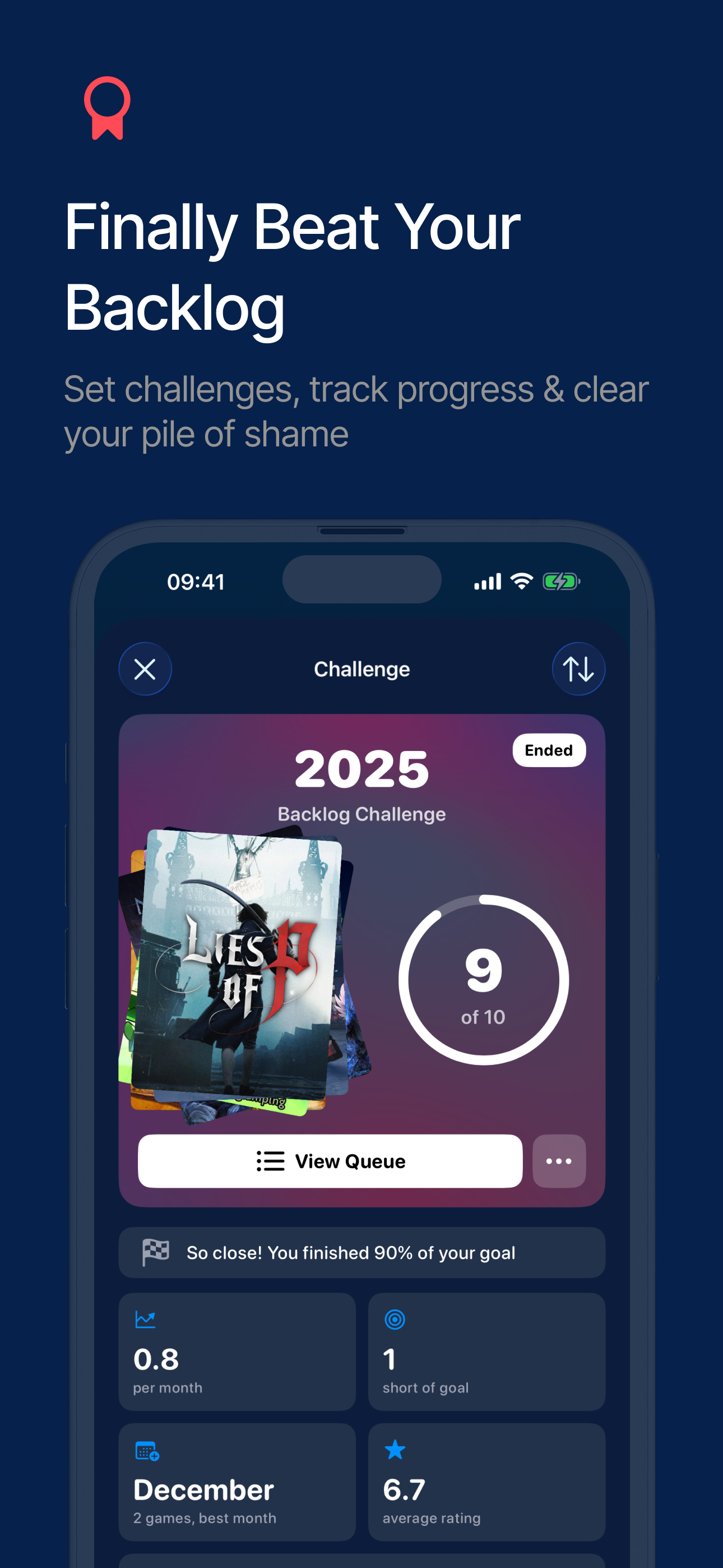
At first used this app to keep track of my library across consoles but it has become so much more for me. There are many simple features that go such a long way, such as the ability to rate and review games which has allowed me to become a much better writing as I will always review a game I finish. Another feature I just started is using is that ability to put dates on when you start and finish/abandon games for old and new giving me the feeling of an old song or picture remembering where I was when that old game came out. There are many other great features such as achievement tracking and linking all your console/steam/epic accounts for automatic tracking. You can keep track of games you want to play next with a Que list. An archive log and challenge log gives you a nice feeling of looking back seeing what you played the past year. Many, many more simple yet great features that make this one of my favorite apps for tracking my games since gaming is one of my favorite hobbies.
There is literally no good option to keep all your gaming purchases and backlogs. I've had to create something on my own through various applications. That said, this app I'm hopeful will grow into what I think could be a must have gaming application. Great UI and pulling in art, release dates, etc is amazing. Love the wish list especially...That said a few things that I need before I can move all my backlogging activities over: 1) syncing on the psn - not sure what's going on here but it's showing 91 games pulled over. I have nearly 1000 games on the psn between Vita, PS4 and PS3 titles. This obviously can't be right. I know PlayStation makes it a pain to integrate, so maybe it's impossible but no way can I manually enter everything. 2) syncing game progress on the psn. I know this is possible bc there's a wonderful app called YaPSNApp that pulls all your progress for all games on your account that includes all trophy details. If you could merge this app with that, I'll literally pay you a lot for that app. 3) prioritizing - need a good labeling and sorting system for prioritization of large backlogs like I have. Again, wonderful app. I'll support you however I can bc this is a genuine need in a gaming era where is really hard to keep up with everything. The platform providers will never do one that supports all systems... So I hope this development continues.
This is a well put together little app. I was able to easily enter my backlog of video games. I would give it a perfect score except it would be great to be able to sync over iCloud. I want to have my list on both my phone and my iPad. I was able to export my backlog from my phone, but I could not import it directly into my iPad. I found a workaround but it is a little inconvenient. Also as I enter my progress on a game in my phone that data does not sync to my iPad. The catalog has a lot of different games (surprisingly also iOS) but there were a few games I could not find through search (Pokémon X). If you are using this on a single device this app is a no brainer but a few improvements would make it perfect for me.
Never lose track of your games again. GameTrack helps you organise your entire game library, manage your backlog, and discover what to play next — lik...
| Name | Price | Type |
|---|---|---|
| GameTrack+ Legacy Monthly | $0.99 | Monthly |
| GameTrack+ Monthly | $3.99 | Monthly |
| GameTrack+ Legacy Annual | $5.99 | Yearly |
| GameTrack+ Annual | $29.99 | Yearly |
| GameTrack+ Lifetime | $99.99 | One-time |


