
Check the acquisition promise
Read the store headline, screenshots and description. What problem is the app promising to solve?
Study the storefront ↗
Easy Tiger Apps, LLC. · iOS
Explore the ad evidence, study the storefront, and build your next acquisition hypothesis.
01 / Creative research
Read the store headline, screenshots and description. What problem is the app promising to solve?
Study the storefront ↗Explore apps with direct store-link matches. Compare their hooks and formats without assuming the same approach works here.
Browse observed advertisers ↗Store rankings and revenue estimates describe market context. They do not establish ad spend, conversions or ROAS.
Review the market context ↗02 / Storefront & product
Study the product story and store experience behind the acquisition funnel.


03 / Market context
Keep revenue, downloads and store rankings separate from advertising performance.
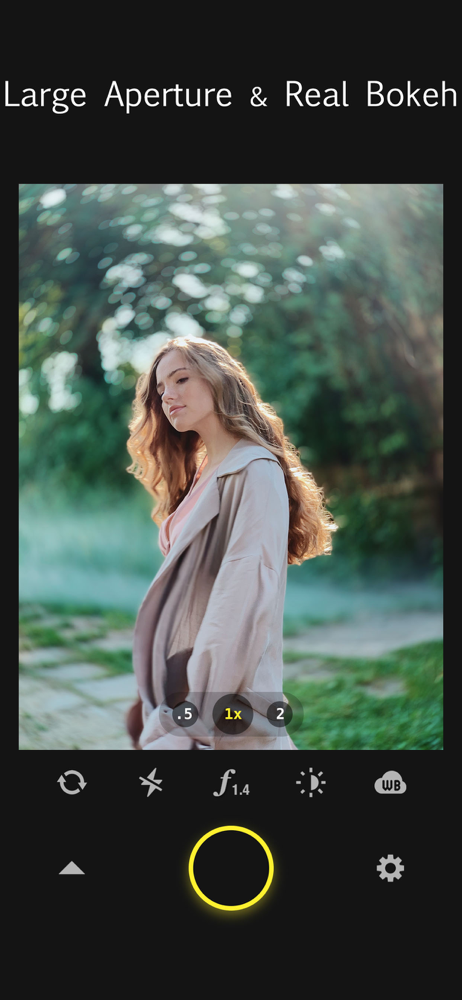
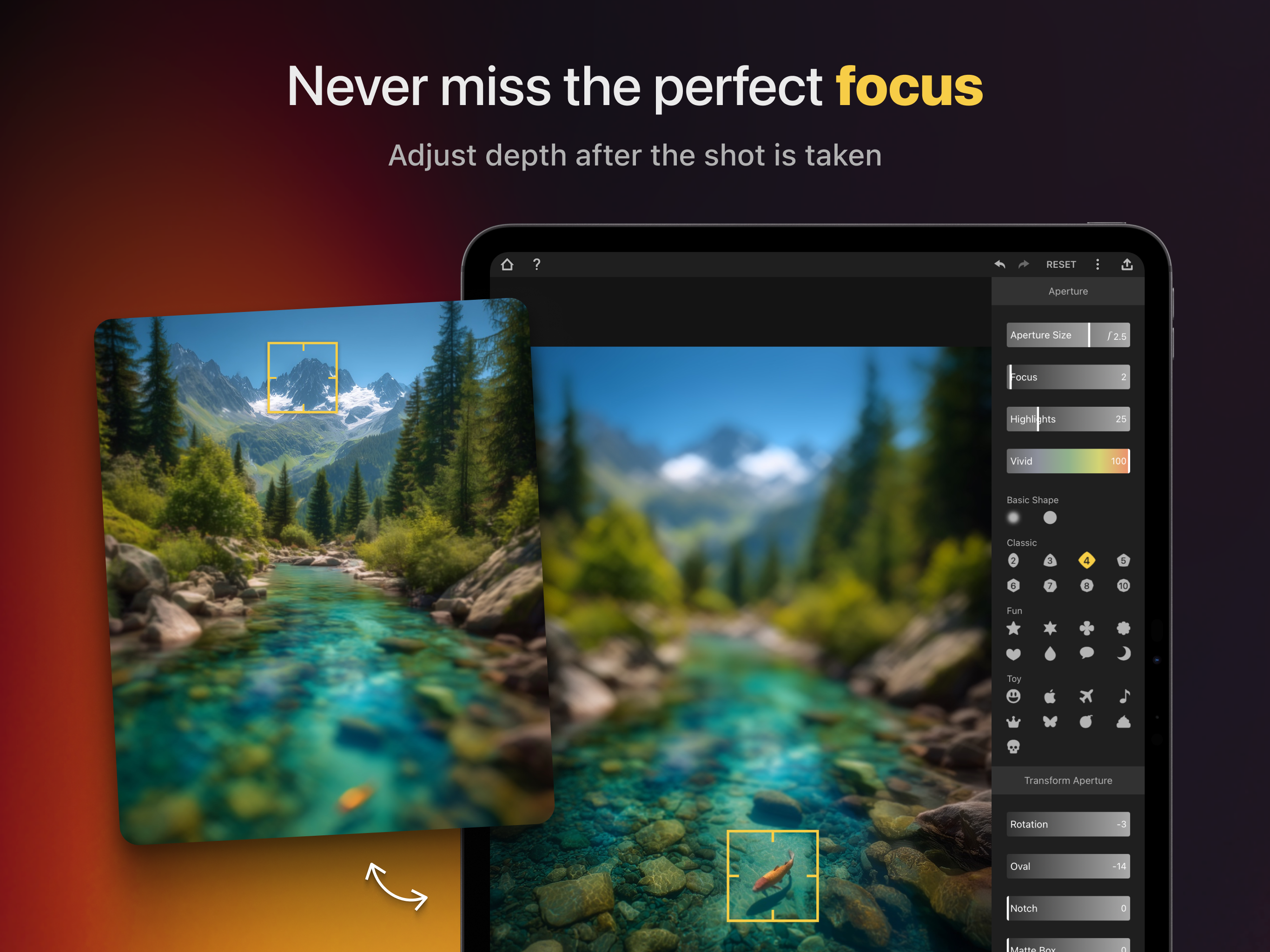
I’m really enjoying using Focos. The app is well designed and, given the complexity of the things it can do, pretty darned easy to use. It’s also nice that recent versions of the app can work with all photos in your Photos library, not just photos shot in Portrait mode. I mostly use Focos for post-processing rather than live shooting because the recycle time between live shots in Focos is a little slow for my liking. I use the native Camera app, ProCam, ProCamera, or a stand-alone DSLR for shooting, and then use Focos for post-processing. Post-processing features are where Focos shines. Per its name, Focos enables you to easily adjust focus points in your image, regardless of where the focus point was in your original image. For example, say you have a photo of two people, one in the foreground and one in the background. You can simply tap on the screen to switch between putting one person into focus while blurring the other. You can also adjust depth of field, bokeh (blurring intensity and shape), and lens type. You can also adjust lighting, bokeh, exposure and other effects for different focal planes in your image or for the image as a whole. For example, you could apply a soft light on a focal plane that’s behind your primary subject. This kind of thing is really pretty easy to do — and you can do it without worrying much about the terms I’ve used here. The output produced by Focos is high quality — I’ll leave it to the medium-format camera aficionados to debate the meaning of “high quality” — but suffice it to say that I’ve been able to use Focos to produce results that have consistently “wowed” people, and the results look great printed at 8”x10”, which is the largest I’ve tried so far. Get this app. It’s way cool.
Once you learn the basics, this app will completely blow your mind. It’s not an app for the casual user. It’s an app for the photo enthusiast who wants to win the photo contest every time. The possibilities are nearly endless when it comes to your 3D/portrait photos. Literally add new lighting sources (like a light bulb) to your photos as if they were there when the photo was taken, even allowing photos taken in the dark to spring to life with light and color; squeeze in blurring or glowing effects behind your photo subject that simulate motion or weather; heck, add in a completely different background. Once you’ve figured it all out, it’s up to YOU to just set the scene. This app along with the Hallide Camera App will make you feel like a photographer extraordinaire! Can’t say enough good things about it. My ONLY wish is that it allowed you to save photos with the depth map still embedded. Since Focos only really lets you change lighting and staging aspects (and not actually alter the photo) I would think this should be possible. But these guys are such geniuses with what they’ve done here, it must be something I’m not thinking about that makes this feature untenable.
It is a pretty rare thing for me to take time out of my day to provide a written review of any of my many purchased iPhone apps. Rarer still are the apps that I am willing to pay more than $5.00 for…gosh I remember the days when a pricey app topped out at $1.50, and they were pretty high end stuff for their day. Focos, for me, is that unique gem of an app that deserves some well-deserved praise! I initially heard about the app through one of the many review sites as I was searching for photography apps that could highlight the power of my new iPhone 11 Pro. After a day of playing around with just the selectable focal plane feature in Focos, I happy took advantage of the In-App purchase option which took this app from amazing to absolutely incredible (your mind will be blown with the AR features)! Being a professional photographer, I am always viewing the world in a series of potential captured images. I either have a DLSR or my iPhone in my hand at all times throughout the day. As I explore Focos and delve deeper into the incredible image manipulation capabilities of this application, it could be that my DSLR may have to take back stage for a while. I have already recommended this app to several of my photographer friends, and it only takes a couple of quick demonstrations to show off the unique and powerful toolset that Focos provides to both the casual and professional photographer! Well done, highly recommended and 5 stars to the developers!!
Focos is a big step into the future of computational photography and light-field camera, bringing DSLR-like photography to your iPhone and iPad Pro, w...
| Name | Price | Type |
|---|---|---|
| Focos Pro Weekly | $1.99 | Weekly |
| Monthly subscription | $1.99 | One-time |
| Focos Pro Weekly | $3.99 | Weekly |
| Standard Weekly - Free Trial | $3.99 | Weekly |
| Weekly Subscription - Standard | $3.99 | Weekly |
| Focos Pro Weekly | $3.99 | Weekly |
| Weekly Creator Bundle - FT | $9.99 | Weekly |
| Weekly Creator Bundle | $9.99 | Weekly |
| Weekly Creator Bundle - FT | $9.99 | Weekly |
| Lifetime unlimited access | $12.99 | One-time |


