Check the acquisition promise
Read the store headline, screenshots and description. What problem is the app promising to solve?
Study the storefront ↗
MotiFIT Fitness Inc. · iOS
Explore the ad evidence, study the storefront, and build your next acquisition hypothesis.
01 / Creative research
Read the store headline, screenshots and description. What problem is the app promising to solve?
Study the storefront ↗Explore apps with direct store-link matches. Compare their hooks and formats without assuming the same approach works here.
Browse observed advertisers ↗Store rankings and revenue estimates describe market context. They do not establish ad spend, conversions or ROAS.
Review the market context ↗02 / Storefront & product
Study the product story and store experience behind the acquisition funnel.


03 / Market context
Keep revenue, downloads and store rankings separate from advertising performance.
I have been using this app for a long time. However, just before upgrading to iOS 26 it stopped working. I would hit the “Sync Now” button, but then it would quickly flash that it’s syncing, but then nothing would sync. I would have to log out of my account, then log back in again to get it to sync. Then days later, the same issue. Rinse, lather & repeat. Then after upgrading to iOS 26, there was finally an update to this app and I thought it would fix it, but nope. Still the same issue. I’ve deleted the app, restarted my phone, then tried to installing the app again. Still nothing. What’s the deal? Hopefully I’m not the only one experiencing this issue and that the developer is aware?
It is great to sync up, but #1: it doesn’t sync the miles traveled. #2: if it would sync automatically, that would be great, maybe with the option to select a time #3: replace the Apple data that the health app syncs on the phone by having the phone on your person. #4: sync the actual data, not just the average spread out. For example, if u go 20,000 steps in a day, when it syncs with apple, it evens it out over the entire day instead of how many steps I went each hour, over the actual course of the day.
I have been a loyal Fitbit tracker user since 2014, and I have been a loyal Apple user since 2005. When I decided to make the switch from a health tracker to a smart watch, I was skeptical about moving from a Fitbit product to an Apple iWatch because I did not want to lose all my Fitbit data. BUT, because I REALLY wanted to go totally Apple, I bit the bullet and purchased an iWatch. I accepted that my Fitbit data would be archived in the Fitbit app, and I would have to begin tracking from scratch in the Apple Health app. I purchased my iWatch, completed my first workout, and saw that lone activity in the Health app history. I then realized I didn’t like the idea of having to start from scratch, and my level of acceptance for having to start over was at zero. I purchased this app, and OMG, every single piece of data transferred from the Fitbit app. All of my history transferred—weight and body fat percentage from the Aria scale, sleep, steps, calories, distance, exercises—EVERYTHING synced. Thank you for creating this app!
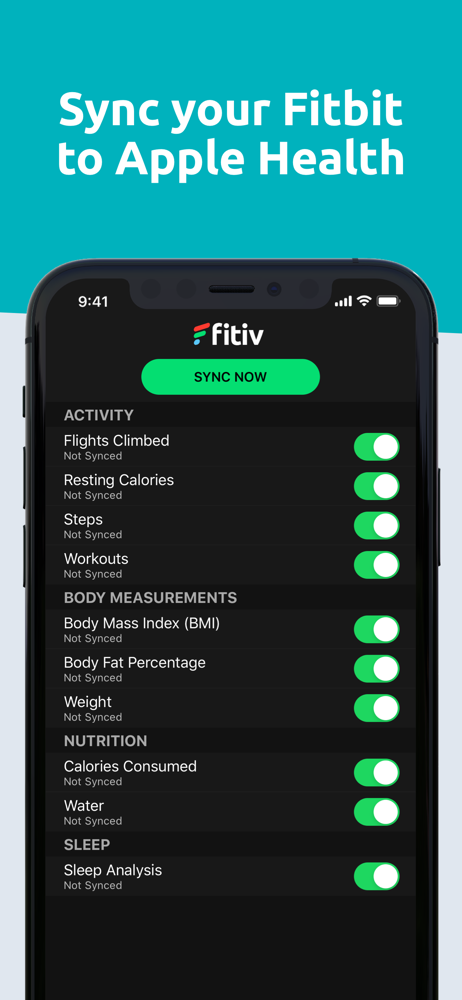
FITIV Sync for Fitbit will sync your Fitbit workout and health data to Apple Health, allowing you to sync this data between iOS apps. Unlock your data...