Check the acquisition promise
Read the store headline, screenshots and description. What problem is the app promising to solve?
Study the storefront ↗
深圳市智能派科技有限公司 · iOS
Explore the ad evidence, study the storefront, and build your next acquisition hypothesis.
01 / Creative research
Read the store headline, screenshots and description. What problem is the app promising to solve?
Study the storefront ↗Explore apps with direct store-link matches. Compare their hooks and formats without assuming the same approach works here.
Browse observed advertisers ↗Store rankings and revenue estimates describe market context. They do not establish ad spend, conversions or ROAS.
Review the market context ↗02 / Storefront & product
Study the product story and store experience behind the acquisition funnel.



03 / Market context
Keep revenue, downloads and store rankings separate from advertising performance.
I’m able to connect to the robot and see the camera image, but the app won’t drive the car. Hopefully I can get it worked out as everything else about the bot works well.
Follow the instructions and set the robot into Cam mode if you can’t connect to the car via wifi with the phone, and be sure to select the picture of the Smart Car in the app, this allows you to control the car.
The camera functionality, DIY and remote control on the app work well. However, when you have more than 5 projects then it will save them but not show up which is as good as deleted. a way to save projects in the app and be able to work on them through multiple devices would be great
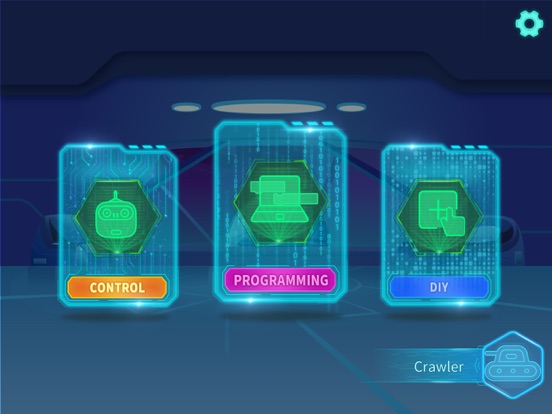
This application contains three functions: graphical programming, diy data receiving and sending, and remote control.