Check the acquisition promise
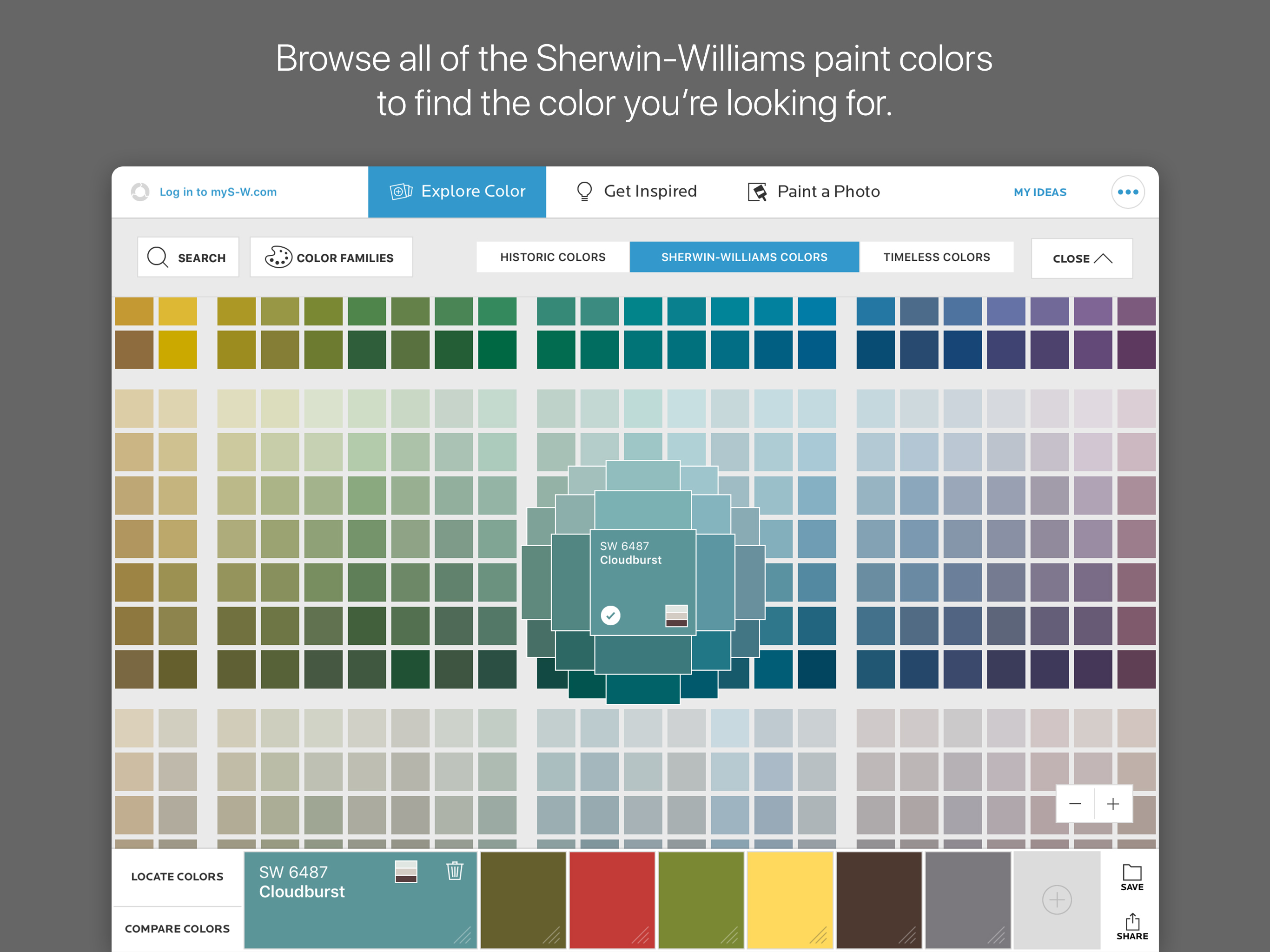
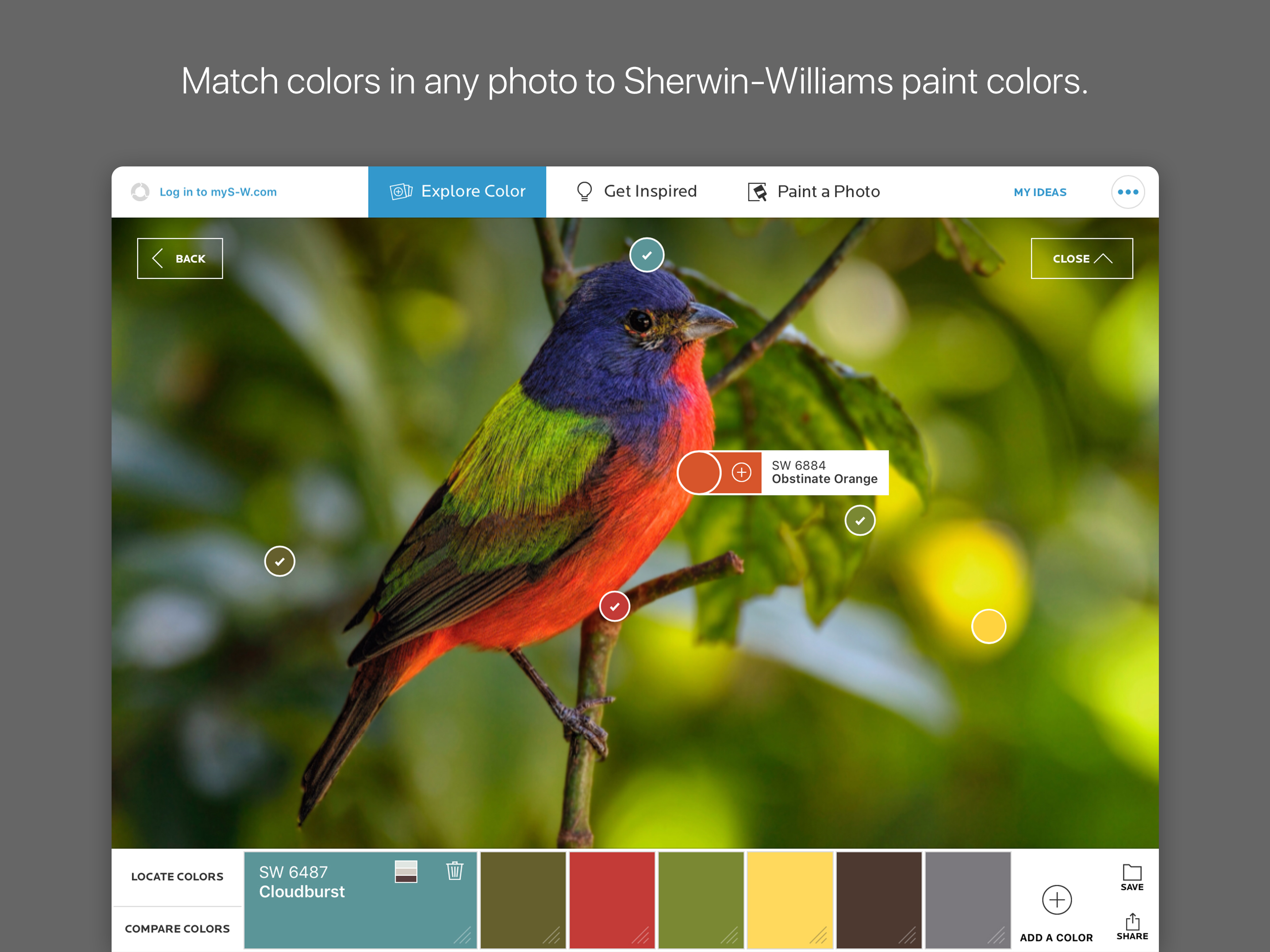
Read the store headline, screenshots and description. What problem is the app promising to solve?
Study the storefront ↗
The Sherwin-Williams Company · iOS
Explore the ad evidence, study the storefront, and build your next acquisition hypothesis.
01 / Creative research
Read the store headline, screenshots and description. What problem is the app promising to solve?
Study the storefront ↗Explore apps with direct store-link matches. Compare their hooks and formats without assuming the same approach works here.
Browse observed advertisers ↗Store rankings and revenue estimates describe market context. They do not establish ad spend, conversions or ROAS.
Review the market context ↗02 / Storefront & product
Study the product story and store experience behind the acquisition funnel.



03 / Market context
Keep revenue, downloads and store rankings separate from advertising performance.
This app is a great idea and it really has helped me to visualize how the colors will look in my rooms. The app itself has some problems which could surely be updated. I haven’t figured out how to delete pages in My Ideas. Somehow instead of saving the room it saves the palette at the bottom of the page sometimes so I have all these pictures of palettes mixed in with my rooms. I can’t take a room that is already saved and edit it, I have to start over. Using your finger to paint is not very precise. I would buy an Apple Pencil to use but I could not find if it can be used with this program anywhere. Fairly often the program gets “stuck” and I have to turn it off and back on. So, this app is useful but also very user unfriendly and frustrating to use. It is very possible that some of this is user error since I have only been using it here and there for a week, but even so, it should be much easier to use.
Tried all the color/wall painting apps and ColorSnap’s the best for one reason: it allows you to easily “paint” an uploaded photo of your real space to avoid the usual “quart and swab” store run that’s both expensive and time consuming. So far as I can tell, Colorsnap’s the only app that does this without requiring you to re-upload every time you want to change colors. Why not 5 stars? Two things: (1) the upload option uses what appears to be a ColorSnap interface for selecting photos that’s a nightmare for those of us with dozens of albums or just wanting to select one of the last 20 photos taken (which for some reason never appear in the Recent album on iOS). (2) the undo capability is inconsistent and there should really just be a “reset photo” option to go back to the original, unaltered room photo you’ve taken. Model photos are great for seeing paint in ideal lighting, but I don’t have a 3,000 foot living room with a cathedral ceiling or a bathroom with jacuzzi tub and candles. Just give me better tools to paint my humble 5x7 bath and I’ll be happy. As others have said, it will take a while for any photo that’s not a perfect wall without shadows, windows, etc to be filled in with the fill and touch up tools, but that’s not the app’s fault, it’s the photographer’s. Take a better photo and treat it this app as faster way to “try on” various colors that running to your local hardware store. For that purpose it’s still the best on the market, which suits SW’s place as the premier paint provider.
I previously used the desktop site for planning the color updates we wanted to make to our living room. It was a little tedious on a laptop, much like trying to map out a route on a web browser to gauge distance walked. I was excited to learn there's an iPad app, especially since I just got an apple pencil as a gift. I was convinced it would make it easier to draw out the sections to color. unfortunately that is not the case. I'm using the app on a new iPad air (4th gen) and it's super buggy to the point of being unusable. Sure the pencil helps make drawing th areas easier, but the app just selects and fills in whatever it thinks was your focus. It's super unintuitive to figure out how to select a previously drawn section without filling it with the wrong color. I need to draw selections because my condo used to be a rental and every wall/ceiling is the exact same color, so the AI for knowing the different surfaces just can't work well, given that there is no native distinction in the pixels. Since the pencil was so much easier to use, I thought I'd try the desktop site on my mobile browser. But alas, their sniffing outmy device type and the mobile site experience is not available. They force you to use this barely functional app when using the iPad. I wish there was a way to bypass, but I can't find one. bummer.
Turn inspiration into custom paint palettes that will lead you to your best color decisions yet with ColorSnap Visualizer for iPad. Explore color and...