Check the acquisition promise
Read the store headline, screenshots and description. What problem is the app promising to solve?
Study the storefront ↗
Christian Selig · iOS
Explore the ad evidence, study the storefront, and build your next acquisition hypothesis.
01 / Creative research
Read the store headline, screenshots and description. What problem is the app promising to solve?
Study the storefront ↗Explore apps with direct store-link matches. Compare their hooks and formats without assuming the same approach works here.
Browse observed advertisers ↗Store rankings and revenue estimates describe market context. They do not establish ad spend, conversions or ROAS.
Review the market context ↗02 / Storefront & product
Study the product story and store experience behind the acquisition funnel.


03 / Market context
Keep revenue, downloads and store rankings separate from advertising performance.
(Quick note, from here until you see the word “goop”, my review is much more enjoyable if spoken in a British accent and imagined to be set in medieval Europe. I promise it’s worth it.) Once upon a time, all websites on the land allowed their readers to use the Great Reader Mode. All websites could decide how user data would be collected. All websites could decide what advertisements they would serve, if they so desired. Later on, Google decided to make the Internet “faster” by creating AMP. Its goal of speed was not noticed by many, and prevented the use of the sacred Great Reader Mode. This grievance alone was revolting, but Google imposed certain requirements on websites with AMP regarding advertisements and data collection. Google was abusing its tyrannical rule. But, all was not lost. One day, a programmer had had enough, and decided to challenge AMP to a jousting match—and won. goop Silly medieval stories aside, Amplosion is truly a frustration saver. I no longer have to go through multiple submenus to access the original website to use the reader mode. I also want to give websites and the staff that run them the freedom and flexibility to do whatever they want with ads and privacy.
I have never purchased an app so quickly after learning of its existence. I would have gladly paid $10+ if that’s what it took to end the curse of Google’s AMP feature. However, I cannot overstate how wild it is to have to pay for a third party extension to turn off something that Google should allow you to turn off. I cannot think of how many times I have become frustrated over the last few years when clicking a news article from a Google search and being met with a half-loaded webpage with jumbled-up formatting. Even when I didn’t realize I was viewing an AMP link, I was painfully reminded that I was doing so whenever I wanted to re-read something at the beginning of the article, tapped the top of my screen to instantly scroll up, but nothing happened. This app does exactly what it states it does and it is worth every penny to no longer have to deal with AMP. Huge shout out to the developer, Christian Selig, who first managed to create the perfect Reddit app, Apollo, and has now managed to make web browsing 10x easier!
I haaaate AMP links. They seem to be more and more common and they always break page formatting or cause other problems. I’ve wanted something like this forever (or, ya know, for Google to just gave me the option to opt out…which they’ll never do). This extension works perfectly, redirects instantly, is open source, and is programmed by the developer of Apollo who I trust as much as it’s possible to trust any app developer. I enabled it for all sites and haven’t looked back. Thank you sooooooo muuuuuch for making this!!!!
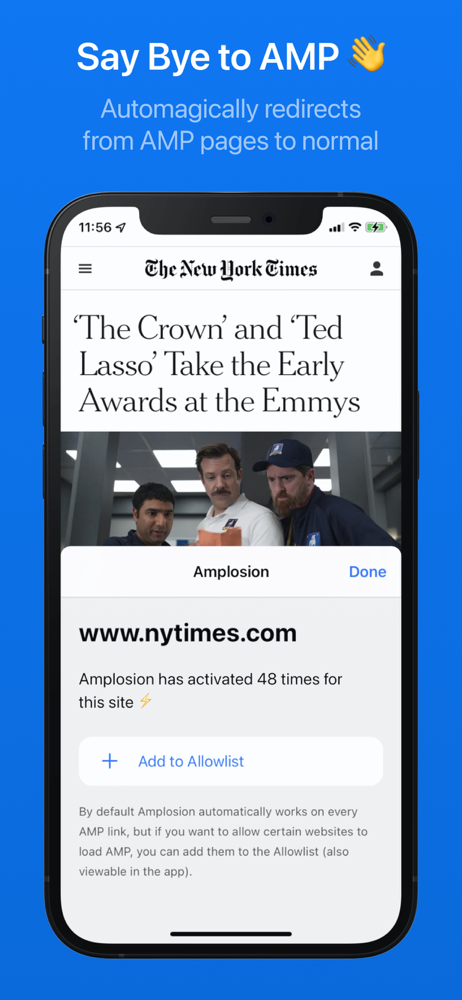
Amplosion automagically redirects AMP pages/links to their normal counterparts within Safari using an easy and elegant Safari extension. Activating...