Screenshots



How Much Does Amazon Kindle: Reading App Make?
Revenue Trend
Downloads Trend
Platform Performance
Rating Distribution
Top Countries
Rankings
Reviews (5)▼
Edit: another user did find a way to make it easier to highlight—yay! Unfortunately, I also discovered that they added several extra steps to DELETE highlights, so my review remains the same. In addition, the once fantastic light periwinkle blue is now a darker color that makes it harder to read what I’ve highlighted. Developers, please lighten it again! Make it a true highlight, otherwise what are we doing here? I’m floored. For months, I’ve been trying to move to other apps to avoid using Amazon’s products, but have remained with previously bought books because of the absolute ease of use, particularly when it comes to highlighting. And now, inexplicably, the app developers have copied what made other apps infuriating—adding features no one asked for and requiring me to choose a color and untap it to delete highlights— an extra step every time. This is hilarious. It totally interrupts the flow of reading and takes a full half a second longer to undo my selection, adding a full second or two to every highlight when it randomly picks up an extra word. For someone who owns and reads over a thousand books in this app alone, that time adds up precipitously. Undo this. Whatever the bug, fix it so that I can easily unhighlight a sentence in one tap and keep reading. Please do NOT worsen your product. It’s such a small thing, but what are the chances of developers mimicking the exact flaws of their competition?
Kindle app is a great reader. However, it contains some extra features which would be AMAZING if they would develop them just a bit further so they could be put to more practical and more productive use. Kindle reader app for me, is more than just a reader like a little kindle device. It’s a productivity and learning tool and with a few little enhancements could be amazingly useful for that. Anyway, updated features are long overdue. 1. It would sure be nice if the highlights had major customizability (best) or at the very least, more color choices. As I’ve expanded my use of them, I have developed a system of highlights that act visual cues for myself for future reference. I have more ideas but the extremely limited choice of colors is frustrating that. 2. The flashcards feature works in a confusing and non-logical way. If I wanted to use the already existing ability to have highlights become flashcards, it only fills one side of the flashcard. It would be better if one could do something like allow me to choose to put adjoining highlights as a pair, the first on the front and the second second on the back. Then I could make flashcards from premises and conclusions in a book. I think that would get a lot of use from people like me who teach. 3. It would sure be helpful if I could select text across a page break with one selection rather than two separate selections. 4. Perhaps an option to read by vertically scrolling text would help with #3?
As an avid reader, I’d like to see more improvements for storing, organizing and finding books in my Kindle library in order to make reading Kindle books more enjoyable. 1) There should be a way to bring the categories into the library so I can filter by category and sub-category. For example: category Mystery; subcategory Police Procedural. I can shop for them this way in the Kindle store, I want to be able to view my library the same way. 2). There needs to be a way to quickly see which books have been read, and which have not. 3) There should be a private section in my kindle library that can't be seen by anyone I hand my phone or tablet to. 4) I'd like a way to easily view a series of books in order. It looks like this is being done, but it doesn’t seem to work. Also, I’d like to be able to easily go to the next book in the series. Currently, when I finish a book, a page comes up showing the title and synopsis of the next book in the series. (Thanks for adding that, it has helped a bit to at least see the title of the next book in order). Ideally though, I’d like to be able to select the next book (if in my library) and be able to open it from there. Instead, I have to search my library. Thanks for considering there suggestions.
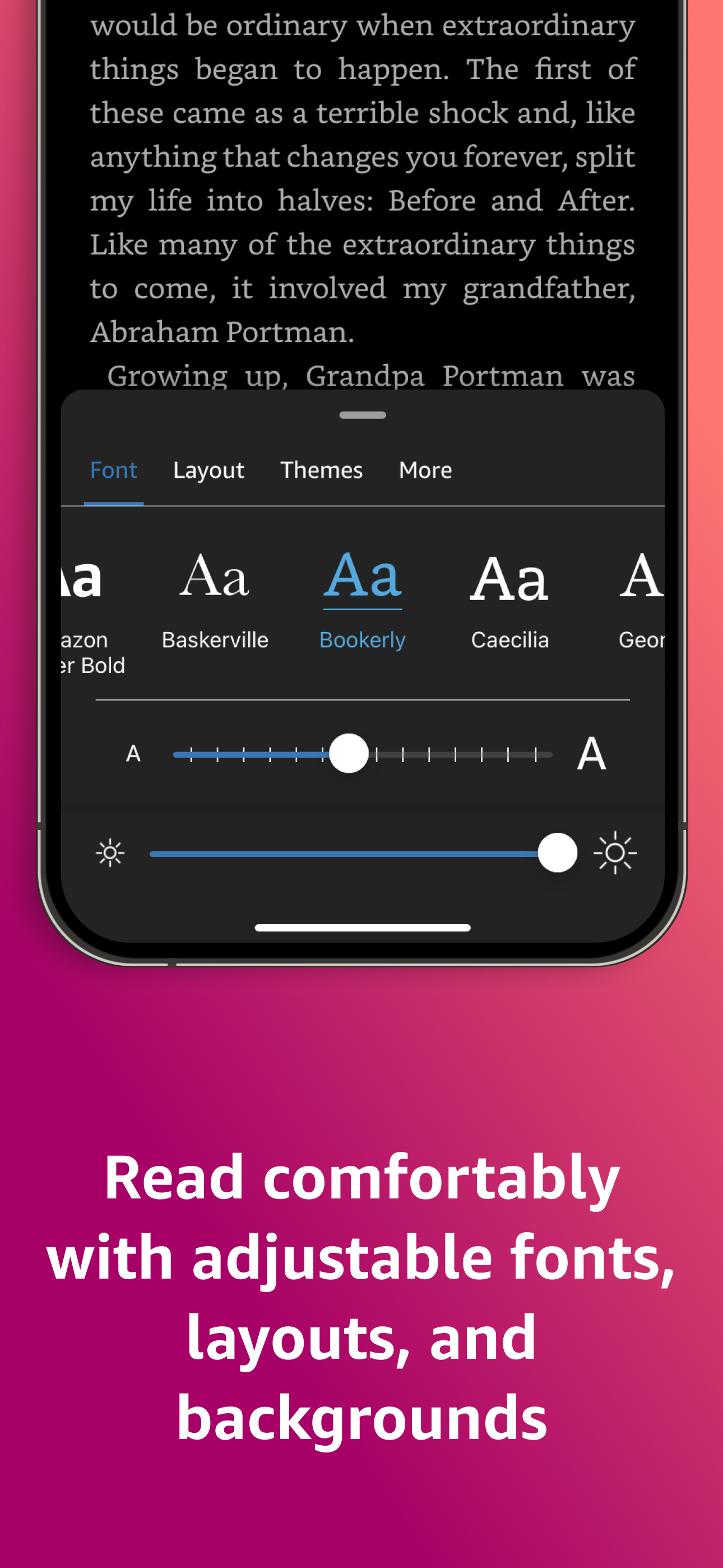
There isn’t anywhere else I like to get books, even on apple products. There’s are so many free books you’ll probably never read them all, for every age range. Cheaper than buying most books in paperback, though I do collect some books for when I NEED that physical page feel. Access to listings for used books if you want that instead of the kindle version you can, though it’s cheap, not free. Classics also available free though I have bought a few for $1 just for a certain version or illustrations to show my daughter. If you don’t like a book or version you find for free no sweat you can just delete it, and if you do like it then congrats. Don’t be afraid to browse some regular priced books or even the $1 book selection, though I admittedly filter the books by the star reviews so I don’t end up with a bunch of duds by accident. Definitely nice when the power is out and you want something to do, though a word of warning. Adjust your settings according to your device and it’s battery. I have low brightness and page flip off on my phone but higher brightness and page flip on for my tablet since it can handle the extra drainage. I should also mention they have different fonts you can use for your books including one for dyslexia. I use it because I have weak eyes, would definitely recommend it for the long book journeys. You can add notes and highlight things if you want to as well, so that’s readily available if you need it, too. Ok, I’ve said enough, try it for yourself and who knows how many books you’ll find? Happy reading!
I have three kindles, an iPad, and a phone. I love how my book progress syncs across devises. When I find myself in a waiting room I read on my phone but otherwise I use larger devises. I download books for free from my public libraries and they are easy to get and return. It is easy to navigate in kindle app; you can move easily to other parts in the book. X-ray helps me keep track of characters by giving me a synopsis of all the major players and allows me to easily find and review a specific name or detail in the book. And I love love love that when I read a reference to something interesting I can easily go to the web to find out more information, look at related pictures, etc. that helps me learn more and increases my enjoyment of my books. When I finish a book, I can read it and give a review. My Kindle app works seamlessly with Goodreads to keep track of my books and it allows me to follow an author so that I get alerts when the new book comes out. I also make it easier to browse my books by keeping books by the same author in a collection folder. It’s also super easy to change the font and the font size if you’re having difficulty with it for some reason. I just can’t say enough about the convenience and pleasure that I get from reading with a Kindle or the Kindle app. I have read books on OverDrive and on Libby as well but I find the Kindle app to be the easiest to maneuver and it offers the most options when reading. It also has a search feature where you could go to a specific location or page in the book which was missing and other apps. I highly recommend the Kindle app!
Version History (276)▼
Available In (97 Countries)▼
Supported Languages (9)▼
App Details▼
READ ANYTIME, ANYWHERE On the bus, on your break, in your bed—never be without a book. Kindle books you have purchased on Amazon will automatically ap...
Similar Apps