Check the acquisition promise
Read the store headline, screenshots and description. What problem is the app promising to solve?
Study the storefront ↗
AppMadang · iOS
Explore the ad evidence, study the storefront, and build your next acquisition hypothesis.
01 / Creative research
Read the store headline, screenshots and description. What problem is the app promising to solve?
Study the storefront ↗Explore apps with direct store-link matches. Compare their hooks and formats without assuming the same approach works here.
Browse observed advertisers ↗Store rankings and revenue estimates describe market context. They do not establish ad spend, conversions or ROAS.
Review the market context ↗02 / Storefront & product
Study the product story and store experience behind the acquisition funnel.


03 / Market context
Keep revenue, downloads and store rankings separate from advertising performance.
Overall this has been a great app for product photos. Since I use a lightbox it’s super convenient to be able to save settings and reuse them. I like that you can do a one time fee and they don’t have some crazy subscription junk that I wouldn’t be able to justify. Only thing is it seems to behave a little weirdly with iPhones 13 to 15 (or at least that’s as far as I’ve gotten phone wise). Even if you’re using the same exact settings, some photos will get these big white splotches that aren’t visible before you take the photo. I’m not an expert photographer (although I’m not a newbie either) so it could be something in the settings. But I didn’t have this issue using the preset before I upgraded my iPhone so i suspect it’s some kind of glitch
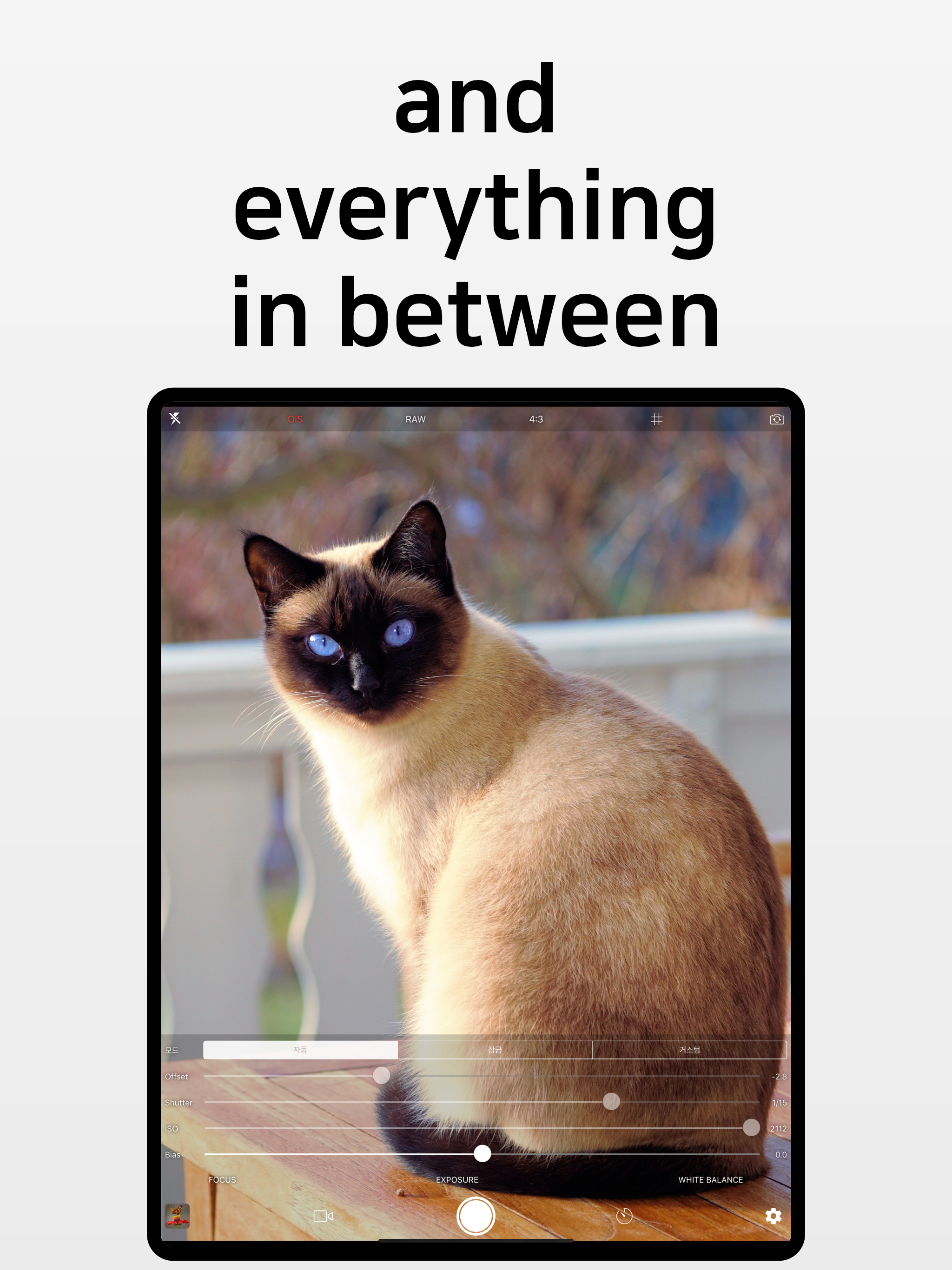
I got this app so that I could have more control over my phone’s camera (manual focus, shutter speed, ISO, etc.) so that I could take images and videos of the planets (mostly) and other brighter objects in the sky with my smartphone. My telescope is a 6-inch reflector, not motorized, and so I just let the planets move across the screen, using the grid feature to guide/aline the camera, to get footage for stacking The app gives you a huge amount of control over your camera, including focus, exposure, white-point, and several different combinations of framerate+quality (e.g. high quality at 60fps, which I use for getting more high-quality frames of planets). Overall, this app is amazing for smartphone astrophotography, and the full version is very affordable. My only suggestion/request is, I think it would be cool to have an optional point/crosshair in the center of the screen— just like the grid— as sort of a guidance point.
I wanted to take color-wise consistent pictures of products for a website/eBay. Nothing super professional, just a simple way of roughly controlling color temperature. This app is perfect. I don’t need to use any of the other manual features, still just point and shoot. But I made myself a grey card and I point the camera at it to lock in the color temperature every time I take product photos. And my colors have been coming out wonderfully, without the camera “compensating” based on an incorrect guess. I went ahead and paid the $1.99 for the pro version to remove ads, and voila! Perfect! Thanks for the great one-time price!
* Custom exposure for your iPhone/iPad Camera * Full independent control of Focus, Exposure and White Balance --------------------------------------...
| Name | Price | Type |
|---|---|---|
| Purchase Pro Version | $1.99 | One-time |