Check the acquisition promise
Read the store headline, screenshots and description. What problem is the app promising to solve?
Study the storefront ↗
通 崔 · iOS
Explore the ad evidence, study the storefront, and build your next acquisition hypothesis.
01 / Creative research
Read the store headline, screenshots and description. What problem is the app promising to solve?
Study the storefront ↗Explore apps with direct store-link matches. Compare their hooks and formats without assuming the same approach works here.
Browse observed advertisers ↗Store rankings and revenue estimates describe market context. They do not establish ad spend, conversions or ROAS.
Review the market context ↗02 / Storefront & product
Study the product story and store experience behind the acquisition funnel.
03 / Market context
Keep revenue, downloads and store rankings separate from advertising performance.
I usually don’t leave reviews but since I’ve been trying out for the longest time to try to transfer my pc videos to my camera roll, I could never do that till now. This apps has the solution I’ve been looking for for the longest time. Thank you so much for making this app!!! I hope this app stays alive for years to come. There is no other app that can do what this app does. 10/10 I would download again!!!
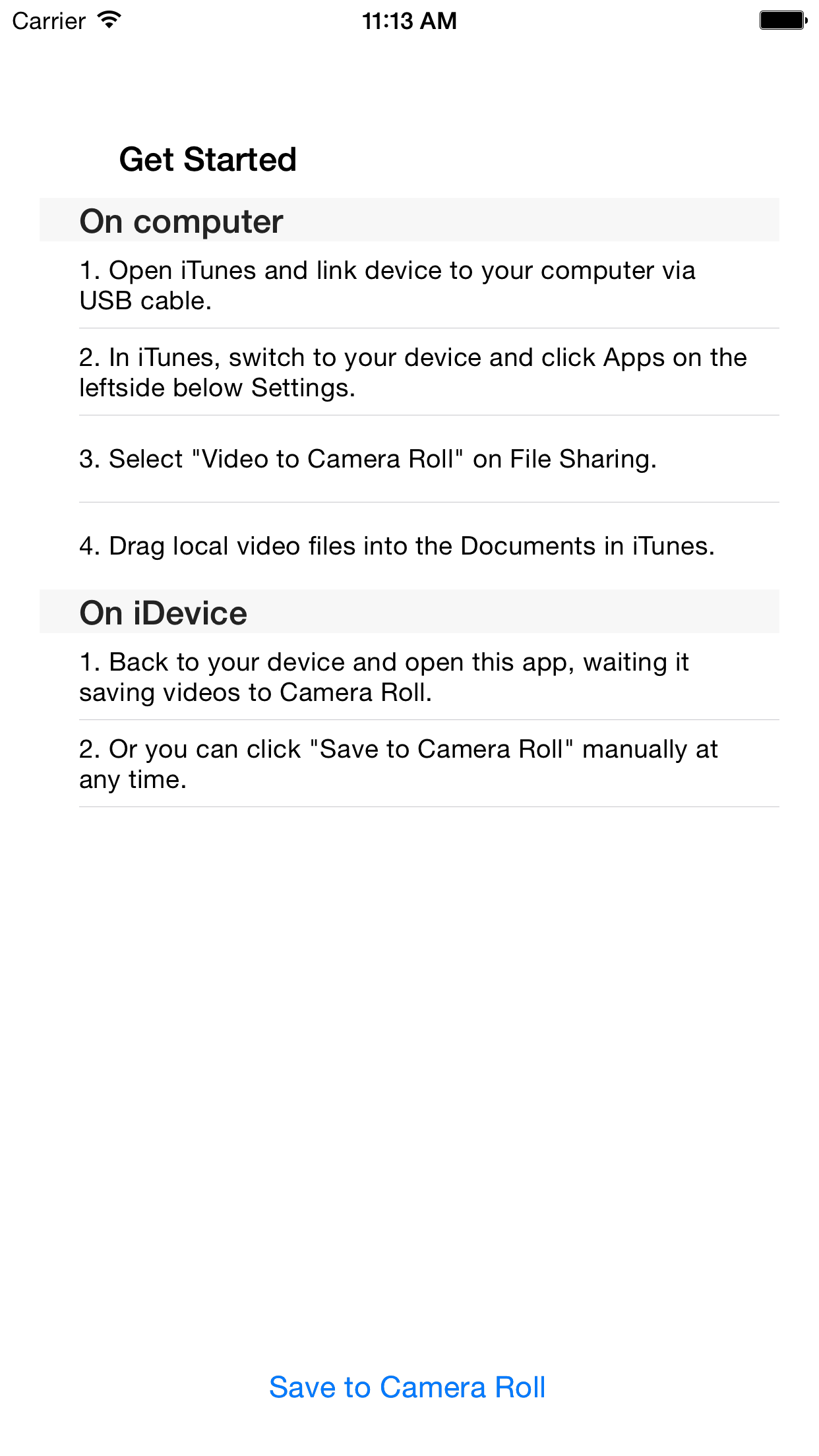
At first I was confused about it too, so I understand some of the upset reviews. But here’s how you do it: 1)Connect phone to computer. 2)Open up iTunes. 3)Find the phone icon that appears next to the drop down toolbar on the top left that says Music by default. 4) Click on the icon. You’ll see in iPhone menu to your left that says File Sharing at the bottom, which you select. 5) Apps list will pop up on the main screen and you’ll see Video to Camera Roll. Select this. 6) Simply click “add” or just drag and drop the video clip to the “Video to Camera Roll Documents” section. Then click the “Done” button on the bottom. 7) Go to your phone to open Video to Camera app, where it’ll indicate number of vids you’ve added and then it’ll prompt you to Save to Camera Roll. Click save. Done! So simple. Thanks to the developer!!
My daughter's iPhone died, and while I had a back up of her photos and videos, getting them back onto a new phone proved difficult. This app allowed me to reincorporate her videos into her camera roll. To make money, the app displays ads and has you click "add to roll" once for every 5 videos, but it did its job!
Sometimes, you transfer your video files from iDevice to computer and remove them from your iDevices. One day, you have to edit your videos in iDevi...