Check the acquisition promise
Read the store headline, screenshots and description. What problem is the app promising to solve?
Study the storefront ↗
勇 陈 · iOS
Explore the ad evidence, study the storefront, and build your next acquisition hypothesis.
01 / Creative research
Read the store headline, screenshots and description. What problem is the app promising to solve?
Study the storefront ↗Explore apps with direct store-link matches. Compare their hooks and formats without assuming the same approach works here.
Browse observed advertisers ↗Store rankings and revenue estimates describe market context. They do not establish ad spend, conversions or ROAS.
Review the market context ↗02 / Storefront & product
Study the product story and store experience behind the acquisition funnel.



03 / Market context
Keep revenue, downloads and store rankings separate from advertising performance.
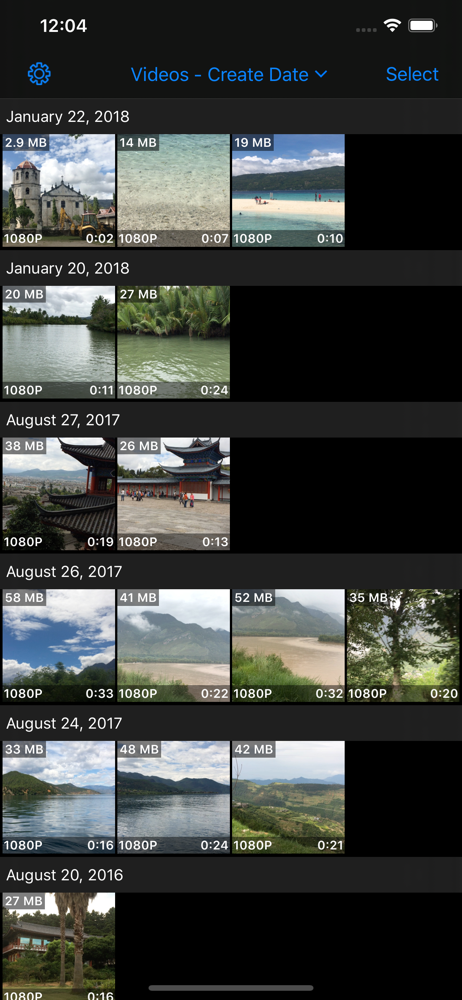
Video compression is a very useful tool to reduce size of videos and make storage on your phone. The only improvement necessary is making sorting by file size able to pull your media up faster because it makes making storage on your phone an effective but incredibly time consuming and draining process. I'm talking like no joke a 2 minute wait time PER EACH LOAD UP OF sorted by file size camera roll. And if you leave the app it will lose progress of that load and you have to start over. Please see if there is any way to speed the process up I use this app continuously to manage my phone storage and would like it to be more efficient and less demanding of my time and ability.
Does what it needs to do. UI is a little rough around the edges but well worth the price for compression. Useful for making smaller copies of large or long videos via iMessage or airdrop. Fairly quick on a current phone (17 pro); was slower on my previous one (11 pro max) but acceptable.
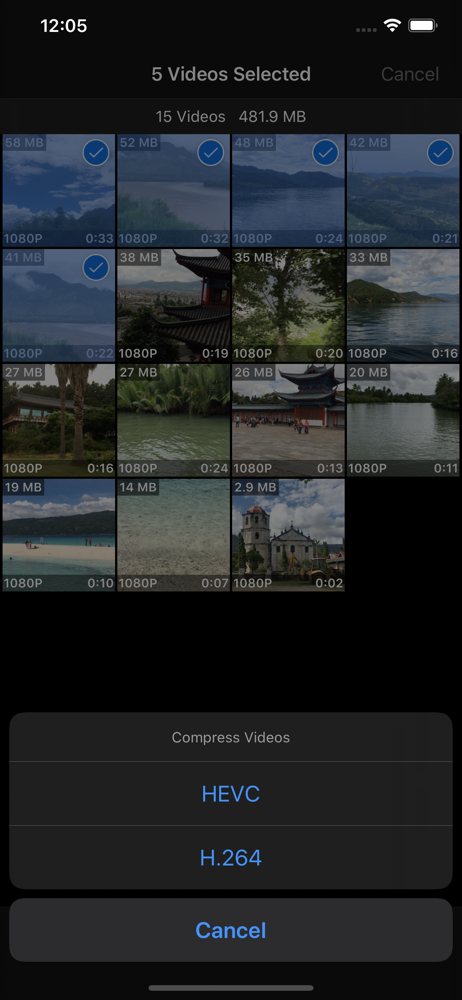
This app finally does everything I wanted/needed. It even does something that iCompress+ doesn’t do which is so essential! This app compresses videos for me, it keeps the aspect ratio (full resolution 1920x1080), it keeps the original date and time stamp from the original video which helps keep the videos chronological, and the essential function that iCompress+ doesn’t have is the ability to do a bulk compression so I don’t have to individually select and compress a video then select and compress. I can select all the videos that need compressed and hit compress once and all my videos will stay in chronological order and won’t lose their original size! If iCompress did bulk compressions then the bonus features would be worth it but this is the app I’ve been looking for for years! After tons of digging, trying, testing, this is it, I finally found the best app for routine compression of my videos. Thank you.
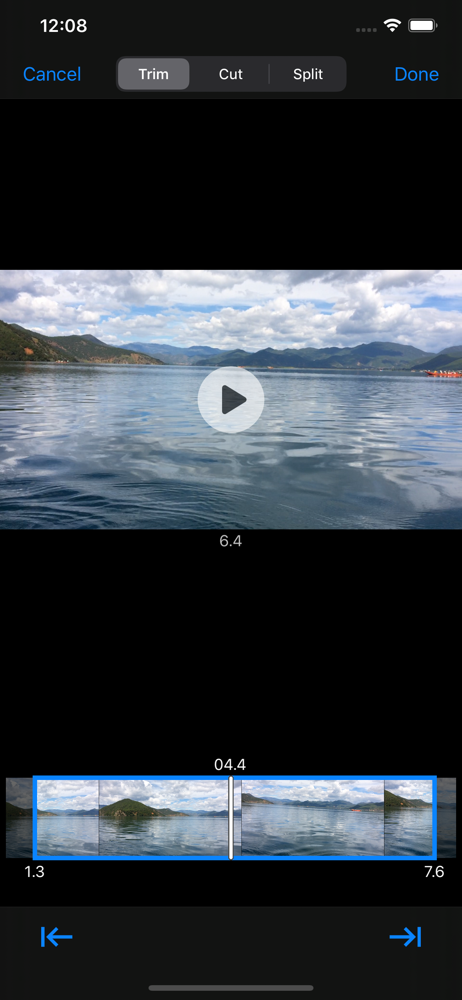
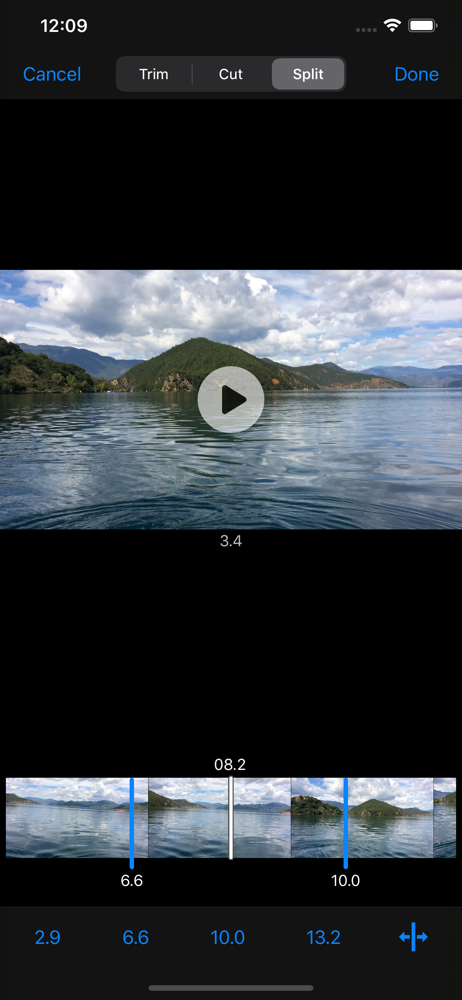
A full-featured and easy-to-use video toolbox, can be used to batch compress, crop, trim, cut, split, merge and rotate videos in Photo Library. Suppor...
| Name | Price | Type |
|---|---|---|
| Compression Module | $1.99 | One-time |
| Editing Module | $1.99 | One-time |