
Check the acquisition promise
Read the store headline, screenshots and description. What problem is the app promising to solve?
Study the storefront ↗
VectorVest, Inc. · iOS
Explore the ad evidence, study the storefront, and build your next acquisition hypothesis.
01 / Creative research
Read the store headline, screenshots and description. What problem is the app promising to solve?
Study the storefront ↗Explore apps with direct store-link matches. Compare their hooks and formats without assuming the same approach works here.
Browse observed advertisers ↗Store rankings and revenue estimates describe market context. They do not establish ad spend, conversions or ROAS.
Review the market context ↗02 / Storefront & product
Study the product story and store experience behind the acquisition funnel.





03 / Market context
Keep revenue, downloads and store rankings separate from advertising performance.
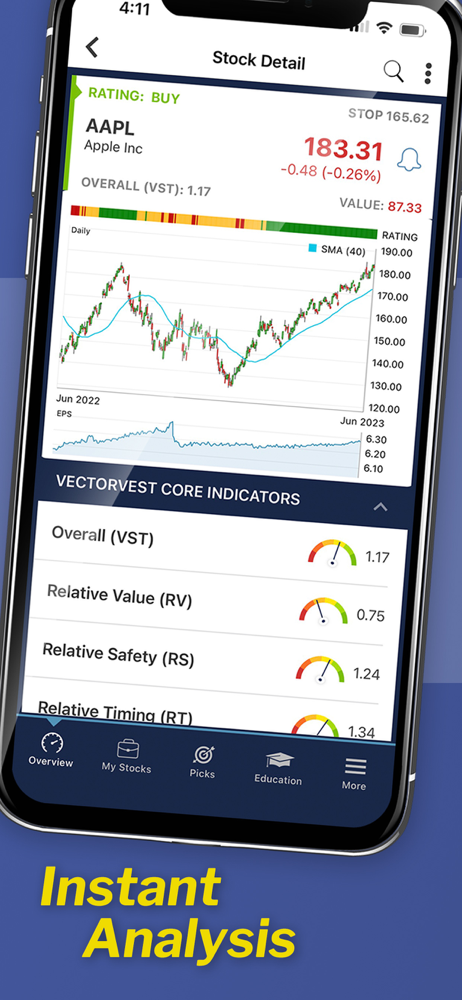
I have been a subscriber for several years (5+). And I rely upon the mobile app as I am an Apple Mac desktop user. I only own a DELL with Windows because of the need to get to the desktop version of VectorVest which has ALL the features. While the mobile app continues to improve, I MOST MISS the market timing graphs — especially the enhanced Protrader DEW timing chart, the ability to add parameters (multiple moving averages) to the stock graphs, and the ability to add to or sell part of a portfolio position. Those are what I do the most on the DELL, which is a slow boat to nowhere computer that constantly frustrates me (I used Windows at work from it’s invention until I retired in 2014). So these extra enhancements to the mobile app would be great. Otherwise, the mobile app is a total life saver.
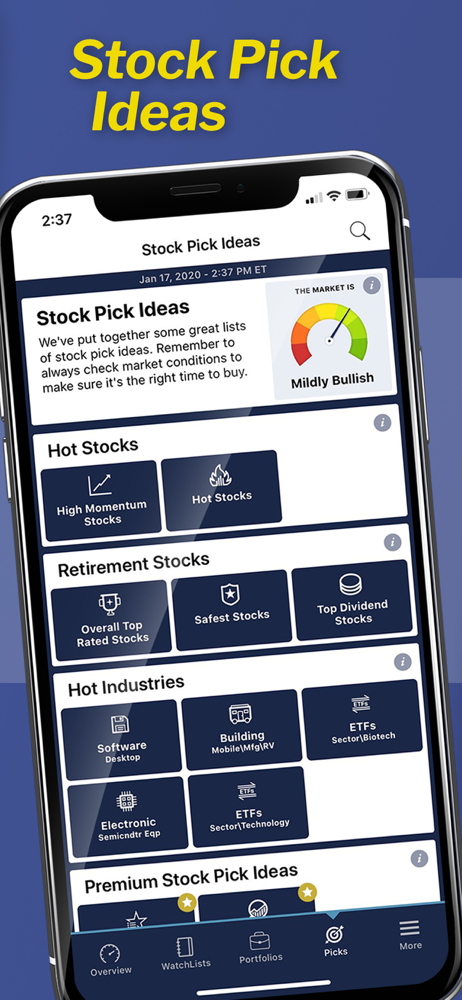
I don’t normally like an app enough to write a review, but VectorVest deserves a lot of credit. I signed up for a free trial of their premium service and have now kept it for the $20 monthly fee. It’s worth it because I’ve already made more than that in profits off of their rating system. Go to Picks, Premium Watchlists, and select Top VST Stocks. This shows you all the stocks with the highest rated VST - a rating based on a combination of value, safety, and timing. They also show what the stop price is so you can get out of a losing stock quickly. There is also a ton of data for each stock and you can personalize your graph to show the info you want. I highly recommend for anyone, but especially beginners who are overwhelmed by picking stocks. If you’re new, make sure to watch their video course which will help you learn what all the different numbers and acronyms mean to make the most out of your subscription.
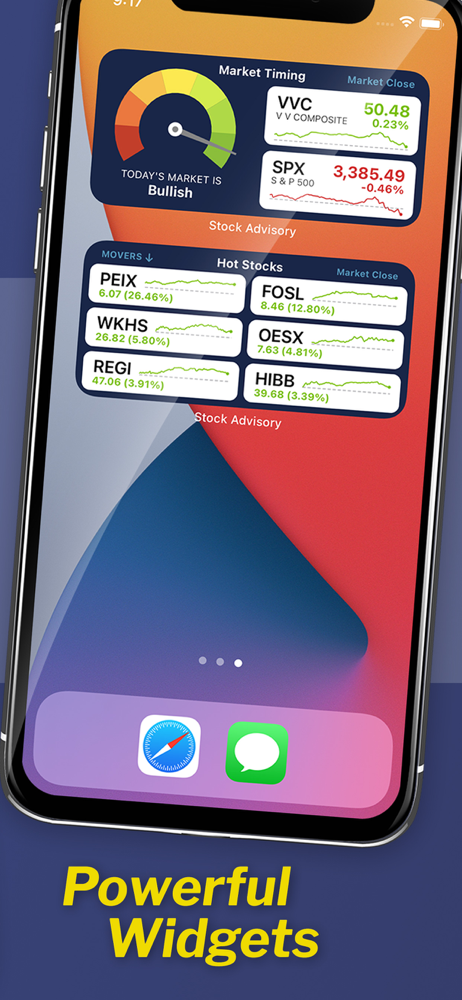
The Vector Vest app is my first stop when buying any stock or stock option. It’s proprietary system tells when you should buy, hold, or sell any stock. Be sure to study it’s VST (Value, Safety, and Timing) system to get the most out of the program. It also gives you the market timing in general, when it is safe to jump in or time to start getting defensive. The only major issue is that it is not fully IOS 11 compatible for iPads split screen option. The split screen, for example, allows you to run two programs side by side, such as your broker on one side, and your research app on the other side of the screen. Vector Vest has been adding features, such as a new stock screener function on a regular basis, so I hope the split screen function for iPad is in the works.
Welcome to the VectorVest Stock Advisory app. It puts all the information you need to make faster, smarter, better investing decisions at your fingert...
| Name | Price | Type |
|---|---|---|
| Vital (Monthly) | $4.99 | Monthly |
| Vital (Monthly) | $4.99 | Monthly |
| Essential (Monthly) | $9.99 | Monthly |
| Premium Special Offer (Monthly) | $9.99 | Monthly |
| Premium (Monthly) | $19.99 | Monthly |
| Premium (Monthly) | $19.99 | Monthly |
| Premium (Monthly) | $19.99 | Monthly |
| Premium (Monthly) | $19.99 | Monthly |
| Mobile Premium+ (Monthly) | $49.99 | Monthly |
| Premium+ with Trial (Monthly) | $69.99 | Monthly |


