Check the acquisition promise
Read the store headline, screenshots and description. What problem is the app promising to solve?
Study the storefront ↗
Ulysses GmbH & Co. KG · iOS
Explore the ad evidence, study the storefront, and build your next acquisition hypothesis.
01 / Creative research
Read the store headline, screenshots and description. What problem is the app promising to solve?
Study the storefront ↗Explore apps with direct store-link matches. Compare their hooks and formats without assuming the same approach works here.
Browse observed advertisers ↗Store rankings and revenue estimates describe market context. They do not establish ad spend, conversions or ROAS.
Review the market context ↗02 / Storefront & product
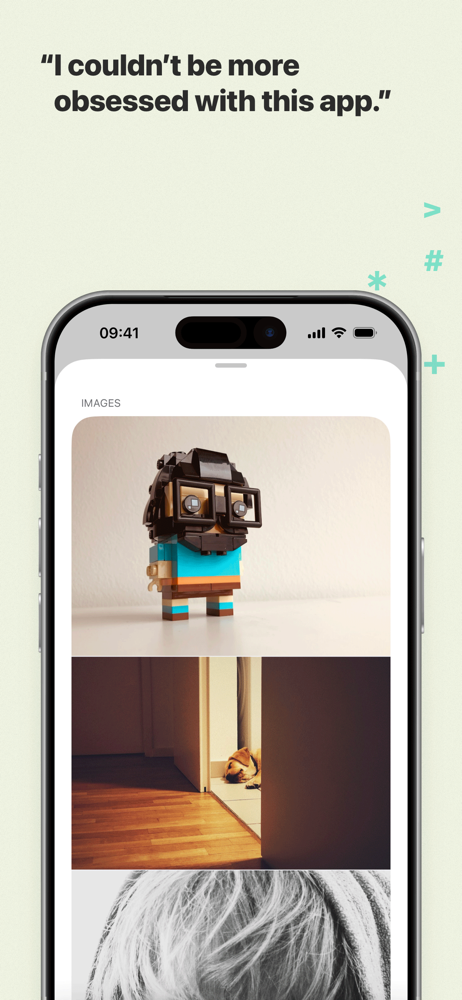
Study the product story and store experience behind the acquisition funnel.


03 / Market context
Keep revenue, downloads and store rankings separate from advertising performance.
I have been using Ulysses now for seven years as the primary tool for preparing scholarly articles, conference papers, books, and research notes. It is so far superior to any other writing and research organization app that there's no comparison. The familiar features – the zen-like writing mode, the progress bar – have markedly improved how I work. And since all my writing lives in one easy-to-organize space, when I have to prepare a new talk or magazine article based on research I've done years ago (a frequent task for academics), it's very easy to call up everything I've written before on the topic. And for those who have never used a progress tracker for writing, it is hard to express how motivating it is to see Ulysses' circles fill up and then turn green as you write away. One less obvious benefit of this is for presentations with a hard time limit; once you know how many words you typically speak per minute, it becomes very easy to gauge how long the entire text should be. Ulysses also allows you to set word counts for each individual section. Since using this app, my conference papers have not only never gone over time, but the proportions are always very easy to manage. So much for classic Ulysses. Version 19 gave us a feature I didn't realize how much I needed until it was there: Projects. At the moment I'm working on several books and book-length manuscripts. This new feature makes it easier, more streamlined, and even more motivating to organize large, multi-section texts. I take every chance I get to recommend this app to anyone I know who writes for a living.
Finally, a program where I can keep my academic writing drafts and reading notes in a single uncluttered, easy-to-use environment. I love the simple markdown commands, which keep me writing without constantly having to stop to mouse over to a toolbar or open a menu window. I encountered only one problem in my initial use of the program, which was that my block quotes kept appearing center-justified and in italics after export (this is not a typical format in publications in my humanities discipline). When I couldn’t for the life of me figure out how to get the quotes to come out in normal font style and left-justified, I wrote to customer support for help. Within 24 hours I received clear instructions for solving the problem by changing the style sheet, and now I know how to change other formatting issues in the style sheet should they arise. ***UPDATE: I've been using the app now for a couple of years and although I'm not making any particularly high-tech use of it (I don't blog or otherwise publish online using my own markup), but it continues to serve my academic needs extremely well. It's a keeper!
I use Ulysses for writing ficiton. I was a Scrivener user for years. It's a powerful program that reminds me in some ways of Photoshop - incredibly powerful yet complex in ways I often never get around to using. The #1 reason I choose to write in Ulysses is the ability to sync and access my Ulysses projects from all my Mac devices - iPhone, iPad, MacBook Pro. This is where Scrivener falls apart - their iPad app is a different program, and syncing across multiple devices requires third party programs and platforms ... and then it still doesn't work that great. I can write anywhere, anytime. My other favorite feature is being able to write in Markdown -- so with two keyboard clicks, I can leave inline notes to myself within the text that do not export to the finished document and don't exist in a sidebar. The simplicity of the design in relationship to the variety of function is great. Two feature requests - I still use Pacemaker for project wordcount setting and goal keeping. I'd love it if Ulysses' in app goal setting features were so robust. I also wish the color coding on keywords was more saturated/ high contrast, and that colors could be assigned to elements in the Library.
Ulysses is your one-stop writing environment for Mac, iPhone and iPad. Its pleasant, focused writing experience, combined with effective document mana...
| Name | Price | Type |
|---|---|---|
| Monthly Plan | $5.99 | Monthly |
| Student Offer | $10.99 | One-time |
| Yearly Plan | $29.99 | Yearly |
| Yearly Plan | $39.99 | Yearly |
| Yearly Plan | $39.99 | Yearly |
| Yearly Plan | $39.99 | Yearly |