Check the acquisition promise
Read the store headline, screenshots and description. What problem is the app promising to solve?
Study the storefront ↗
TinyWork Apps · iOS
Explore the ad evidence, study the storefront, and build your next acquisition hypothesis.
01 / Creative research
Read the store headline, screenshots and description. What problem is the app promising to solve?
Study the storefront ↗Explore apps with direct store-link matches. Compare their hooks and formats without assuming the same approach works here.
Browse observed advertisers ↗Store rankings and revenue estimates describe market context. They do not establish ad spend, conversions or ROAS.
Review the market context ↗02 / Storefront & product
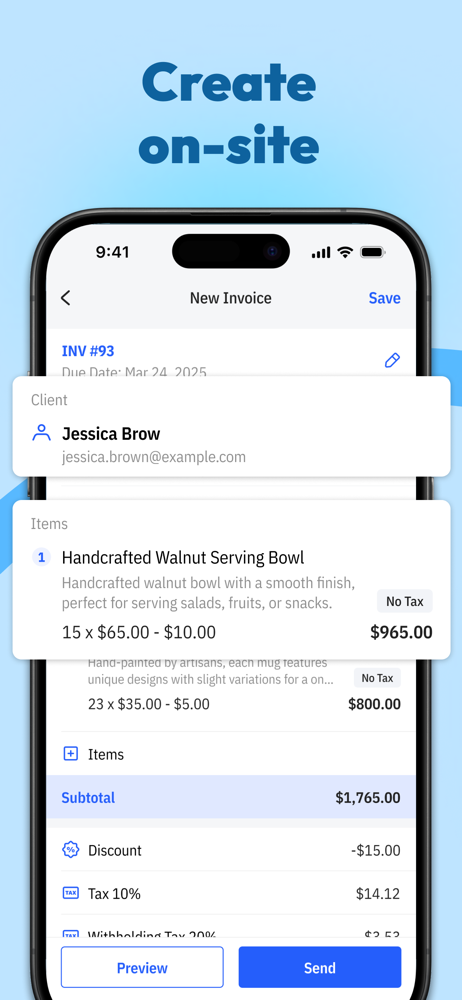
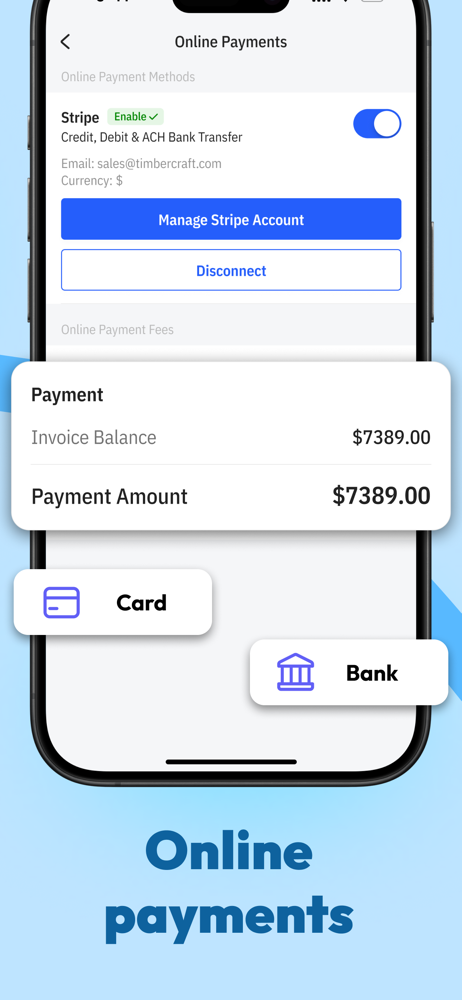
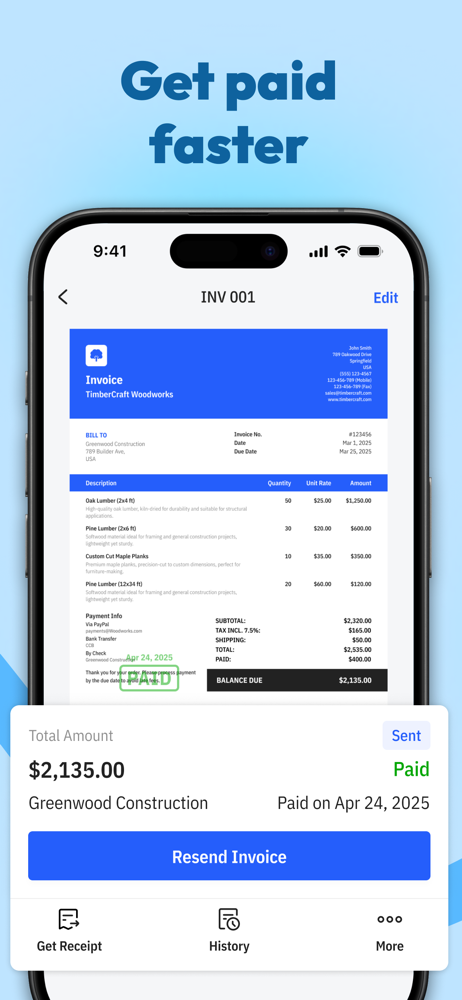
Study the product story and store experience behind the acquisition funnel.



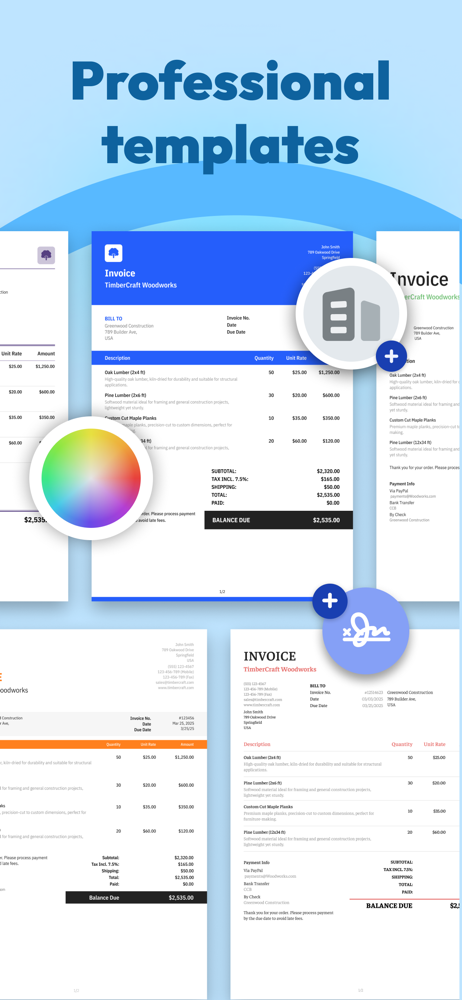

03 / Market context
Keep revenue, downloads and store rankings separate from advertising performance.
I used Tiny Invoice for a few weeks. I set it up on my ipad initially while my laptop was being repaired by apple. When I received my laptop back from being repaired I downloaded and installed onto my laptop and tried to sign in using the password I used when setting up the account on my ipad. No luck using the same password with app or on the tiny invoice web based app, but the password still worked with my ipad. I reset the password to start over and to get all devices synced together since I had a few invoices on my ipad and weren't reflecting on my laptop tiny invoice app. Reset the password 5 different times and still cannot login to sync with any other device besides my ipad. I then paid for the subscription to see if that would work to help sync and login between my devices. No luck with that either. I can only say that this app is garbage, won't let me use it as described, can't sync, and can't even login after resetting password 5 times. Don't recommend this app nor it's services since it doesn't work correctly. Good thing I didn't rely on this or my business would be a nightmare with keeping track of invoices. I'd give 0/5 stars if possible. Get your stuff together, Tiny Invoice.
I have been using this app for years. It is very solid, however, could use some minor tweaks. For example: - Cost center naming / notes. I bill by the day, so need to add the date range for the charge so my customers can compare. The only way to do this is to write it in the cost center title. This creates an entirely new cost center, making any cost tracking reports useless...and saddles me hundreds of them to sort through on my own. It seems that adding a field, outside of the Cost Center Title, for notes would be fairly simple... - the ability to attach PDFs (documents) vs photos. I do not keep photos as transaction records...I use a pic-to-pdf app (tiny scanner, btw). It would be so much easier to be able to attach those files directly, through this app. As it is, I have to send them to either my email, or iCloud...save them in my files, then attach them once I have begun the email process. There is a tab to add photos to the invoice. Is it not very easy to make that a pdf option...or, even better...include a photo-to-pdf converter in this thing? At least on the Pro version? I am fairly certain you own the tiny scanner app too. Right? Otherwise, it is really a solid app..fairly easy to navigate and operate, and I have received quick responses when reaching out for technical support. It takes a bit it to get the phone and iPad synced up at times, but it works. That’s just it with this app. It is highly reliable. That means a lot when it comes to business records.
This app literally has been the center of how i run my whole business and nothing else for the last couple years. its really user friendly and i cant tell you how man countless hours i spend a week using this as it generates all my estimates and invoices. I really recommend this app and hands down this app has been the key component in how i operate and nothing else other than my money sharing apps and credit card processing apps for payment from customers. Good customer service also with quick response from developers as well that is an important thing to note as well. I just wish that i could find a way to make a second profile for my other business and use the app for both also make the contacts on my phone always accessible rather than having to press the contacts button then find and add to the invoice. I would like to the phone contacts to just be accessible at all times and not have to search. Also i am pretty sure but i may be wrong but i dont know why when i enter in new customer info at the beginning of a new invoice why the adress never shows on the final invoice and this is what i need the most as my company is based on residential services so i need a spot to make the address visible with the contact info or a new lable for job site location and make this be a prompted screen when making the invoice or estimate. also to integrate the app into the iphone keyboard for quick one button access when say messaging a customer on my phone i could just tap the tiny invoice icon just as i would say like the venmo or cashapp icon but my loyalty to this app is great as i said this app runs my whole company and keeps me organized and i would be crushed if i did not have it or it were to be no longer available due to i need this app to function as a company.
An invoice creation, sending, and tracking tool. Tiny Invoice helps you stay on top of your business. “Now it takes me under a minute to create and s...
| Name | Price | Type |
|---|---|---|
| Premium Plan - Weekly | $4.99 | Weekly |
| Premium Plan - Weekly | $4.99 | Weekly |
| Premium Plan - Weekly | $5.99 | Weekly |
| Premium Plan - Weekly | $8.99 | Weekly |
| Premium Plan - Weekly | $8.99 | Weekly |
| Pro Plan - 1 Business (Monthly) | $9.99 | Monthly |
| Pro Plan - 1 Business (Monthly) | $9.99 | Monthly |
| Pro Plan - 1 Business (Monthly) | $9.99 | Monthly |
| Pro Plan - 2 Businesses (Monthly) | $13.99 | Monthly |
| Pro Plan - 2 Businesses (Monthly) | $13.99 | Monthly |