Check the acquisition promise
Read the store headline, screenshots and description. What problem is the app promising to solve?
Study the storefront ↗
ToneBoosters · iOS
Explore the ad evidence, study the storefront, and build your next acquisition hypothesis.
01 / Creative research
Read the store headline, screenshots and description. What problem is the app promising to solve?
Study the storefront ↗Explore apps with direct store-link matches. Compare their hooks and formats without assuming the same approach works here.
Browse observed advertisers ↗Store rankings and revenue estimates describe market context. They do not establish ad spend, conversions or ROAS.
Review the market context ↗02 / Storefront & product
Study the product story and store experience behind the acquisition funnel.


03 / Market context
Keep revenue, downloads and store rankings separate from advertising performance.
I very, very rarely review apps, but I am compelled to write one for this app. TB Equalizer is absolutely ridiculously great. Amazing. I have been making beats for more than 22 years, and only a few years ago migrated to Garageband on the iPad from a clunky, hardware-laden home studio. I thought I knew every trick in the GarageBand book, but this app is god mode. I was fed up with Apple’s built-in AUV3 BandEQ module (not the basic 3-channel EQ) because it was so glitchy, which is why I finally decided to get this. I can’t believe it was only $10. If this app was $40 to $50 and I had demoed it first, I would have EASILY paid that. I love the ease of adding more channels. The per-channel magic assist or whatever it’s called is actually very good and helpful 50% of the time. The realtime oscilloscope paired with the dynamic EQ mode is just awesome. I’ve been using the AI assist for the final mix, which also comes in handy and is a nice touch. Even HQ mode legitimately improves sound quality. There are so many great functions, and I find none of them gimmicky. The app is also rock-solid stable in GarageBand. 10 stars for this. I can’t commend the devs enough on a great, great job coding this.
Was looking for an EQ to tame and sculpt some of my synth and keyboard patches for live shows. This fits the bill perfectly! I tried the demo on Windows first and was sold. The analog circuit adds some subtle saturation if you need it. Adding 16 independent dynamic bands is more than enough control for projects and shows. I don’t use the AI, but I mix on my laptop and workstation, not my iPad. Use this as an AUV3 in AUM and KeyStage, it can easily be the only EQ on your iPad. If you have a problem with the price… just go look at the prices on MAC and Windows for EQ’s with half the functionality! EDIT: An idea to make this even better than it is: NEGATIVE dynamic ratios! I would love to be able to quickly punch up about 500-1k on a piano to add some good knock to the sound but maintaining a level frequency response on the sustain. You all don’t have a multi-band compressor; this would hit the mark even harder than you already did! Absolutely a bonkers great EQ.
The AI Assist alone is worth the price this costs. This EQ can do everything the Pro-Q can, and then some, at a fraction of the cost. In my own opinion, this is actually better. Here’s the biggest reason why I think that besides the two things I just said: the window containing fine adjustments for frequency, Q, gain,etc. doesn’t only show up in full screen AU mode in Cubasis. You can simply tap on the effect and have access to the window in the half screen display of the effect. However, in order to see the same window in Pro-Q, you have to put it in full screen. This may not seem like a big deal, but it means you don’t have to constantly enter and exit full screen for fine adjustments while mixing. Bottom line, if you want a pro quality EQ on par with Fab Filter, this is an absolute no-brainer.
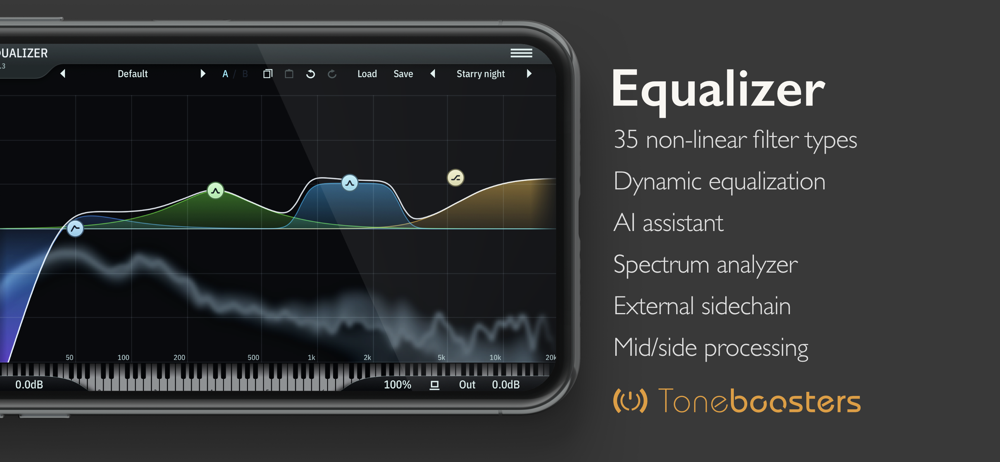
ToneBoosters Equalizer is a top-quality, professional, dynamic equalizer AUv3 plug-in with an unrivalled workflow, warm, non-linear filters and a gorg...