Check the acquisition promise
Read the store headline, screenshots and description. What problem is the app promising to solve?
Study the storefront ↗
Kiichi Ito · iOS
Explore the ad evidence, study the storefront, and build your next acquisition hypothesis.
01 / Creative research
Read the store headline, screenshots and description. What problem is the app promising to solve?
Study the storefront ↗Explore apps with direct store-link matches. Compare their hooks and formats without assuming the same approach works here.
Browse observed advertisers ↗Store rankings and revenue estimates describe market context. They do not establish ad spend, conversions or ROAS.
Review the market context ↗02 / Storefront & product
Study the product story and store experience behind the acquisition funnel.


03 / Market context
Keep revenue, downloads and store rankings separate from advertising performance.
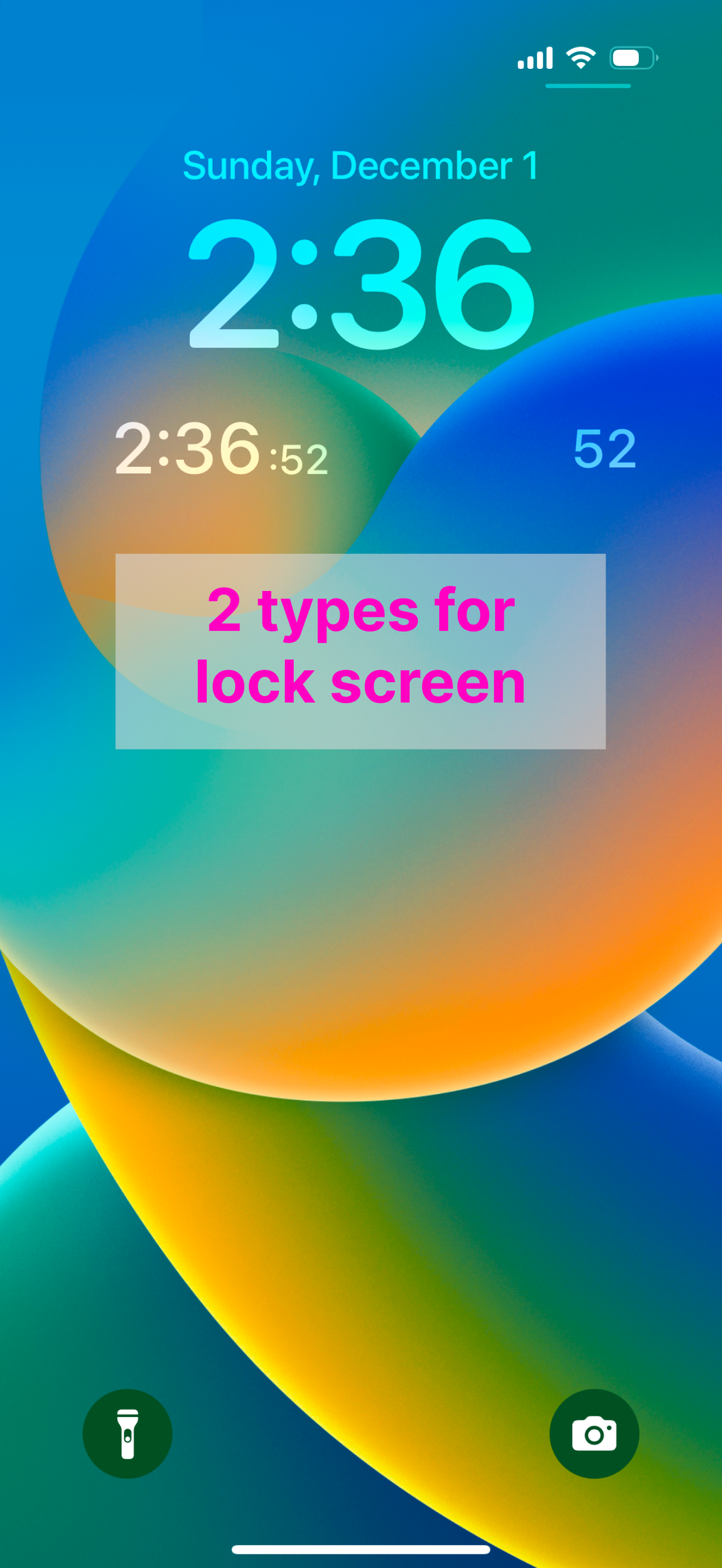
Plz fix the second after 59 cuz it shows a number and a colon before showing 00. Also, plz add a control center widget. 🙏
I have always wanted a seconds clock on my iPhone, and this is a pretty good widget for it. It doesn't collect data, which is fantastic (why would a clock app need my data anyway?). My one qualm is that it is behind by around 1 second, so it doesn't sync perfectly when I'm looking between my Apple Watch and my phone, which I do quite a bit because my job is measured in seconds. Overall though, this is a pretty great free widget app.
This App can be used as a widget to show only the seconds part of the clock. Long press on the lock screen or home screen to add the widget. Of course...
![ATOK [Professional] 日本語入力キーボード](https://is1-ssl.mzstatic.com/image/thumb/Purple211/v4/82/d4/d8/82d4d851-902a-5244-1eb3-09a78b5c6252/AppIcon-1x_U007emarketing-0-8-0-0-0-85-220-0.png/150x150bb.jpg)