Check the acquisition promise
Read the store headline, screenshots and description. What problem is the app promising to solve?
Study the storefront ↗
Kiichi Ito · iOS
Explore the ad evidence, study the storefront, and build your next acquisition hypothesis.
01 / Creative research
Read the store headline, screenshots and description. What problem is the app promising to solve?
Study the storefront ↗Explore apps with direct store-link matches. Compare their hooks and formats without assuming the same approach works here.
Browse observed advertisers ↗Store rankings and revenue estimates describe market context. They do not establish ad spend, conversions or ROAS.
Review the market context ↗02 / Storefront & product
Study the product story and store experience behind the acquisition funnel.




03 / Market context
Keep revenue, downloads and store rankings separate from advertising performance.
This vocal pitch tool is definitely the most accurate one I have tried available on the App Store. There are many great and well reasoned tools and settings. The interface is easy to use and easy to interpret at a glance and you can adjust it for your vocal range or speed. You can also adjust from 440 Hz to match a more natural vocal tuning. Depending on if you use your devices microphone or an external one, there can be a few missed notes and gaps. There have also been a few crashes when working with uploaded audio files. But it’s great that that feature is offered, and this is one of the few apps that is actually frequently updated and bug fixed. Definitely worth the purchase for the full version!
This is the first type of this app I’ve used and I use it to analyze vocals in songs. At first, the scales were jumping all over the place and I wasn’t seeing the frequencies I expected. After playing around with the settings, I got the expected results compared to analysis found online. So, I believe it to be fairly accurate as long as you adjust the settings as needed for the song you’re analyzing. The missing star in my review is because I can’t use songs from Apple Music on my iPad mini (iPadOS 18.3.2) like I can on my iPhone 16 Pro. When I’m using larger note ranges, like C2 to G7, the display is so scrunched, I can’t read it. If I choose a larger zoom, the scales jump up and down too much, and I can’t read that either. Please fix this for the iPad mini and I will happily give it a 5 and pay to remove ads!
The only problem is on iPad when app is running on a side or half screen, interface is broken and you cant see pitch immediately.
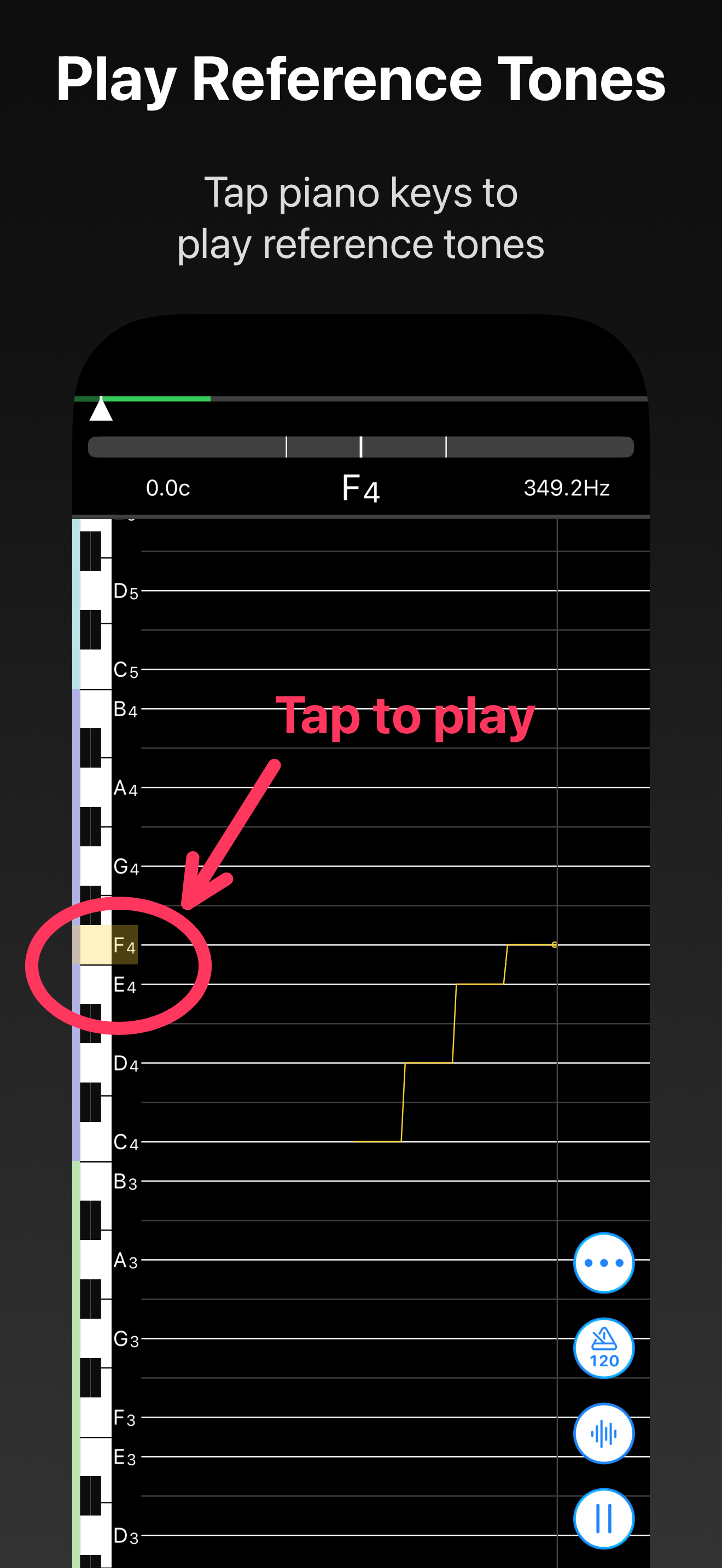
This is a tuner app that visualizes pitch and intonation over time. ◯ Basic Features The app displays the pitch and intonation of incoming sound as a...
| Name | Price | Type |
|---|---|---|
| remove ads | $5.99 | One-time |
| VocalTuner Pro Upgrade | $5.99 | One-time |
| VocalTuner Pro | $11.99 | One-time |