Check the acquisition promise
Read the store headline, screenshots and description. What problem is the app promising to solve?
Study the storefront ↗
And a Dinosaur · iOS
Explore the ad evidence, study the storefront, and build your next acquisition hypothesis.
01 / Creative research
Read the store headline, screenshots and description. What problem is the app promising to solve?
Study the storefront ↗Explore apps with direct store-link matches. Compare their hooks and formats without assuming the same approach works here.
Browse observed advertisers ↗Store rankings and revenue estimates describe market context. They do not establish ad spend, conversions or ROAS.
Review the market context ↗02 / Storefront & product
Study the product story and store experience behind the acquisition funnel.


03 / Market context
Keep revenue, downloads and store rankings separate from advertising performance.
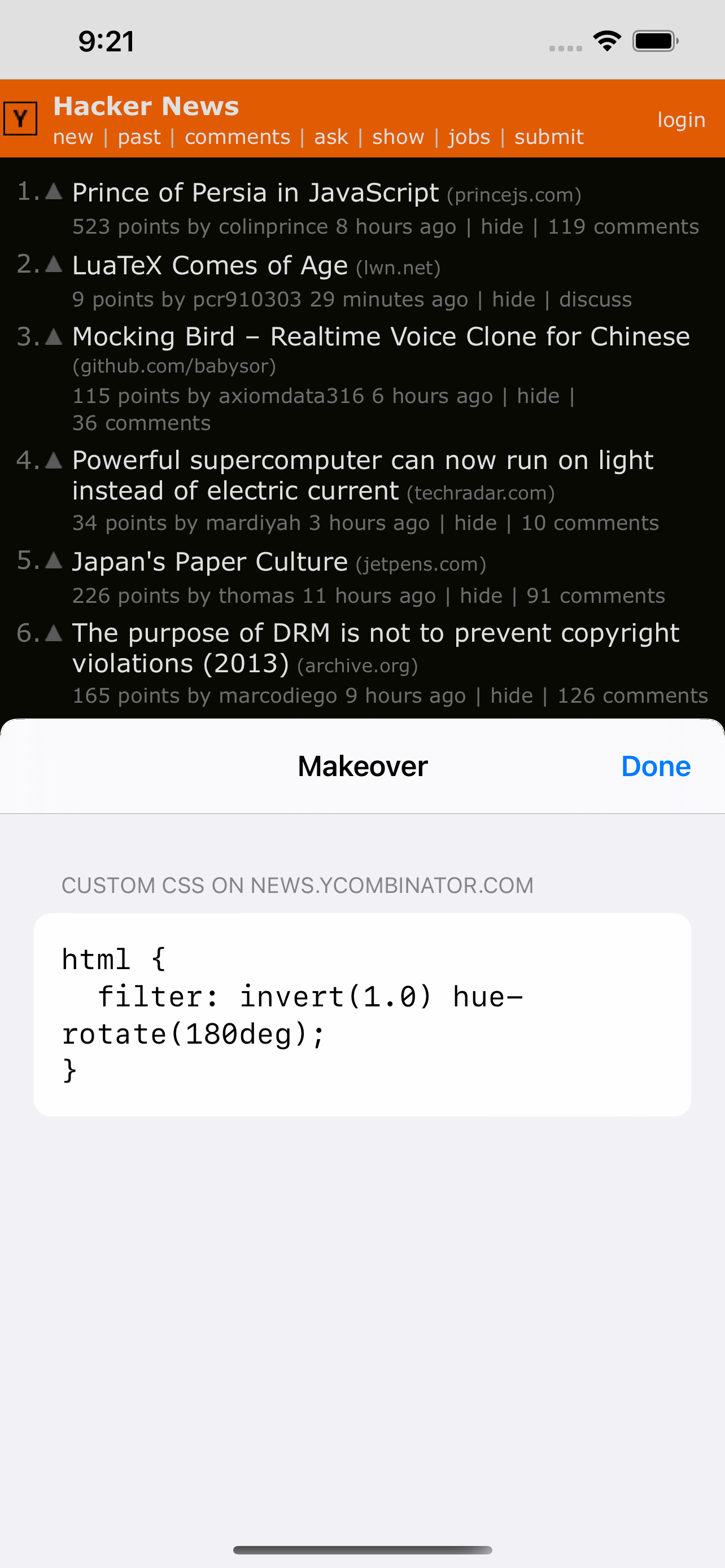
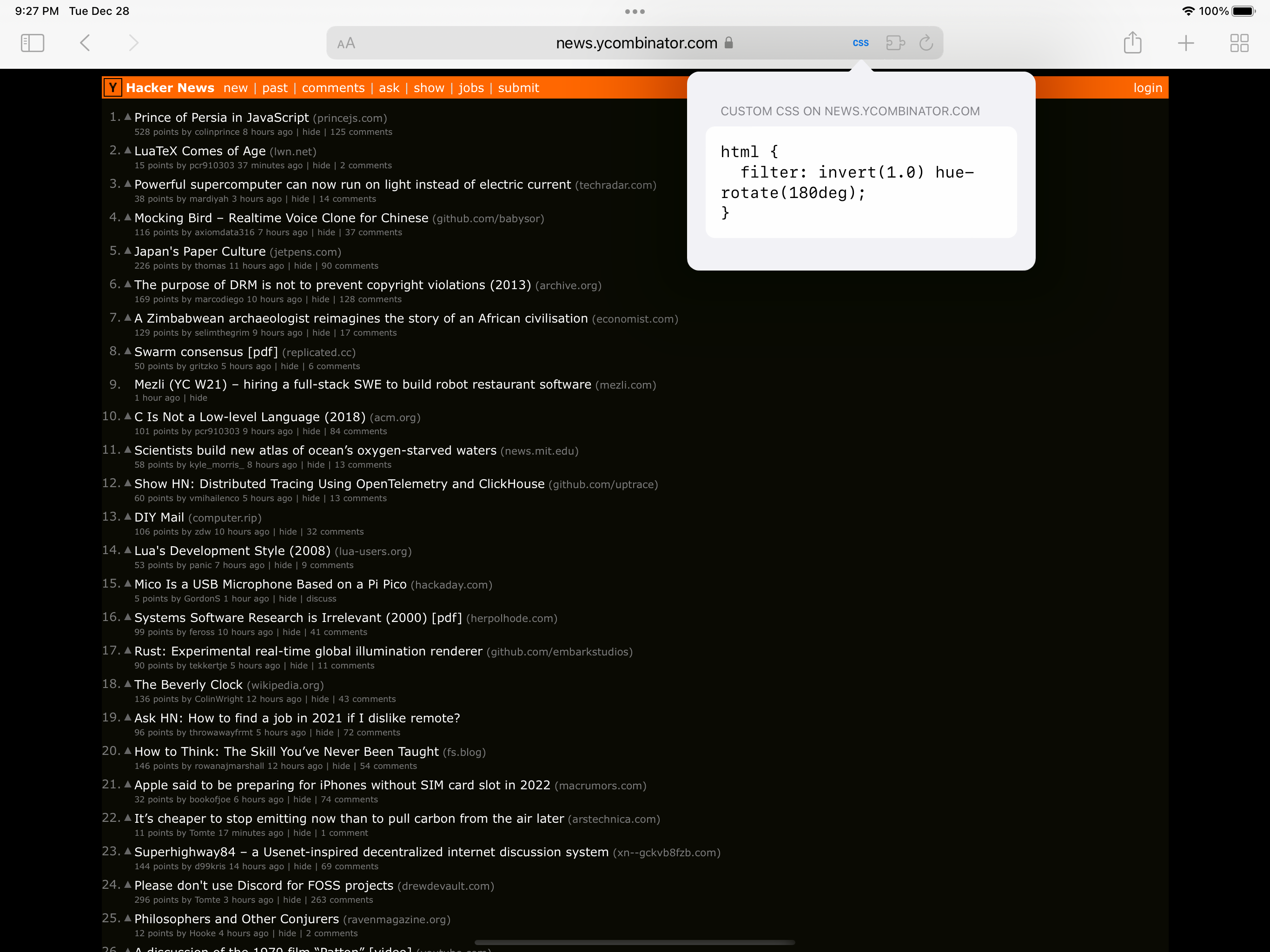
I wanted to customise the font on a web site I read regularly, and this was perfect. My favourite feature is being able to edit the CSS right in the browser and see the page update, without having to switch apps.
tl;dr: This app does what it says it does—it lets you inject custom CSS into webpages. It’s not perfect, but it’s a decent starting point. There are hardly any extensions for Safari on iOS that act along the lines of the Stylus extension for desktop browsers, so I’m happy to see that this extension exists. But with that being said, there are a few standard features that this extension is missing, and there are a couple of ways that this extension could be made better: • Bizarrely, there appears to be no way to get a list of all the CSS bits that you’ve applied across various websites? Within similar apps and extensions like this on the desktop, such as Stylus or Cascadia, it’s a pretty standard feature to be able to open the app and see a list of all the CSS snippets that the app is applying to webpages. • It’s also a bit odd that there appears to be no way to automatically sync your CSS snippets across your iOS devices? For instance, if I were to hypothetically use Makeover on my iPhone to write some CSS to change the font size on cnn.com to make the site easier to read, why isn’t that styling automatically synced over to my iPad if I have Makeover installed there too? • This second to last item is sort of a nice to have, but if the app were to offer auto-indenting for CSS and the like, that could make it just that much more pleasant when writing one-off CSS and such using one’s iPhone keyboard. • And perhaps in a similar vein—and also as a nice to have—if the app were to offer syntax highlighting for CSS and JavaScript, that would just be the icing on the cake. This app has some good baseline features, but I also hope that the developer keeps working on it to really fully flush it out.
If you set custom JavaScript on Site A to automatically redirect to Site B, how could you ever reverse that, since you must be on Site A to change it back? Disabling the extension for Site A would mean never being able to use custom settings for that site again. Would you be required to remove the extension and start from scratch? I realize redirects are not the primary focus of this app, but if they are a potential use case, this issue should be addressed.
Makeover lets you change the appearance and behavior of web pages with CSS and JavaScript. To use it, you go to a web page you want to customize, tap...