Check the acquisition promise
Read the store headline, screenshots and description. What problem is the app promising to solve?
Study the storefront ↗
Gentlemen Coders · iOS
Explore the ad evidence, study the storefront, and build your next acquisition hypothesis.
01 / Creative research
Read the store headline, screenshots and description. What problem is the app promising to solve?
Study the storefront ↗Explore apps with direct store-link matches. Compare their hooks and formats without assuming the same approach works here.
Browse observed advertisers ↗Store rankings and revenue estimates describe market context. They do not establish ad spend, conversions or ROAS.
Review the market context ↗02 / Storefront & product
Study the product story and store experience behind the acquisition funnel.





03 / Market context
Keep revenue, downloads and store rankings separate from advertising performance.
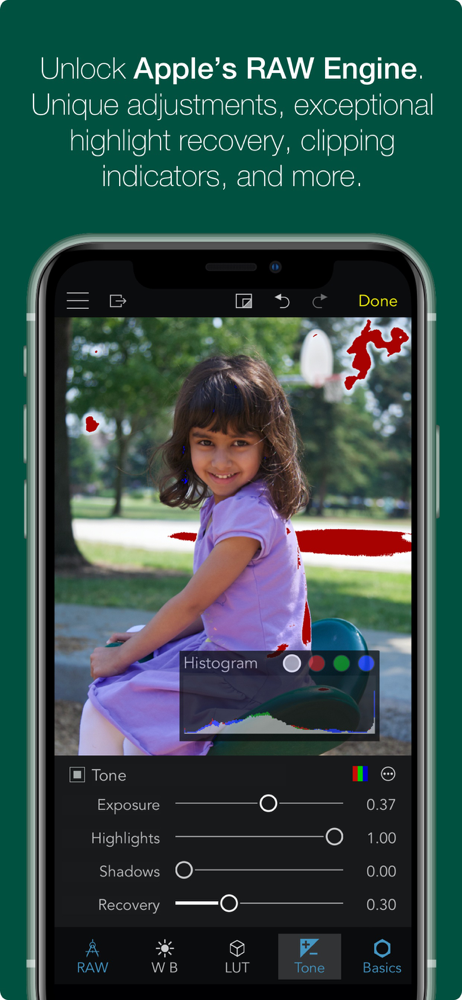
If I had to chose a single app to purchase for my iPhone 12 Pro, this would be it. Apple ProRAW finally allows us to create amazing photos by adjusting shadows, highlights, contrast, saturation, sharpening and much more, while keeping all their smart on-the-fly AI image processing. No more over-sharpened pixelly photos with overblown highlights and all details lost in the dark areas. You can now almost rival a DSRL! The difference with the ProRAW format vs the iPhone JPG is amazing. BUT...how do you process all these ProRAW files? The Photo App in the iPhone is far too limited. This app is the one you MUST get if you use ProRAW: 1. You can create several of your own presets (e.g., maximize dynamic range). Any option you can dream of is there, similar to Photoshop or Lightroom on a PC for RAW files. 2. Then, the powerful filter option allows you to immediately see what you want to process (e.g., filter for RAW files + not yet edited + tagged as favorite). 3. Finally, batch-process all at once! You end up with modified DNG files (non-destructive) and the JPG rendering. Which you can export or easily transfer on your computer. Or post online from your phone. In a couple of seconds, from within your phone. The filter option is amazing and I wish I had that elsewhere. And the app works as intended, no bugs. In short, this is the app that makes ProRAW usable, and it should come with the iPhone, if you care about photos. Which you probably do if you upgrade to the iPhone 12 Pro :)
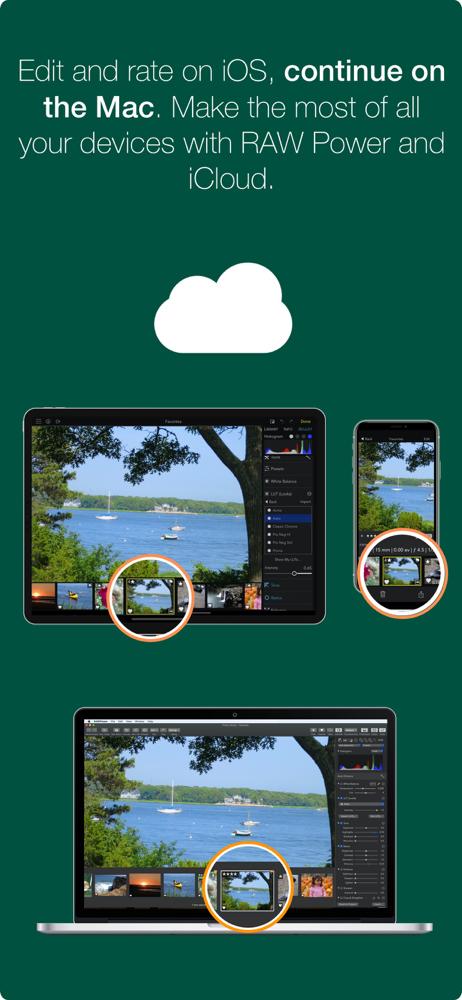
I like where this is going and see a lot of potential in it, which is why I purchased the pro tools to support the effort. I like the fact it works as a plug-in to Photos and saves back to that library instead of its own library. I purchased 2TB of iCloud storage and that is how I store and synchronize most of my pictures now. I edit a lot on my iPad Pro now, but would like to hand off and edit on my Mac with the same tools. And as someone who LOVED Aperture, I am glad to see a company that would like to give us that experience again. That said, there are some things I will need to make it my main editor. First, it needs a vignette tool. If it could add an inner glow like some other editors while making a darker edge vignette that would be great. I also need the ability to brush the adjustments in, preferably in layers but at least with multiple spot adjustments. Brush compatibility here with the Apple Pencil would be essential. An example of why this is need is when making shadow adjustments, sometimes a global shadow adjustment will simply not work as usually there are some shadows you want to keep, while others you need to get more detail out of. Anyway keep up the good work and if it gets better I will certainly use it more and promote it.
This app has a lot of potential. I am a former Aperture user and really appreciate the control it provides. I recognize it is an early version. 1. When I save, the only choice it gives is to save over the original. I am a travel photographer and often like to create different versions of some shots. Very frustrating when there is no “save as” option. That is essential for me. 2. Will you consider the Addition of a perspective tool? Another tool I find essential as a travel, historic and landscape photographer. An excellent start, but not yet complete enough for my needs. Oh and thanks for allowing the trial (but not save) use of the buyup options. That is a nice touch. Good to support cloud services but don’t get carried away with that. Much of the world still does not have reliable internet and cloud services and sync are not options. I have internet where I live but it is heavily “data capped” preventing any regular use of cloud services. (If I turn on either Apple or Adobe cloud services, my entire monthly data allowance will be consumed in a week or less). Remember that your market is global and not restricted to a few “1rst world countries”. I like what I see in RAW Power, but not there yet for my needs. I will be following your progress. Thanks for creating this app. I’ll be following it in hopes it will evolve to my needs. I still miss Aperture. Nice to see the core tools are back.
OVERVIEW — ADVANCED RAW: Unlock the power of Apple's RAW engine with easy-to-use controls. Develop images with the same outstanding RAW processing i...