Check the acquisition promise
Read the store headline, screenshots and description. What problem is the app promising to solve?
Study the storefront ↗
iSolid apps · iOS
Explore the ad evidence, study the storefront, and build your next acquisition hypothesis.
01 / Creative research
Read the store headline, screenshots and description. What problem is the app promising to solve?
Study the storefront ↗Explore apps with direct store-link matches. Compare their hooks and formats without assuming the same approach works here.
Browse observed advertisers ↗Store rankings and revenue estimates describe market context. They do not establish ad spend, conversions or ROAS.
Review the market context ↗02 / Storefront & product
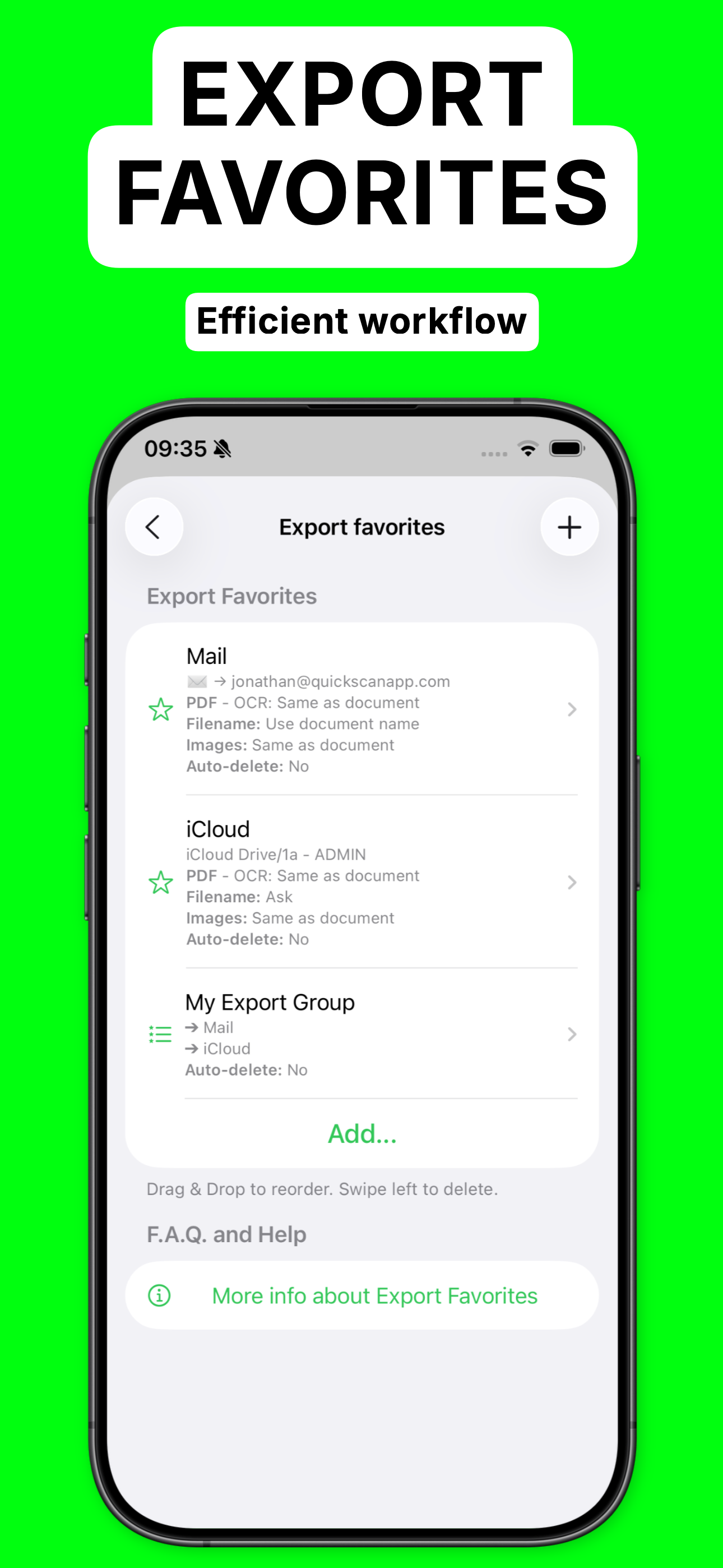
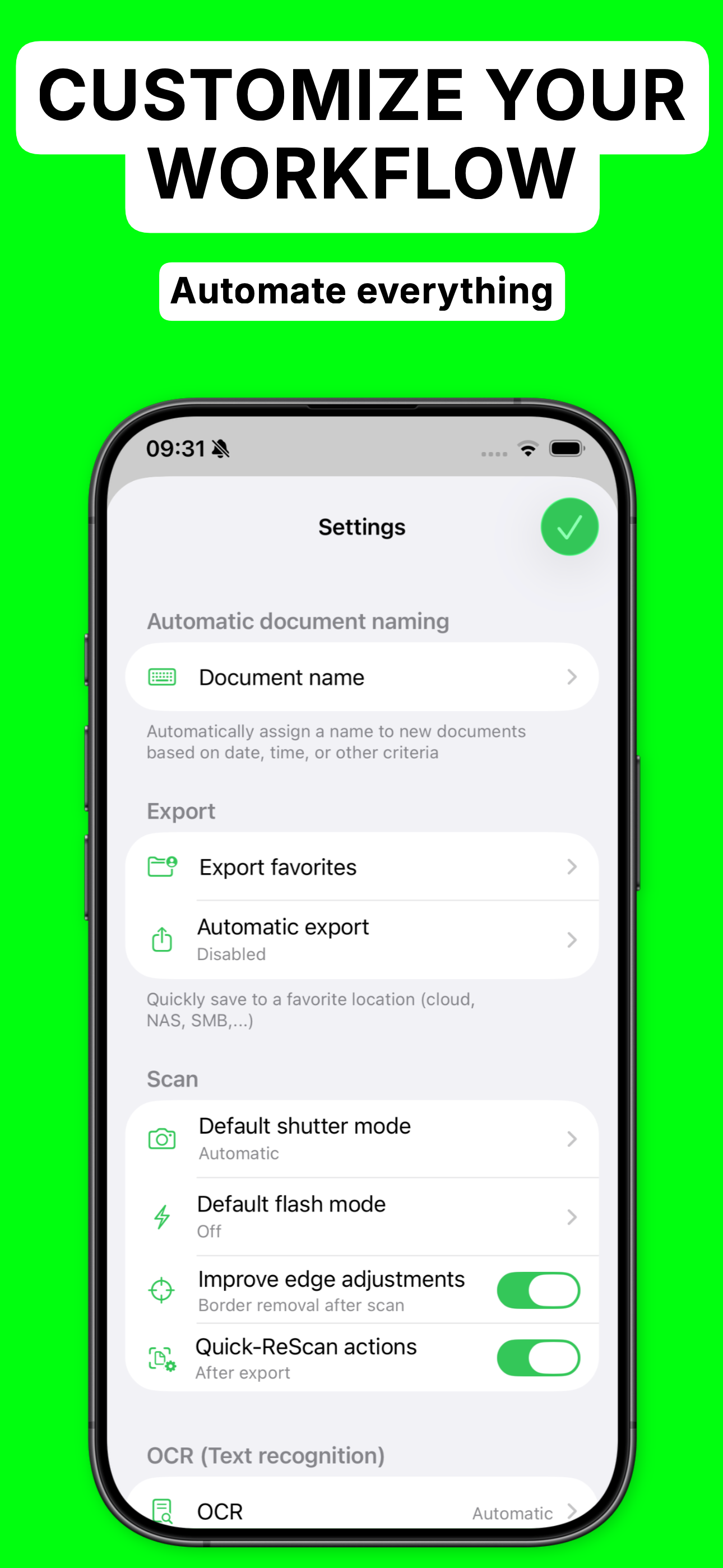
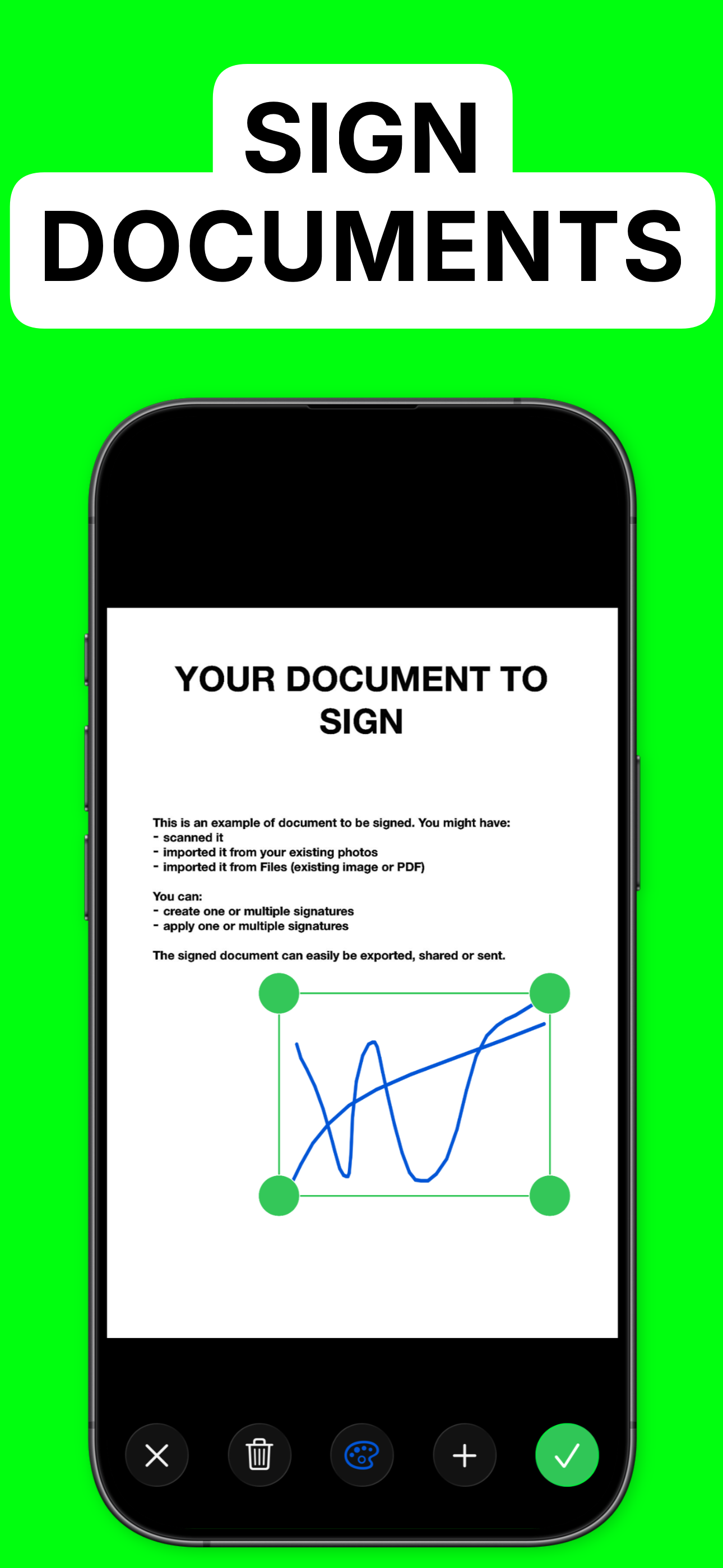
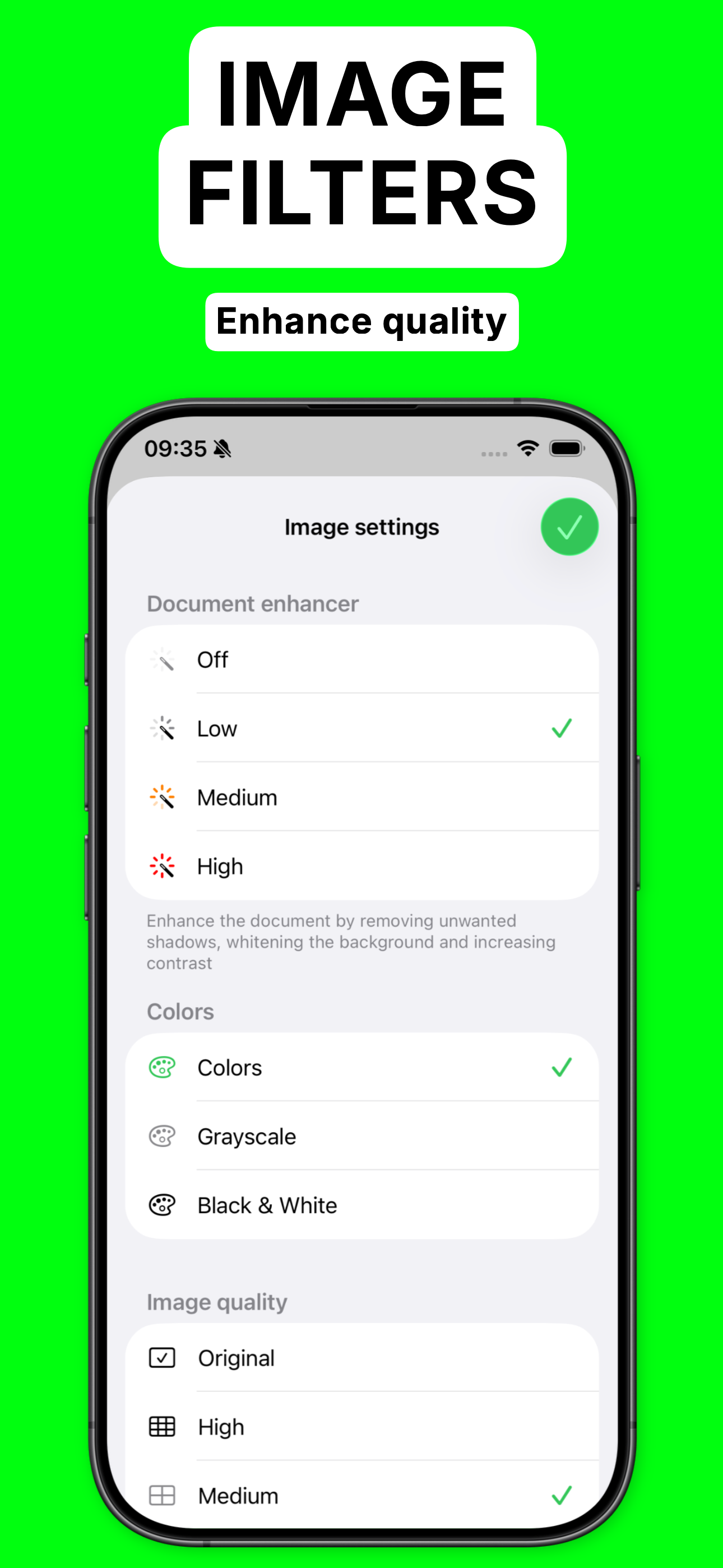
Study the product story and store experience behind the acquisition funnel.

03 / Market context
Keep revenue, downloads and store rankings separate from advertising performance.
If you’re like me, you often get exhausted and exasperated when searching for an app that will accomplish the simplest of tasks, without being an unnecessarily overblown suite that’s too complicated for its own good and not user friendly, promises something that it doesn’t deliver, or either costs an arm and a leg up front (relative to the one task you need it for) , forces you to subscribe, or nickels and dimes you to death with in-app purchases at every turn, and annoys the heck out of you with intrusive ads while you’re experiencing the agony of realizing that it’s not going to give you what you need, etc. Miraculously, this app is none of those things. It does what it says it does, doesn’t cost anything, is small and lightweight and not a resource hog. All I needed was a simple app that would scan a document or load a pre-scanned document that I could add or subtract pages to/from and re-save as a single PDF. Bang, here it is. And free, no less. And even better, NO data collection. I’m not going to waste time complaining about what it doesn’t have or making suggestions about what it should have, because I don’t have any…it did exactly what I needed with zero hassle. But there are plenty of precision tools and tweaks for those that need them. This is a user-side dream of an app, a breath of fresh air, an island refuge in an ocean of frustration, and the developer deserves far more than every cent he gets in donations. Speaking of, I will be making one very soon. Kudos!
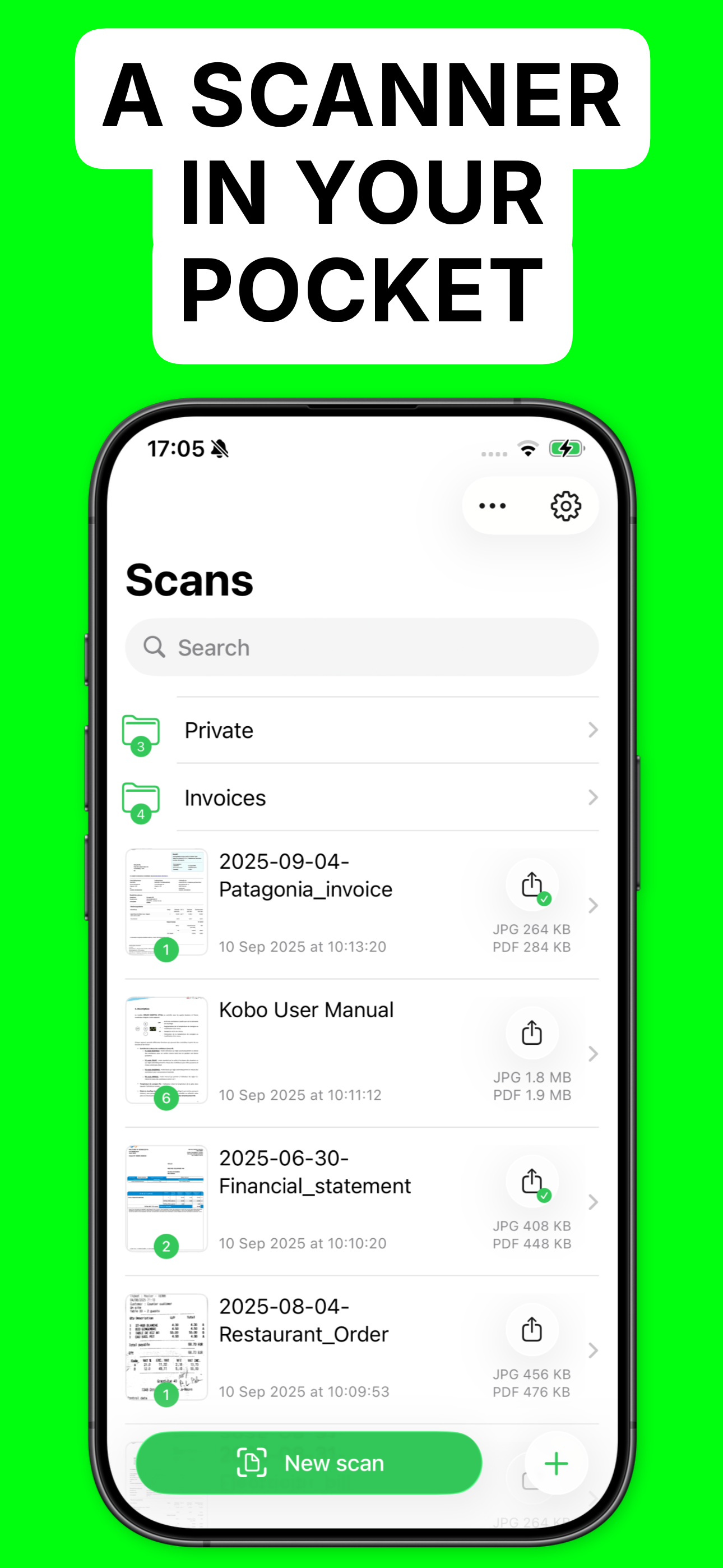
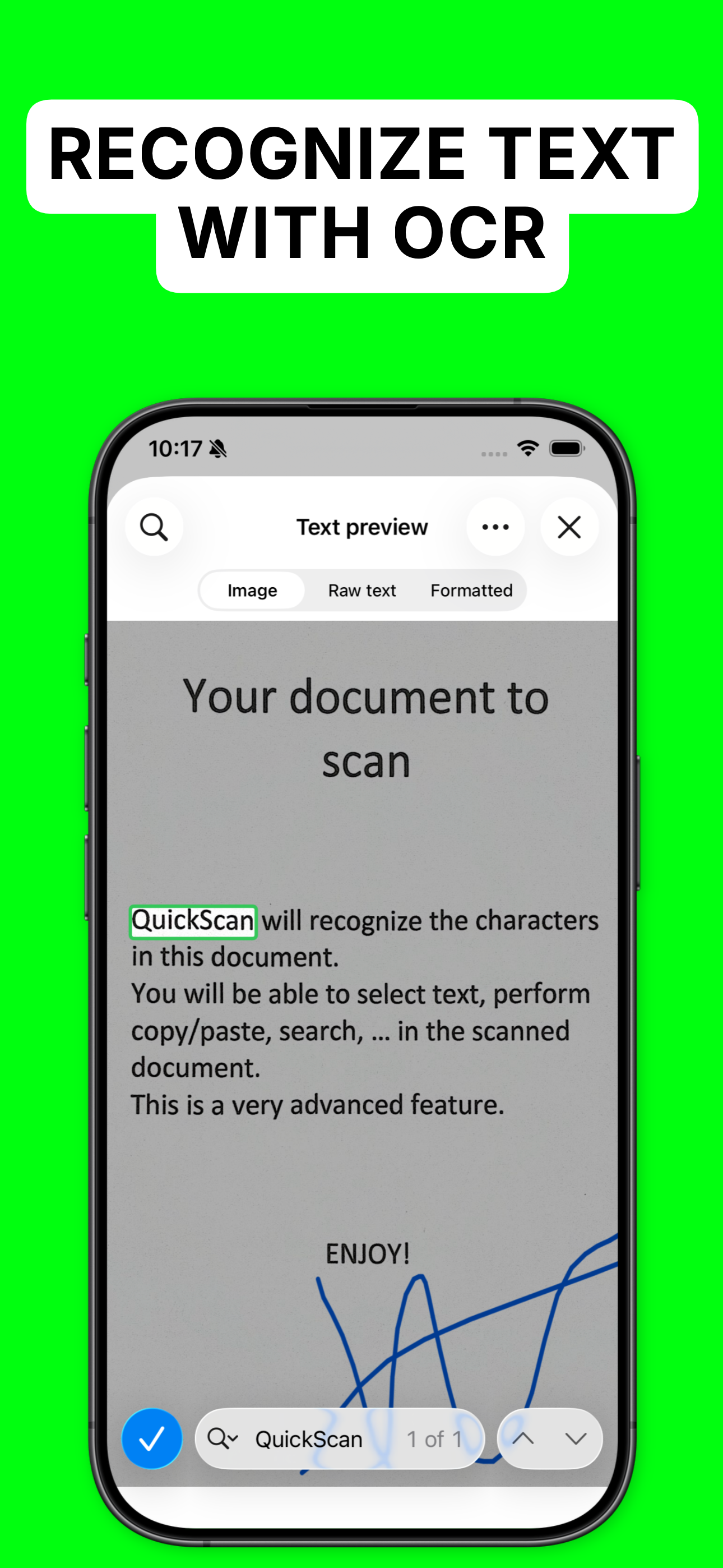
After using the latest version of "Quickscan" I continue to be impressed with the quality of the scanning output and the English OCR. Regarding English OCR, the app is almost flawless in reading even poor quality photos or PDFs and translating them into readable and searchable PDF text versions. The app also continues to do a non-destructive conversion. That way if a word doesn't correctly translate, it will still appear as the original. This latest rollout includes the ability to store your scans in the app. That is really helpful sometimes when you need to go back and make a change to a prior scan. You can now do some basic editing within the app, such re-ordering or deleting pages before the conversion. This update provides a noticeable improvement in the image quality of PDF scan, especially if set to the highest quality scan setting. Best of all, this app is *free*. I find that unbelievable given the quality. So if you download it and find it as useful as I do, give the developer a tip and we will continue to receive updates to the best OCR scanner on the App Store, IMO.
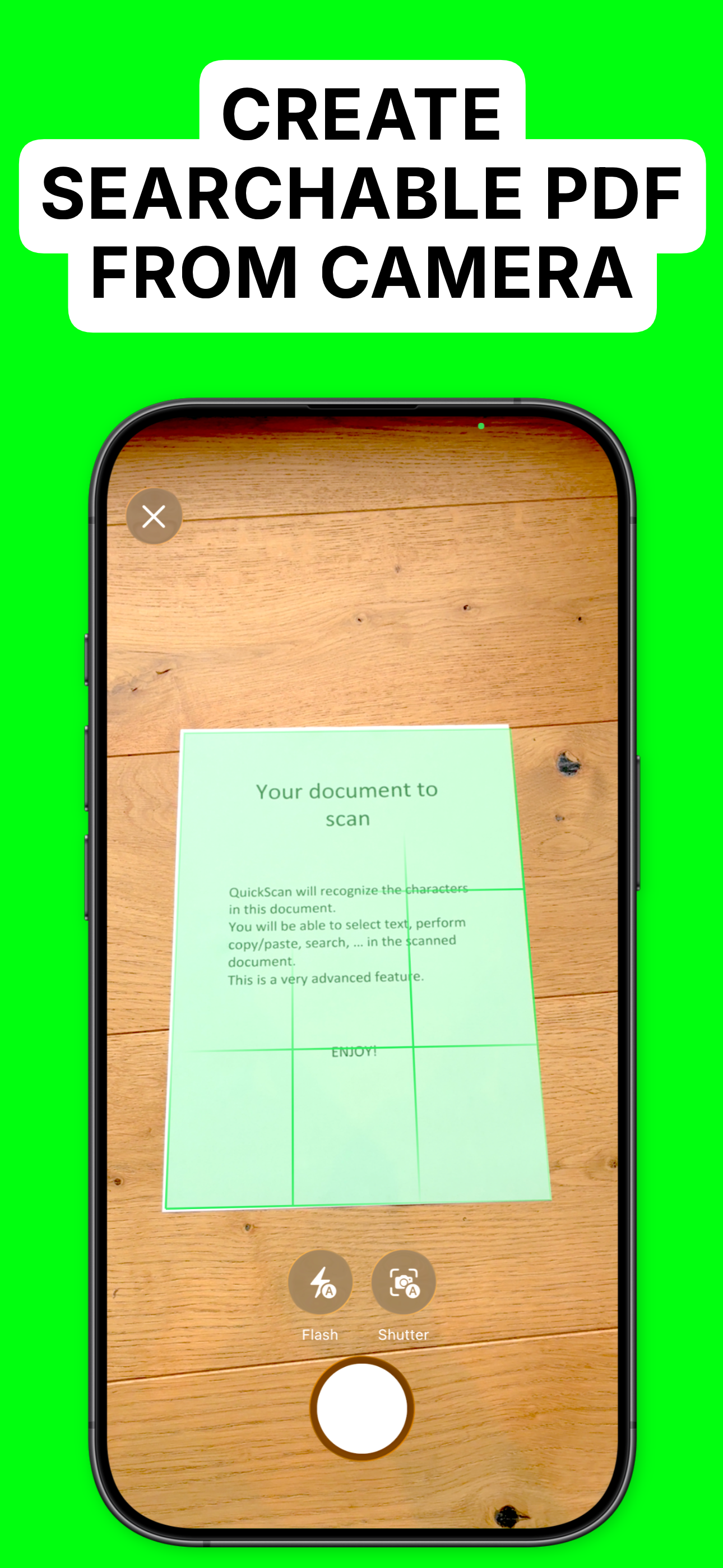
Have you ever wanted to make a digital copy of your physical papers and files? Well then, QuickScan is the app for you! Creating digital copies of all of your physical documents is extraordinarily simple and takes no time at all to copy each individual document. Simply open the app, press the New Scan button, and hold your document in front of your iPhone or iPad’s camera and the app will automatically take a picture of the document, allowing you to quickly move on to your next document to continue creating digital copies of all of your physical files. If having the app automatically snap a photo of your file is too fast or too imprecise for what you are wanting, you can always enable manual shutter to be able to better position your photo, prior to manually snapping a photo of your document, or simply edit the cropping of each of your document’s individual photos. After you finish taking photos of your documents with this fantastic app, then you can share those documents to whoever it is that you might want to have your documents, or you can save them for later. In addition to being a stellar document scanner, QuickScan collects no data at all and has absolutely no ads.
The app is 100% FREE, with NO ads and NO data collection. Donations are possible to support the project. QuickScan is the easiest & quickest yet supe...