
Check the acquisition promise
Read the store headline, screenshots and description. What problem is the app promising to solve?
Study the storefront ↗
深圳市星科启创新科技有限公司 · iOS
Explore the ad evidence, study the storefront, and build your next acquisition hypothesis.
01 / Creative research
Read the store headline, screenshots and description. What problem is the app promising to solve?
Study the storefront ↗Explore apps with direct store-link matches. Compare their hooks and formats without assuming the same approach works here.
Browse observed advertisers ↗Store rankings and revenue estimates describe market context. They do not establish ad spend, conversions or ROAS.
Review the market context ↗02 / Storefront & product
Study the product story and store experience behind the acquisition funnel.


03 / Market context
Keep revenue, downloads and store rankings separate from advertising performance.
I like Soundpeats as an affordable off-brand for beater earbuds that are reliable. You can toss them in a gym bag, leave them laying around, and they just work. And back in the day, they were the only off-brand to implement “game mode” that minimized lag when listening to game play and tv! What I don’t like is this app working exactly ONE time before sending me constant (and I mean CONSTANT) “friendly reminders” that my location isn’t activated. In a shocking coincidence—even though the app claims not to collect data—all the equalizers and preset sound features no longer appeared once they realized that I wasn’t going to turn on “location”. Well, Soundpeats, you’re not getting “location”; you don’t need it, and it shouldn’t matter to you. What SHOULD matter is that you’re turning off core customers with this overly invasive and obnoxious request for location on a pair of earbuds.
I was able to make an account, set up my headphones no problem. I go to the app an hour later and it’s telling me that my earbuds (I don’t have earbuds I have headphones, not that it matters) need to be configured and I need to pair them. It takes me to the Bluetooth settings and shows I’m already connected. It’s in a loop and now I can’t get to any of the sound settings. I have tried everything I can think of including uninstalling and re-installing the app. TLDR: was working but not anymore
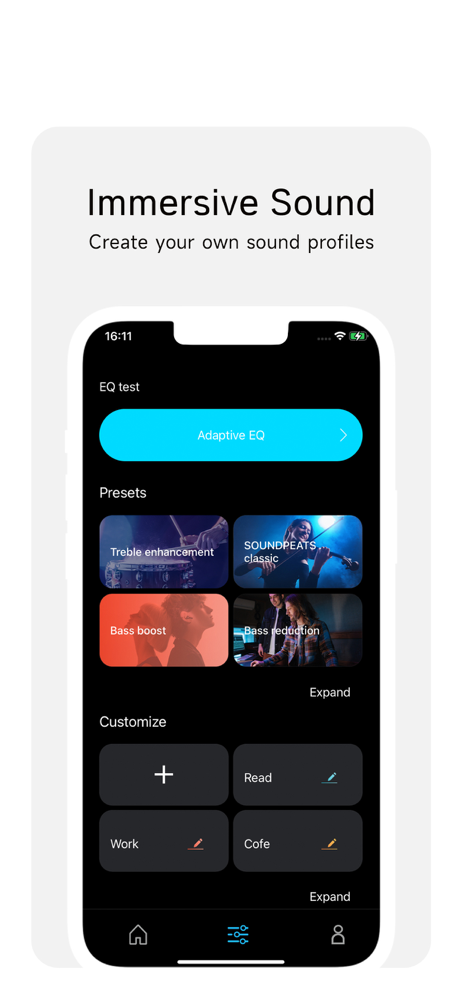
First, I connected the headset to my phone. Then I went in and downloaded a couple of apps that were made for Soundpeats. I registered in both apps played around with them a little bit and realized that this app was the best one. With this app, I can adjust a different equalizer settings for my headset among a few other things. I created a profile and truly connected my phone through an app to the headset. I’m very happy for what I paid for this whole set up.
The SOUNDPEATS series Bluetooth earphones come with a dedicated app that offers an enriched user interface, showcasing hidden functionalities within t...


