Check the acquisition promise
Read the store headline, screenshots and description. What problem is the app promising to solve?
Study the storefront ↗
OCTech, LLC · iOS
Explore the ad evidence, study the storefront, and build your next acquisition hypothesis.
01 / Creative research
Read the store headline, screenshots and description. What problem is the app promising to solve?
Study the storefront ↗Explore apps with direct store-link matches. Compare their hooks and formats without assuming the same approach works here.
Browse observed advertisers ↗Store rankings and revenue estimates describe market context. They do not establish ad spend, conversions or ROAS.
Review the market context ↗02 / Storefront & product
Study the product story and store experience behind the acquisition funnel.
The store evidence
US store price
$9.99
US rating
4.7 / 5
US rating count
19,509
Current version
7.4.0
2026-07-16 · Developer notes
• Added enhanced diagnostics for 2026 Ford vehicles. Use the vehicle editor to check support for your vehicle. • Added some additional Manufacturer PIDs for GM vehicles. • Made improvements to the Trip Statistics page. • Multiple bug fixes and improvements.
Store metadata collected 2026-10-07 UTC · US storefront · Source record. Free may include in-app purchases. Public data does not update revenue estimates.
03 / Market context
Keep revenue, downloads and store rankings separate from advertising performance.
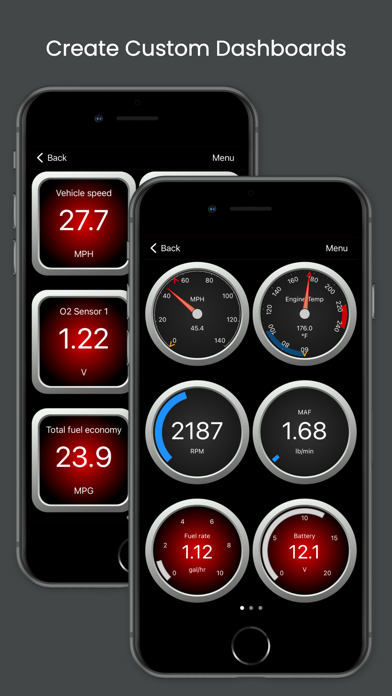
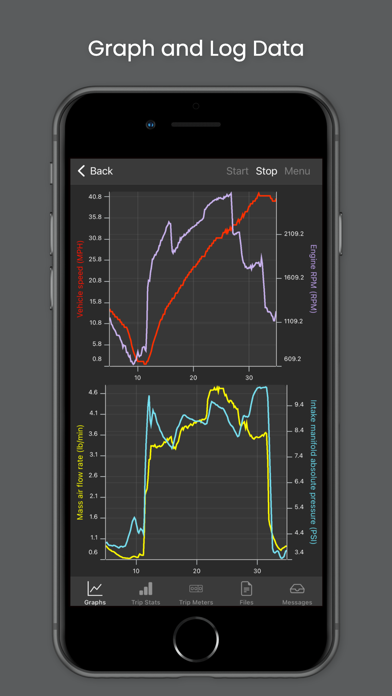
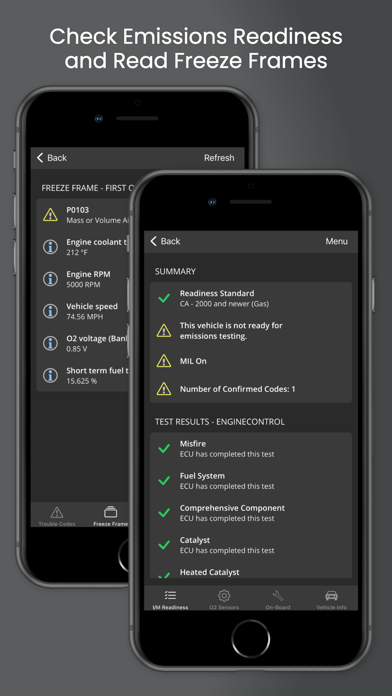
I’m not all that comfortable with modern tech, but even for me this app was easy to set up and use. I highly recommend buying the enhanced add on. It provides a wealth of additional information. I also recommend the MX+ dongle. Paired together they work well. I have been able to add customized gauges, like a transmission fluid temp gauge. No complicated formulas, just follow a menu. Presto,you have a gauge. Very easy to delete a gauge. Setting up a graph was just as easy. And you can read if the vehicle is emissions ready. I also appreciate the excellent customer service I received from Matt. I had couple of pre sale questions and a post sale question and he responded promptly. I would do business with this company again. BTW: I operate this Fusion program on an IPad via Bluetooth, so it can function while I’m on the road. Beats the heck out of my old $30 plug in scanner.
I purchased the Veepeak OBDCheck BLE OBD2 Bluetooth Scanner and this app plus its add-on for my vehicle family. This app recommended the Veepeak scanner. Its site recommended this app. It sounded like the perfect combination for an app-based scan tool, so I got them both. I couldn't be more pleased! The scan tool, I think, is very good. It gathers the complete OBDII required data and, it appears, any extensions the vendor adds. This app is infinitely configurable. It appears to be able to collect the full OBDII set and any and all vendor extensions. However, they may require the purchase of add-ons within the app. There are two screens of "instruments" that come with the app. You can add more screens and instruments and fully customize them to display data the way you want to see it until you go blind. Looking into the settings, I can't imagine there's anything missed. I'll also add another plug for this scanner/software pair. I believe the Veepeak is the only one for iOS that doesn't connect using Wi-Fi. It connects via Bluetooth LE. Also, you don't pair it. OBDFusion connects with it directly. This makes setup very easy and, more important, it leaves your Wi-Fi, cellular data and Bluetooth untouched and available! Very nice.
This works well with my OBD2 dongle. The information seems accurate and helped me when buying a used car by showing me the error codes, which I showed the dealer. He then gave us a new battery based on the report with no change in the price of the car. There are a few annoyance. It does not connect with the Bluetooth with out some finagling. Once the phone is turned off, it loses the connection. The data does not seem to be saved. Once I use it on another car, the data for the first car is lost (or I can’t find it). It “forgets” vehicles so I have to to re-enter the information when I change cars. It would be nice to be able to download the information to a desktop for storage. Overall works well for diagnostic information but it would be nice to store each car’s information and be able to reference it later.
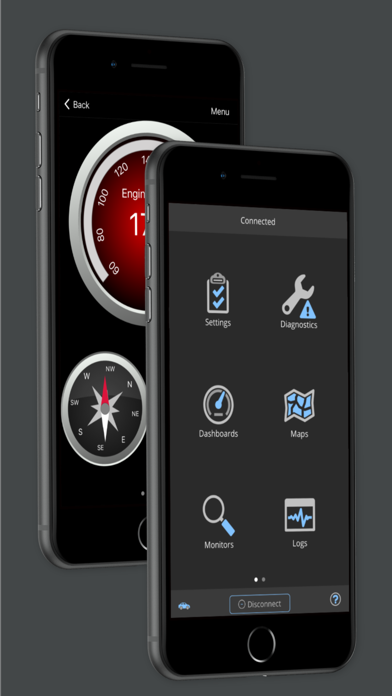
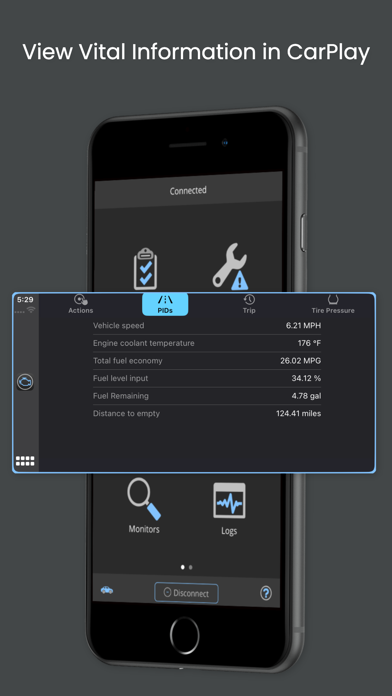
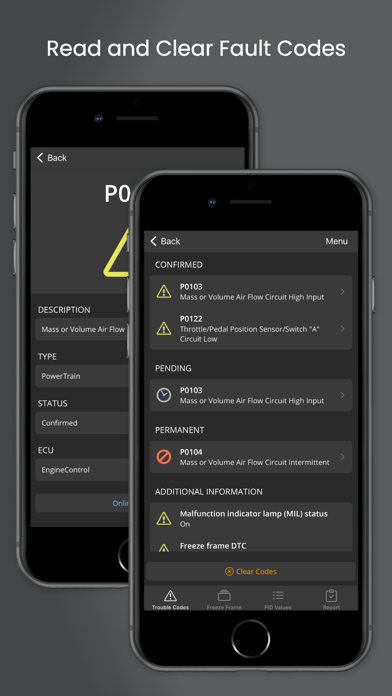
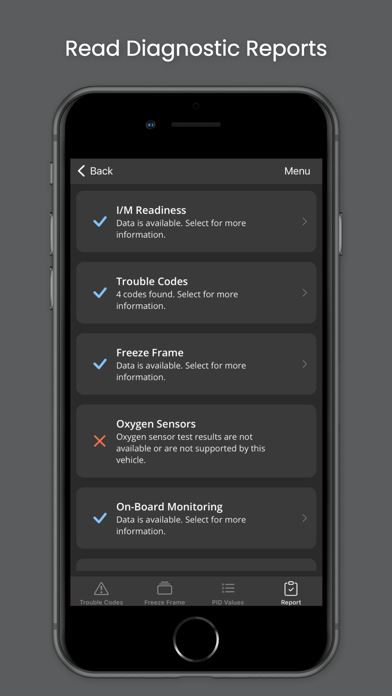
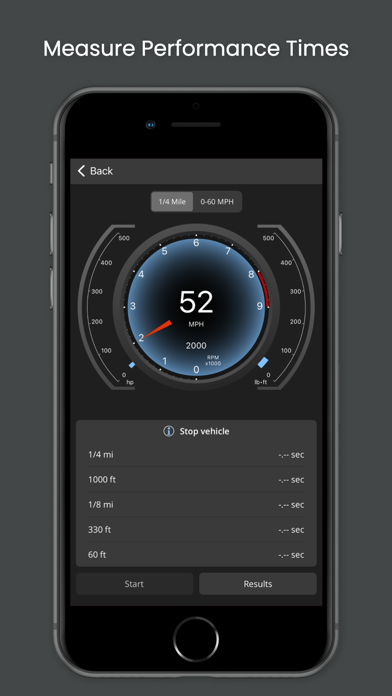
OBD Fusion is an app for your car that allows you to read OBD2 vehicle data directly from your iPhone or iPad. You can clear your check engine light,...
| Name | Price | Type |
|---|---|---|
| Toyota 2021 Enhanced | $14.99 | One-time |
| Toyota 2008 Enhanced Diagnostics | $14.99 | One-time |
| Toyota 2007 Enhanced Diagnostics | $14.99 | One-time |
| Toyota 2006 Enhanced Diagnostics | $14.99 | One-time |
| Ford 2005 Enhanced Diagnostics | $14.99 | One-time |
| Toyota 2015 Enhanced Diagnostics | $14.99 | One-time |
| Ford 2016 Enhanced Diagnostics | $14.99 | One-time |
| Ford 2006 Enhanced Diagnostics | $14.99 | One-time |
| Toyota 2016 Enhanced Diagnostics | $14.99 | One-time |
| Toyota 2020 Enhanced | $14.99 | One-time |