Check the acquisition promise
Read the store headline, screenshots and description. What problem is the app promising to solve?
Study the storefront ↗
Fearless design, LLC · iOS
Explore the ad evidence, study the storefront, and build your next acquisition hypothesis.
01 / Creative research
Read the store headline, screenshots and description. What problem is the app promising to solve?
Study the storefront ↗Explore apps with direct store-link matches. Compare their hooks and formats without assuming the same approach works here.
Browse observed advertisers ↗Store rankings and revenue estimates describe market context. They do not establish ad spend, conversions or ROAS.
Review the market context ↗02 / Storefront & product
Study the product story and store experience behind the acquisition funnel.


03 / Market context
Keep revenue, downloads and store rankings separate from advertising performance.
There’s a lot of promise from this app, but so far my experience has been very mixed. Currently I use the BMW app for trip statistics/vehicle status, Waze or AppleMaps for my daily nav/traffic mitigation, and a couple OBD2 apps for scanning and live telemetry. This app would potentially be a godsend, combining all the above into one, customizable, CarPlay compatible, interface. But alas, my vehicle is not yet fully supported and there is no telling how long I’ll have to wait. Top that off with the fact that, so far, I’ve found that, yes the app is full of features, but It doesn’t really excel at any of them. Or at least not enough to sway me away from the other apps I’m currently using. The CarPlay interface and navigation has also been a bit buggy so I’ve ended up running the app on my phone (to test trip logging) and just using other navigation. Hopefully someday I’ll come back and give it another shot
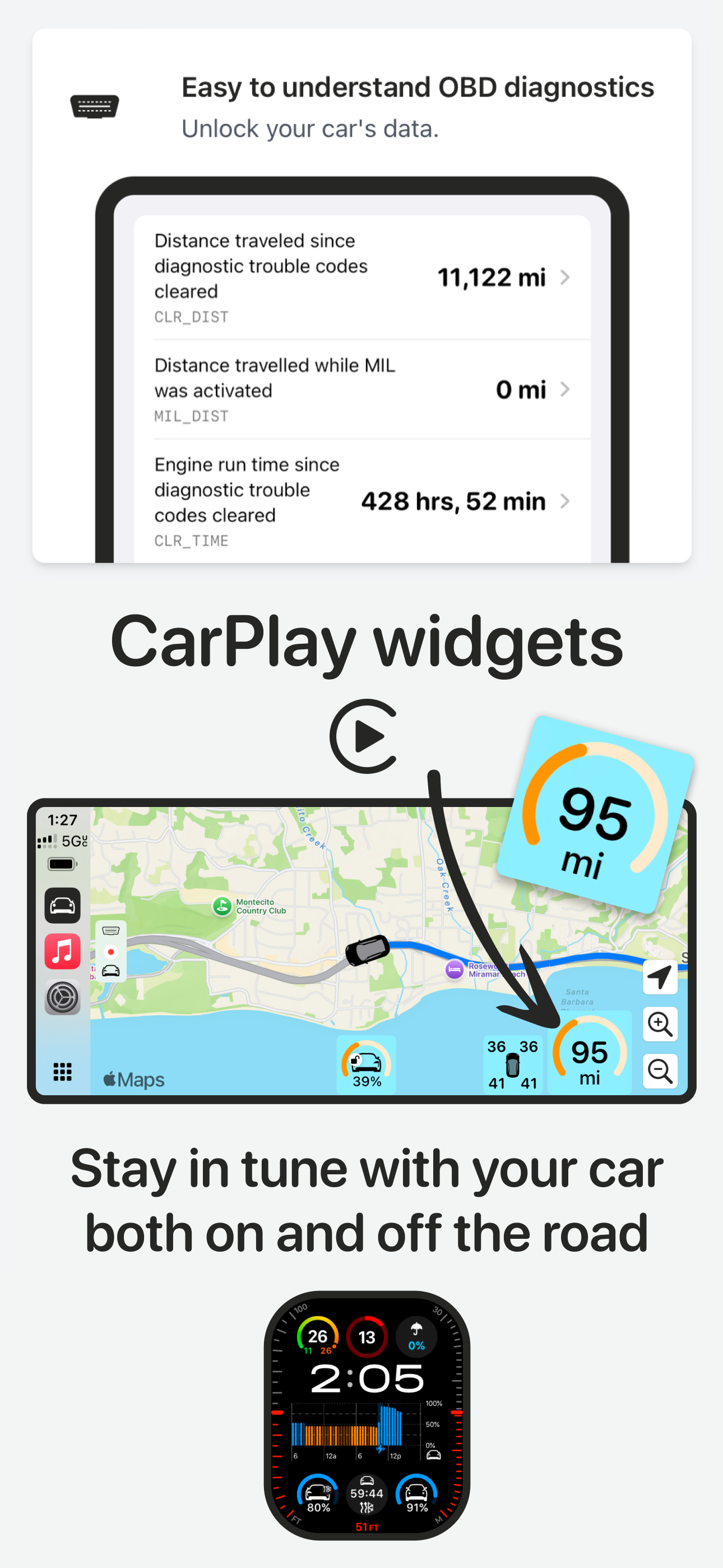
I do a lot of driving in my crosstrek, I’ve wanted a way to watch temperatures of various parts of my car. Sidecar lets me see tire pressure, oil temp and engine coolant temp all while navigating. It’s clean and responsive. Also 100% the fastest route finding app. It tries to find a route before you even finish typing the address. Also rerouting is literally instant. I don’t know what kind of magic is behind the scenes, but 10/10 recommend trying it out.
I use this app in my vehicles, connected via a Bluetooth ODB scanner. Sets up quickly and works fine. As much as I like Apple Maps this lets you add useful custom widgets to the display. Developer is working hard and frequently releasing updates. Purchased the lifetime license, happy with the app.
The most personal CarPlay driving experience for any car, whether it's a 1999 Toyota Camry or a 2025 Ford F-150. No ads. No tracking. No data sold to...
| Name | Price | Type |
|---|---|---|
| ScanPass - 1 day | $0.99 | One-time |
| ScanPass - 1 week | $2.99 | One-time |
| ScanPlan: OBD & CarPlay only (Monthly) | $4.99 | Monthly |
| Sidecar+: Full access (Monthly) | $6.99 | Monthly |
| ScanPlan Quarterly | $14.99 | Quarterly |
| Sidecar+: Quarterly | $19.99 | Quarterly |
| Park and watch | $19.99 | One-time |
| ScanPlan Annual | $49.99 | Yearly |
| Sidecar+: Annual | $79.99 | Yearly |
| Sidecar+ Lifetime | $199.99 | One-time |