Check the acquisition promise
Read the store headline, screenshots and description. What problem is the app promising to solve?
Study the storefront ↗
NETGEAR · iOS
Explore the ad evidence, study the storefront, and build your next acquisition hypothesis.
01 / Creative research
Read the store headline, screenshots and description. What problem is the app promising to solve?
Study the storefront ↗Explore apps with direct store-link matches. Compare their hooks and formats without assuming the same approach works here.
Browse observed advertisers ↗Store rankings and revenue estimates describe market context. They do not establish ad spend, conversions or ROAS.
Review the market context ↗02 / Storefront & product
Study the product story and store experience behind the acquisition funnel.



03 / Market context
Keep revenue, downloads and store rankings separate from advertising performance.
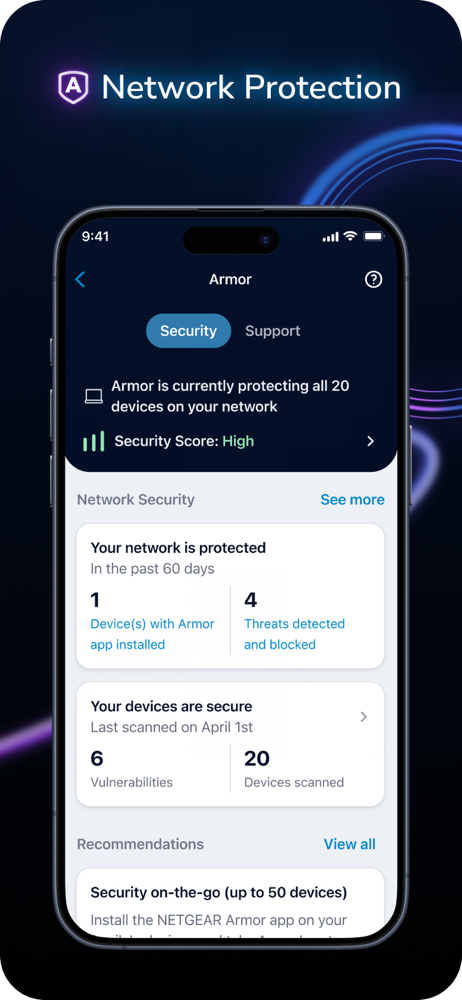
I love the control and insights that are provided by the Orbi app. I can see my Network map and actually understand it. I get pings when one of us unwittingly opens a website that may be malicious. It is nice to get advanced warnings from invisible cyber threats. It is hard to know otherwise. I can perform updates without going to a website and so far all updates have been minimally intrusive. My only complaint is the Armor, Netgear, Bitdefender rabbit hole you wind up in once you pay for a device. There is no way to define/understand these individual, free standing products when they get bundled into a subscription. And good luck getting support when you get a message that your device isn’t protected when you thought it was. This can be troublesome. It gets worse when it is about to expires. Then you get emails telling you to renew...I shut off auto-renewal in all my accounts so I can be a good consumer at the end of a contract. I won’t spend money to renew if a product drops in productivity. However, in the case of Orbi, I have little concerns. If there was a way in my account that I can see Orbi, Armor, Bitdefender all in one place, I would give this 5 stars.
Router & satellite are amazing compared to Google wifi Mesh. Yes I like Orbi RBK50 design, it does fit into our space nicely. Counting all the Ethernet ports Netgear gave us (7) not including port for modem which makes eight. It really does makes a difference hardwiring smart TV’s, Apple TV and other devices through Ethernet ports like PlayStation. I have notice zero refreshing while streaming cable television or watching Apple TV. All cable providers stations look visually good and thinking about it my 5.1 surround sound sound fantastic. I have 22 devices connected including security cameras etc. I haven’t experienced one single hiccup. App: It’s basic but very functional for what’s immediately important. I do question quality of Speedtest just because sometimes it gives ridicules low results compared to browser Speedtests which put Orbi off the map and beyond the stars fast. Maybe update for app will fix issue. I don’t mind having a second app called Circle to manage family members because it keeps apps much cleaner and less junky. What I don’t like is paying monthly subscription and since I don’t use Circle anyways it really doesn’t matter but I do get occasional notifications which is annoying from apps. Security: Running Bitcoin Core drives security features nuts and yet too redundant. I think to open ports and assign static addresses Orbi needs access through a browser. I haven’t needed to do this.
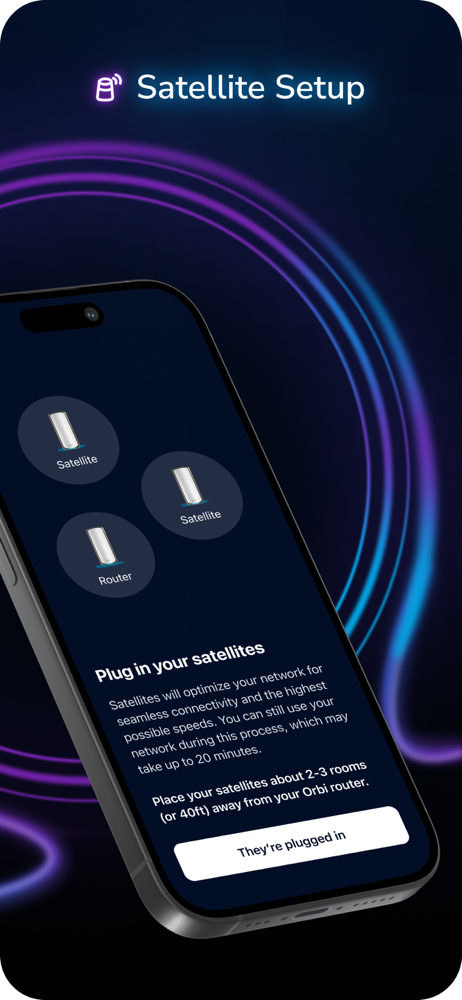
I was having terrible connectivity around a townhouse style condo, main living on top floor (basically three stories high) and a garage on ground level. I tried moving nether ac6900 router from closet to central location but didn’t help. I also had a Linksys extender at front door to try to help garage and front door area but didn’t help. I followed setup instructions in or I app. It made it through successful setup in about 5 minutes but when it tried to transition to the main menu (I am guessing) it showed an error. I waited a few minutes with no change so relaunched the app and it launched to main menu and I was able to carry on. Note/tip... if you have multiple network SSIDs consider which has most devices you’ll need to reprogram. I have a lot of smart devices on 2.4g but I chose my 5g name first. It was a simple few minute rename in the orbi app but during setup I had realized my mistake. Once switched all my devices showed up. One thing that or I manual doesn’t say but BestBuy product page video says is to forget all your local wifi on the phone running the orbi app. Anyway really easy app driven setup and great speeds so far. Will have to see if it lasts but it is looking good. Note the front door satellite is at the bottom of a long flight of stairs out of sight from the main router but it is working fine. It shows 200Mbps+ download and 5+ upload (6+ in living room) and 10ms ping everywhere whereas I used to have connectivity and speed problems just moving around main floor.
Do more with your Orbi WiFi using the NETGEAR Orbi app. Access your Orbi features and manage your network from anywhere after quickly setting up your...