Check the acquisition promise
Read the store headline, screenshots and description. What problem is the app promising to solve?
Study the storefront ↗
National Park Service · iOS
Explore the ad evidence, study the storefront, and build your next acquisition hypothesis.
01 / Creative research
Read the store headline, screenshots and description. What problem is the app promising to solve?
Study the storefront ↗Explore apps with direct store-link matches. Compare their hooks and formats without assuming the same approach works here.
Browse observed advertisers ↗Store rankings and revenue estimates describe market context. They do not establish ad spend, conversions or ROAS.
Review the market context ↗02 / Storefront & product
Study the product story and store experience behind the acquisition funnel.


03 / Market context
Keep revenue, downloads and store rankings separate from advertising performance.
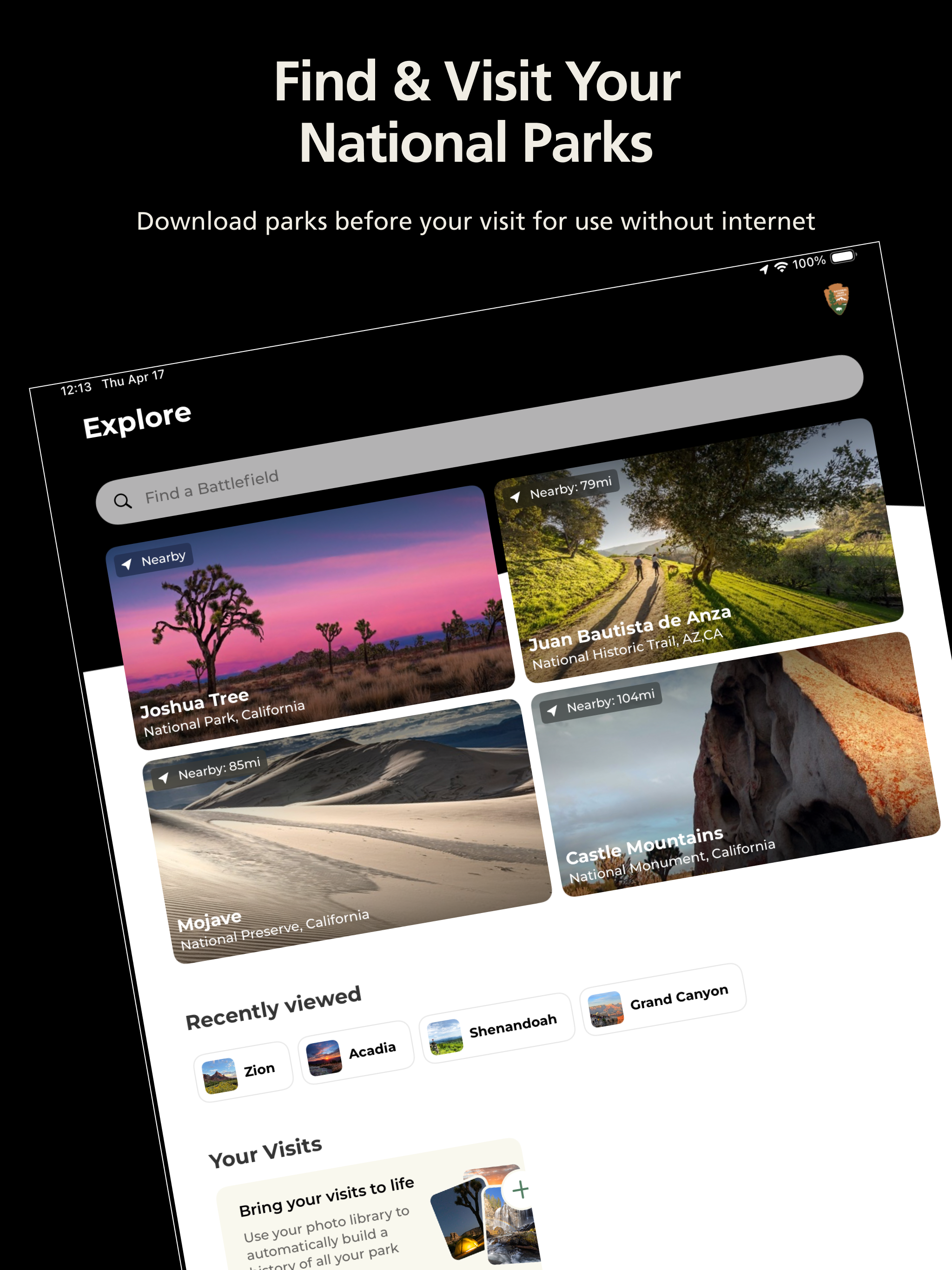
It’s great to be able to download a park, and you can easily do that even over a wireless connection. I like that it notes parks near me and prompts me to take a look at them. I wish the mapping feature was more resilient. For example, when wandering through the National Mall I want to be able to look at a map that has the (hundreds of) points of interest on them so when I’m next to one of the (is it thousands?) monuments I can look at my phone zoomed in, click on the pin, read the blurb, then easily go back to the map. Some parks have maps you can navigate, some don’t, and most require you to go back to the park Home Screen to get the map rather than having a button back to the map. I will always want one of the printed brochures. But with this app, I could get behind having a free app and paying $1 for a brochure. Or, like Smithsonian museums do, ask for a $1 donation for the printed map.
The information on the NPS Park app is very helpful. It contains detailed information about the parks, history, access, parking, lodging, and other amenities. A few areas of improvement would be: 1. to be able to retrieve information saved on one device from another device For example, if you save all the parks that you have visited over the years onto one phone, you can’t retrieve it from a tablet or laptop. On top of which once you get a new phone there’s no way to transfer the information. You have to enter it all over again since there’s no way to retrieve that history. 2. The app has a lot of good information but is not the most intuitive to navigate. Frequently you are told where you can locate information, but there is no link provided to let you go to that page. 3. A note to the NPS developers. While there are buttons on each page that ask whether the page was helpful, there is no place to provide general feedback so that the end-user could provide suggestions.
After the latest update (1.16) the app was no longer opening! It kept crashing but looks like you fixed it! Thank you so very much! It’s a nice build now that’s it’s working again. For everyone out there who was having issues like me, this is what I did to make it work again. I had to completely delete the app and then reinstall it. Unfortunately I lost all my data in the process. That is a bummer and have to start logging all my stops again but it’s worth it. The version is very smooth and doesn’t freeze up anymore! It was worth it. This app is great and so are the people who work on it for us. Also, for those of you who wants your lists back, they are still there, under favorites you can make as many new lists as you like just like before. This app helps tremendously with all your NPS needs and planning. May I remind everyone also that’s it’s free! Safe travels everyone and happy exploring!
The Official NPS App – Your Ultimate National Park Companion! Download parks before your visit and use the app when there is no internet. • Explore...