Check the acquisition promise
Read the store headline, screenshots and description. What problem is the app promising to solve?
Study the storefront ↗
MRI Software · iOS
Explore the ad evidence, study the storefront, and build your next acquisition hypothesis.
01 / Creative research
Read the store headline, screenshots and description. What problem is the app promising to solve?
Study the storefront ↗Explore apps with direct store-link matches. Compare their hooks and formats without assuming the same approach works here.
Browse observed advertisers ↗Store rankings and revenue estimates describe market context. They do not establish ad spend, conversions or ROAS.
Review the market context ↗02 / Storefront & product
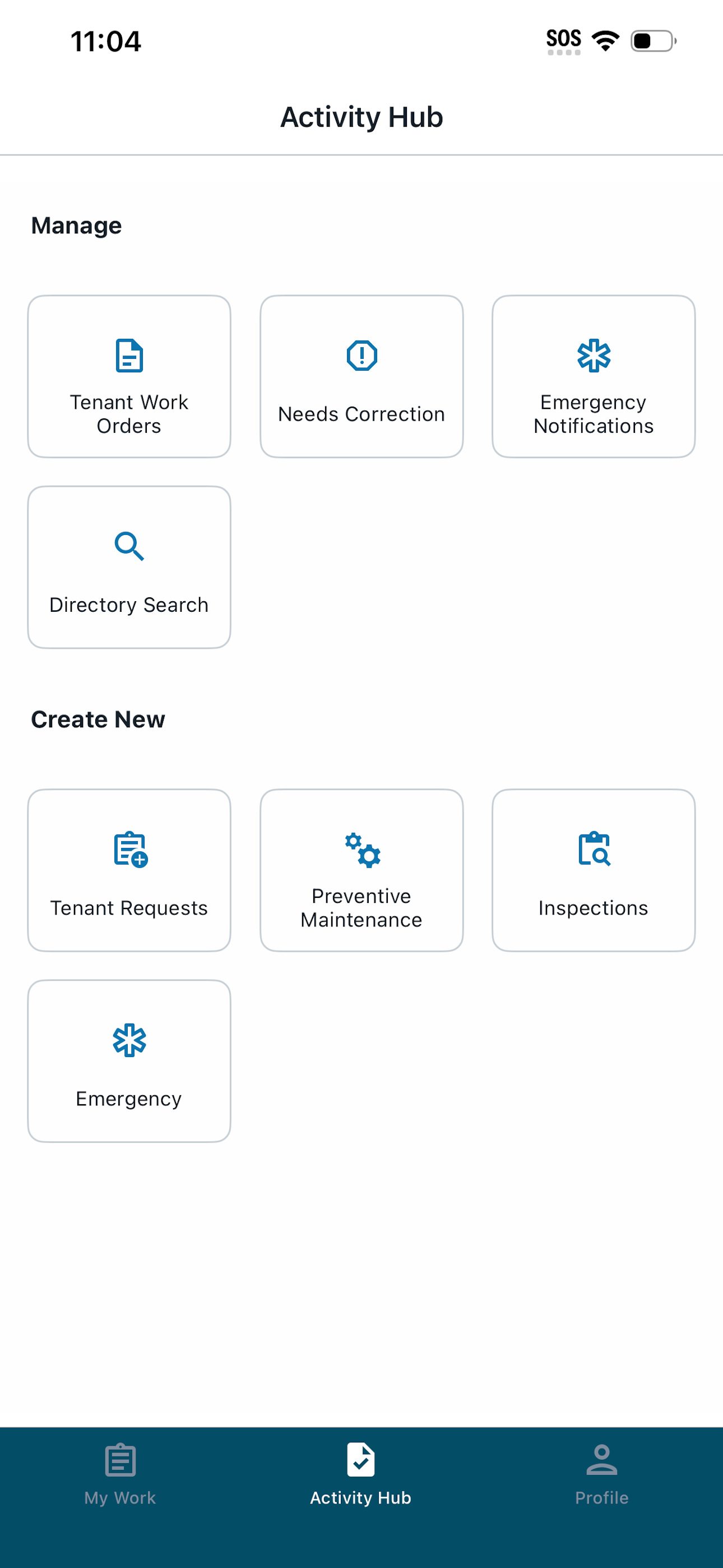
Study the product story and store experience behind the acquisition funnel.


03 / Market context
Keep revenue, downloads and store rankings separate from advertising performance.
Really solid app for managing building operations on the go. MRI Angus makes it super easy to keep track of work orders, inspections, and visitor access all from my phone. The layout is clean, and everything syncs smoothly. It’s definitely helped me stay organized and respond to issues faster. Great tool if you're in property or facility management!
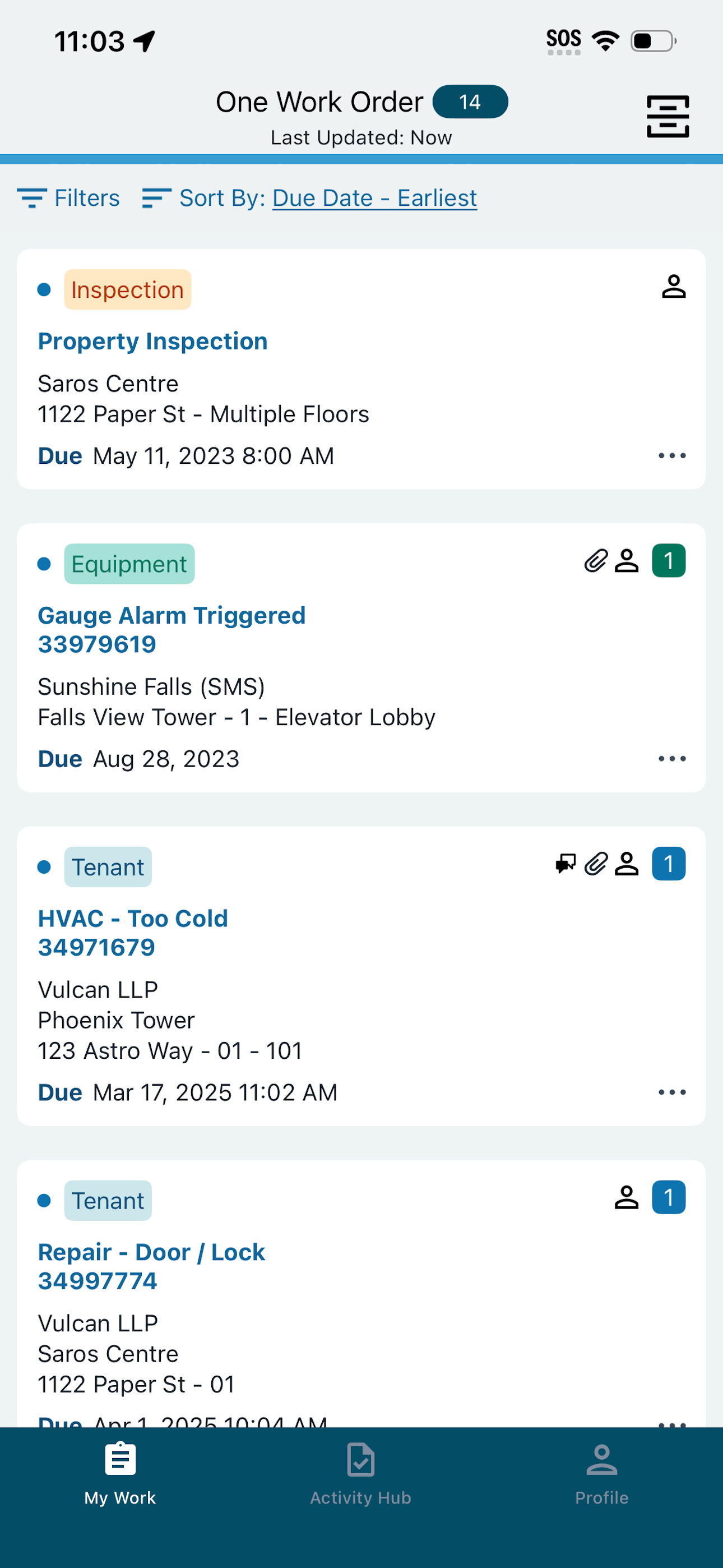
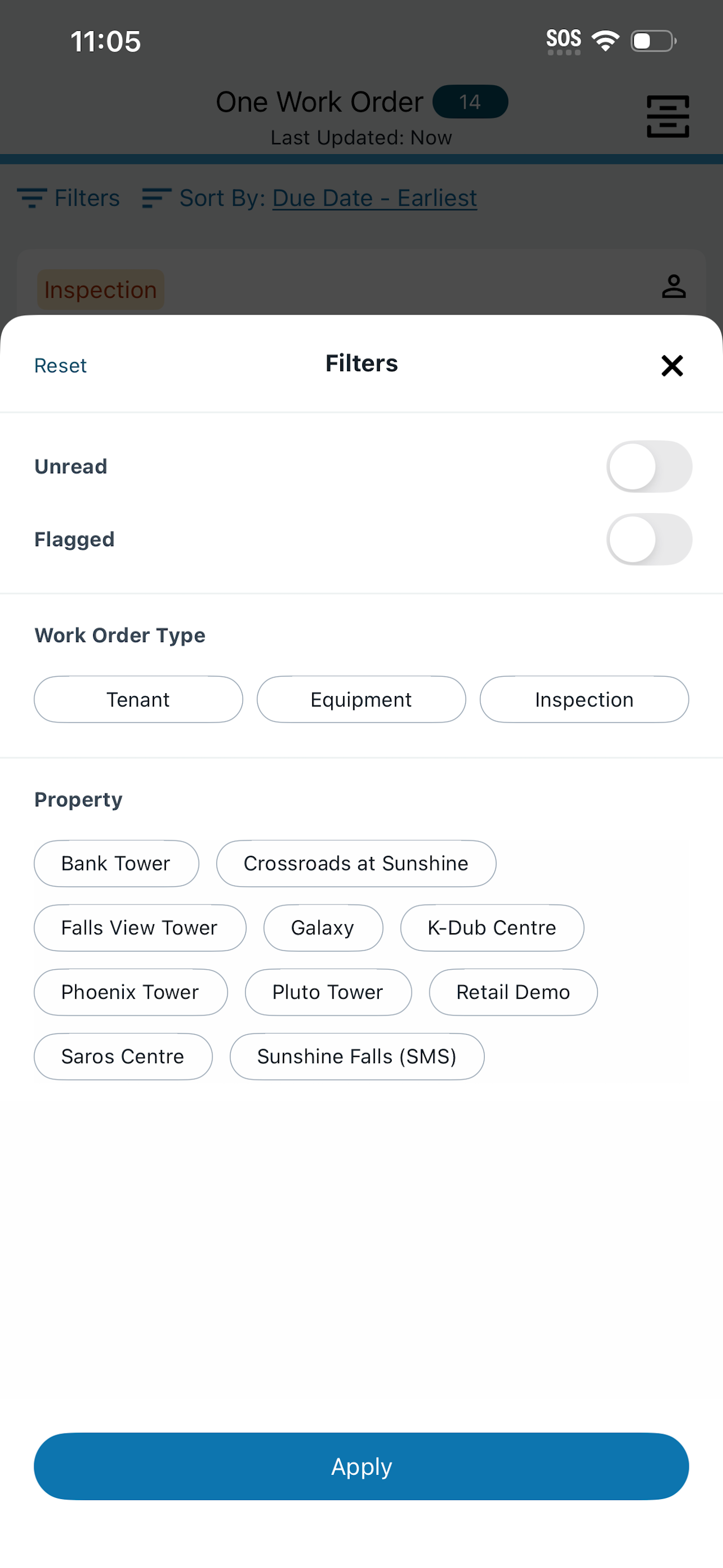
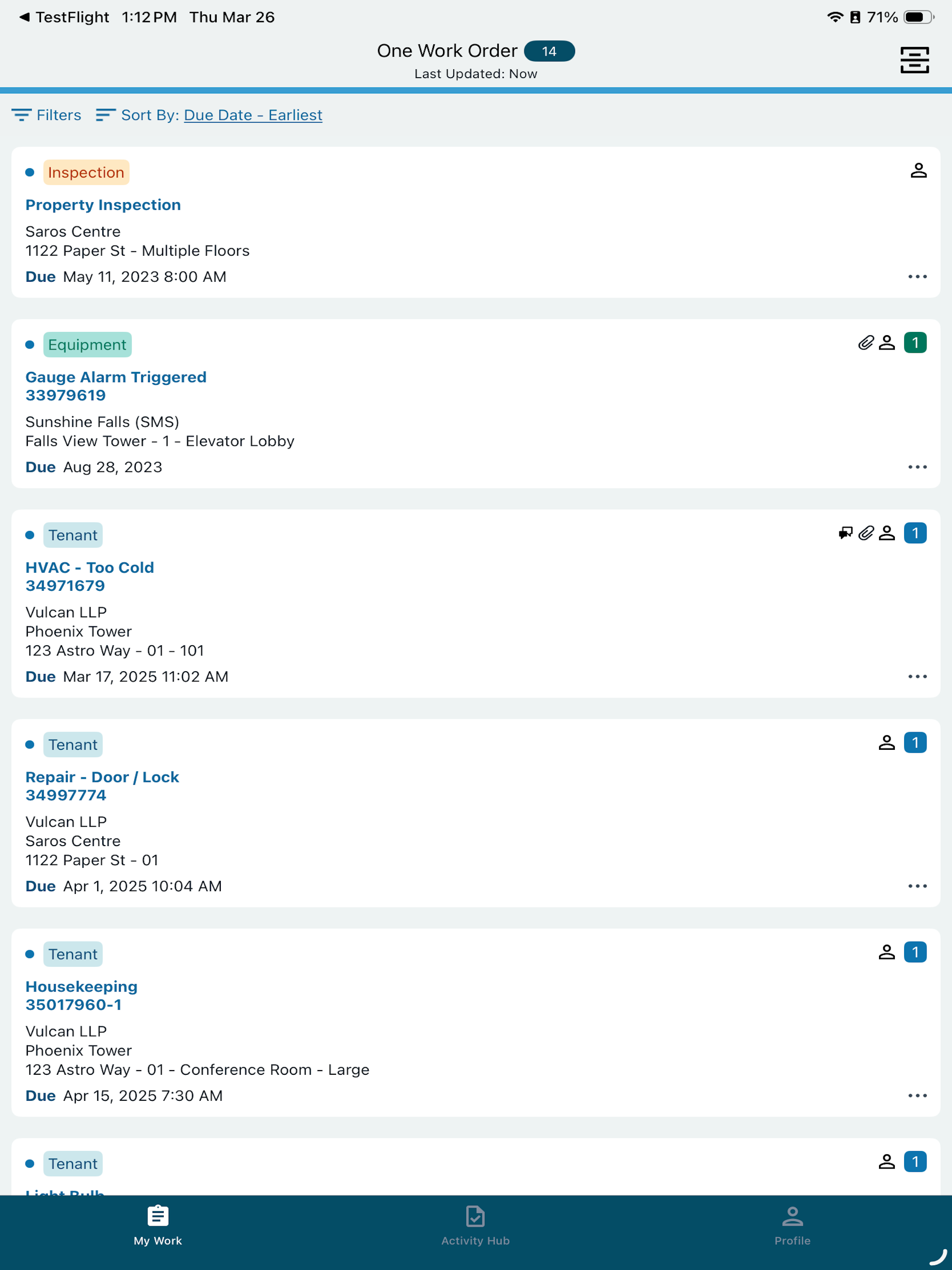
The new look is clean but lacks filters. Under my work in the old app, PM’s and WO’s were separated. Now everything is in one location and can cause new WO’s to get lost. Currently you can only filter by building but not by date. My team has expressed that they would prefer to have the newest WO at the top versus down at the bottom.
As a Building Engineer I like to keep everything in order and be on top of everything; I like the fact that it looks more polished and the interface it feels newer and smoother, but I don’t like the fact that inspections and work orders are in the same place, I don’t like the fact that is not by pages by MRI angus Mobile, in that way I know the order of which one is the newer work order and the oldest ones. The have fix the issues of the MRI Angus Mobile that you have to keep pressing task, to complete it and then the time, you used to pressed save and then I would take you back to time one more time and then save. They have fix that, now is all in one place, but not when you save it that you have completed it remains in the work order list it won’t delete as completed as the other app and it keep you pressing back again thinking is a new work order. I hope they fix this small issues but overall I think is a great improvement.
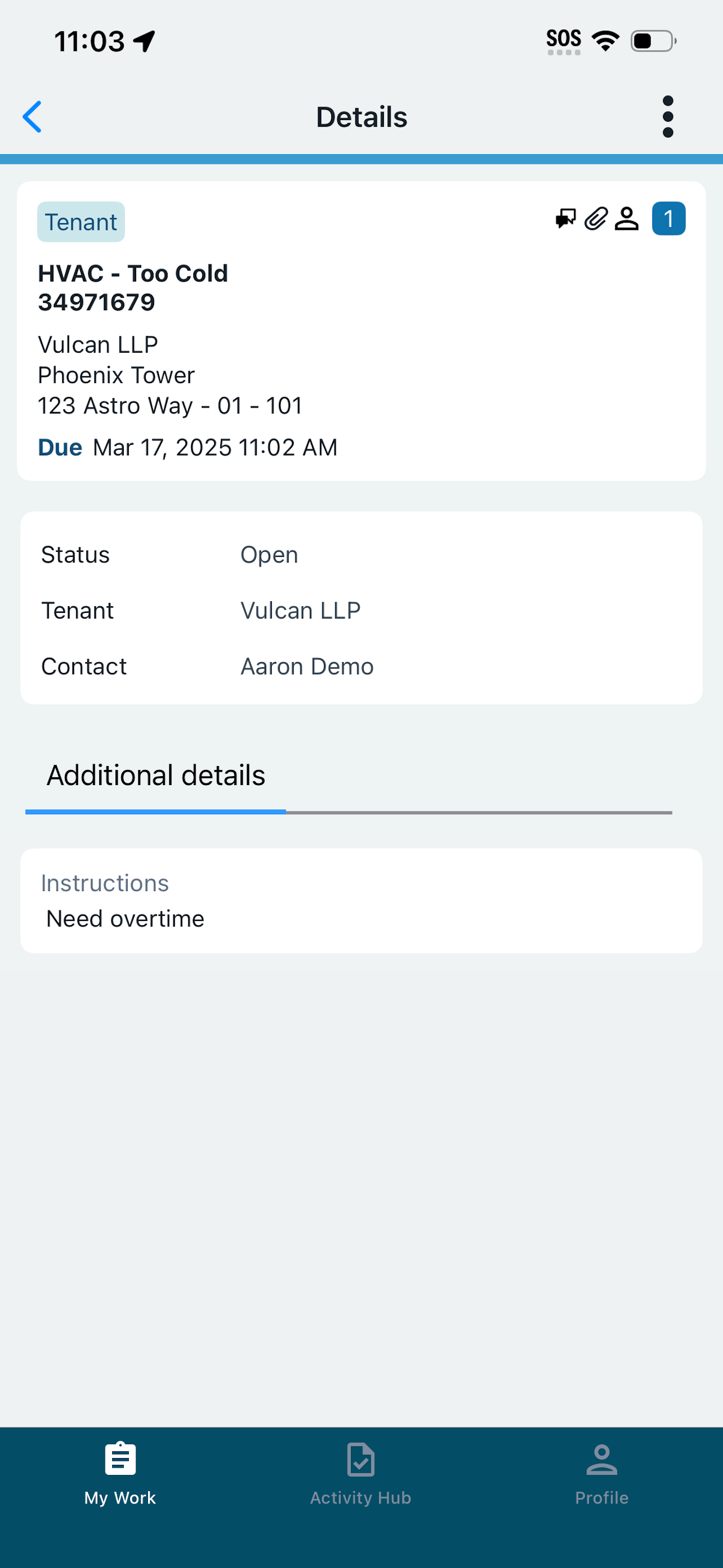
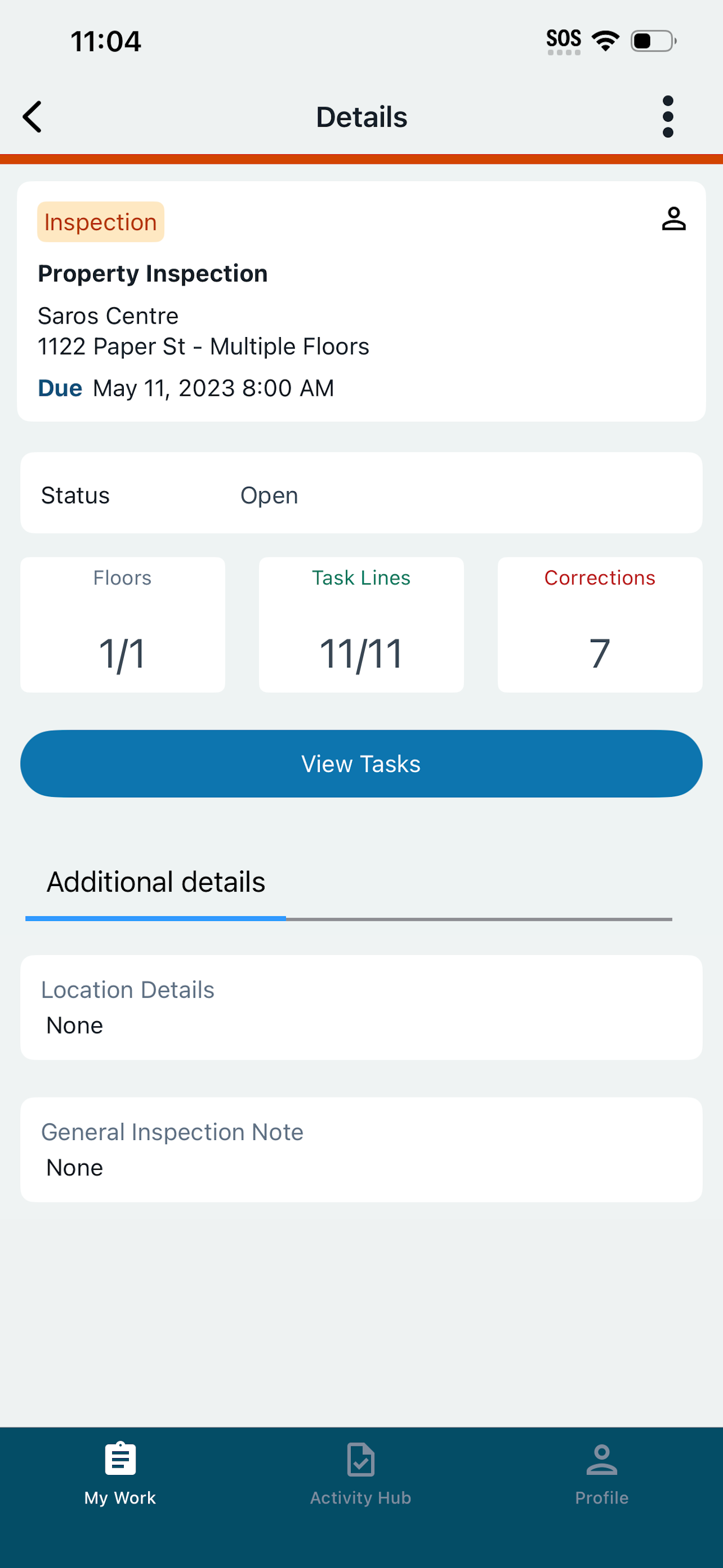
Simplify property management on the go with the MRI Angus Mobile app. Centralize your operations, receive instant notifications, and manage maintenanc...