Check the acquisition promise
Read the store headline, screenshots and description. What problem is the app promising to solve?
Study the storefront ↗
Deepak Sharma · iOS
Explore the ad evidence, study the storefront, and build your next acquisition hypothesis.
01 / Creative research
Read the store headline, screenshots and description. What problem is the app promising to solve?
Study the storefront ↗Explore apps with direct store-link matches. Compare their hooks and formats without assuming the same approach works here.
Browse observed advertisers ↗Store rankings and revenue estimates describe market context. They do not establish ad spend, conversions or ROAS.
Review the market context ↗02 / Storefront & product
Study the product story and store experience behind the acquisition funnel.


03 / Market context
Keep revenue, downloads and store rankings separate from advertising performance.
It almost works well, but the fatal flaw is that the video shows up upside down at last half the time. Rotation lock is not on, and I did try turning the device the other way, but the video insists on staying upside down. It would also be great if there were fewer taps involved in switching to the different remote cameras. As is you have to disconnect, press connect, and wait for the list of discovered cameras on the network, then click on one of those. It would be killer if the discovered cameras could be selected from a drop-down or something.
This app would be marvelous if only it worked. Unfortunately this is not the case as the app works only when it wants to and there is no telling when. My set ups were as follows: 1. iPhone 12 Pro Max loaded with Movie Pro and iPhone 5s loaded with MPRemote. It worked with one or two features disabled. Lag was significant but still acceptable. 2. iPhone 12 Pro Max with Movie Pro and iPhone 12 with MPRemote. Everything worked fine until it stopped working apparently for no reason. After reloading, the apps worked minus manual color correction. The next day they worked fine again until they quit again. 3. iPhone 12 Pro Max with movie Pro and iPhone 6 with MPRemote. This didn’t even start working. We reloaded everything, uninstalled and installed everything again, but to no avail. In conclusion, the best set up turned out to be two iPhones 12, which is an expensive proposition, but even then a smooth continuous operation cannot be assured. That is really unfortunate because Movie Pro is - at least theoretically - a better app than it’s competition Filmic Pro.
Running MP on iPhone 8+ and Remote on SE. Love the freedom it gives me to shoot video as one man crew. I do wish: 1. The Remote could trigger the still photo option that’s within the camera app. 2. The the stills within the app had a TIFF or RAW quality setting. Those features would save me a lot of time and keep me in the MoviePro universe longer.
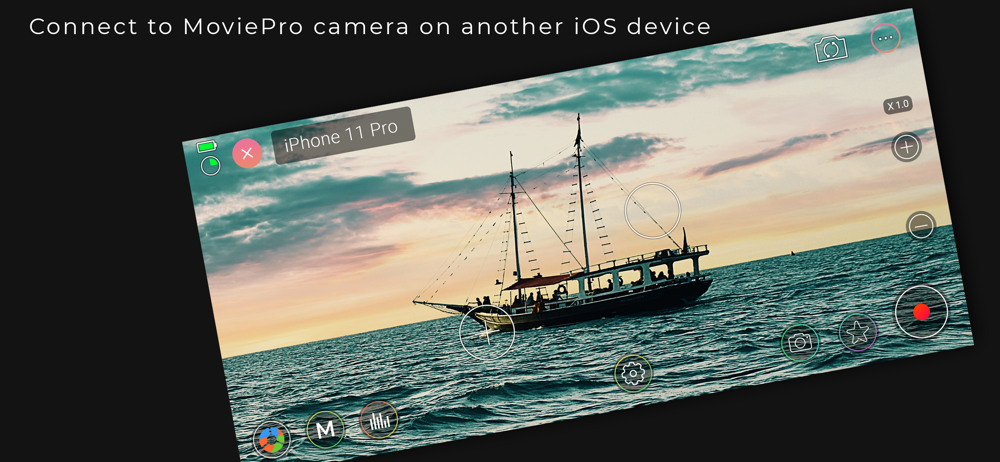
Connect wirelessly to MoviePro app running on another iOS device through this app. Control MoviePro camera running on another iOS device with live pr...