Check the acquisition promise
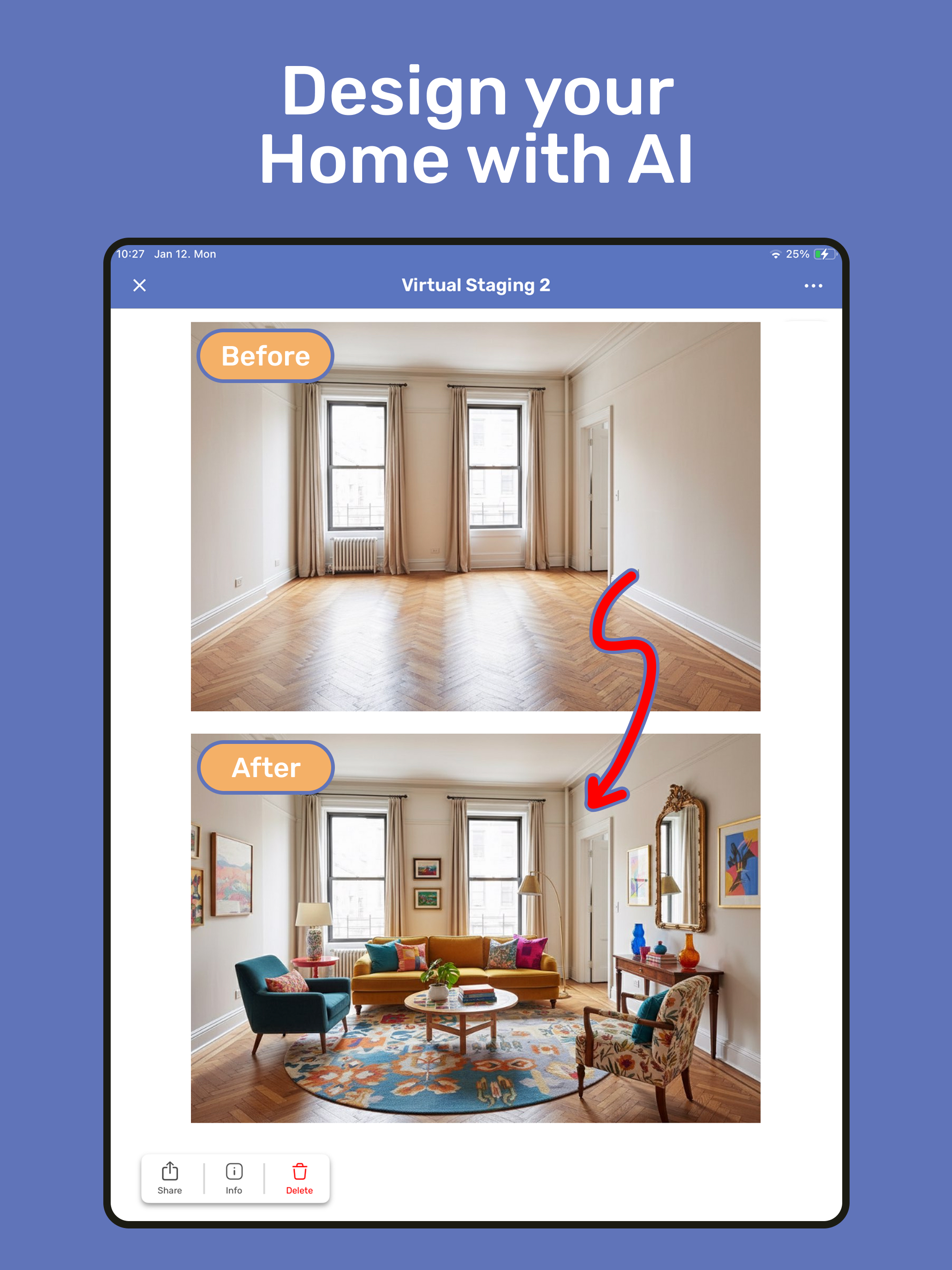
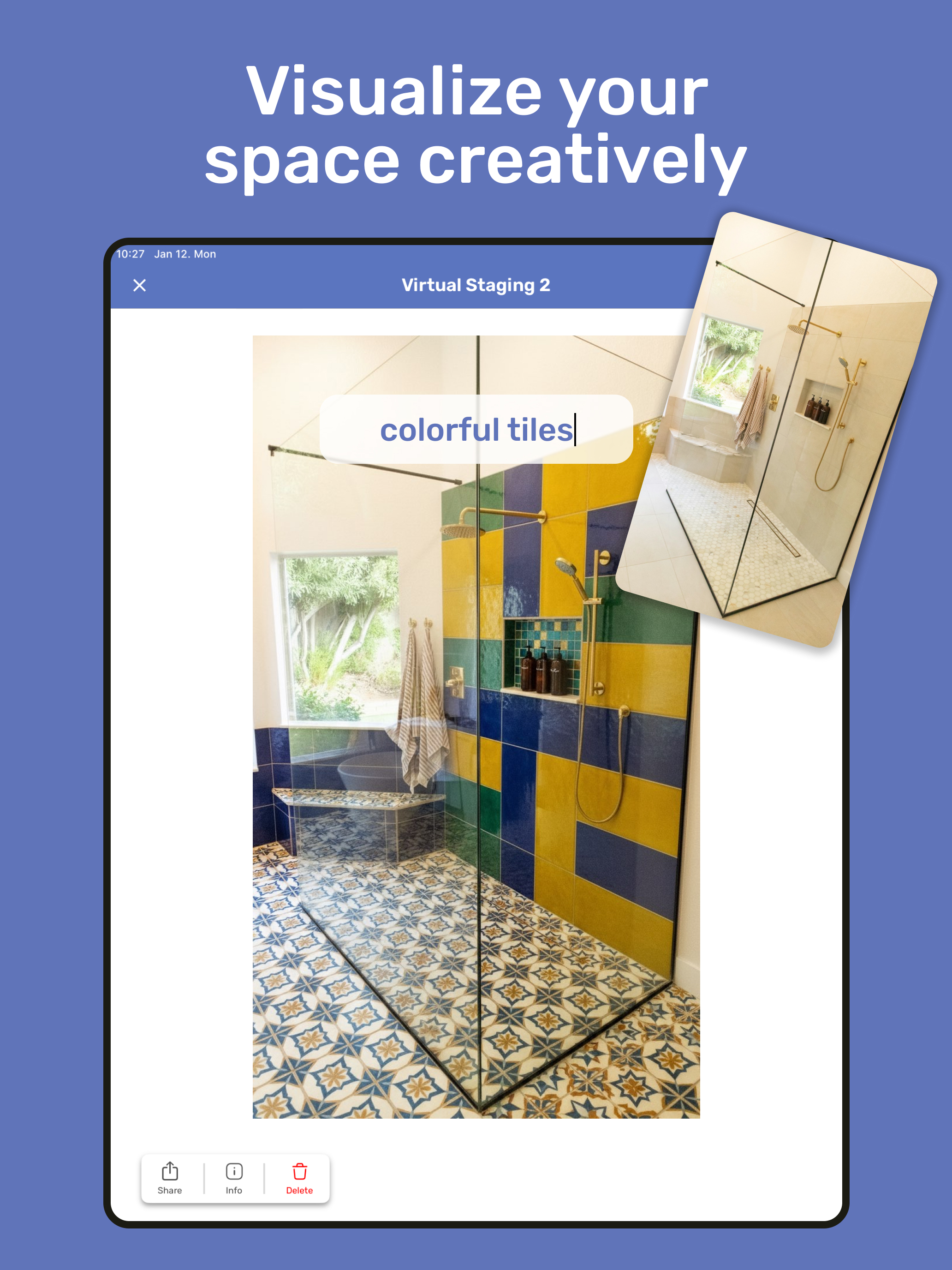
Read the store headline, screenshots and description. What problem is the app promising to solve?
Study the storefront ↗
VDMNSZK Kft · iOS
Explore the ad evidence, study the storefront, and build your next acquisition hypothesis.
01 / Creative research
Read the store headline, screenshots and description. What problem is the app promising to solve?
Study the storefront ↗Explore apps with direct store-link matches. Compare their hooks and formats without assuming the same approach works here.
Browse observed advertisers ↗Store rankings and revenue estimates describe market context. They do not establish ad spend, conversions or ROAS.
Review the market context ↗02 / Storefront & product
Study the product story and store experience behind the acquisition funnel.


03 / Market context
Keep revenue, downloads and store rankings separate from advertising performance.
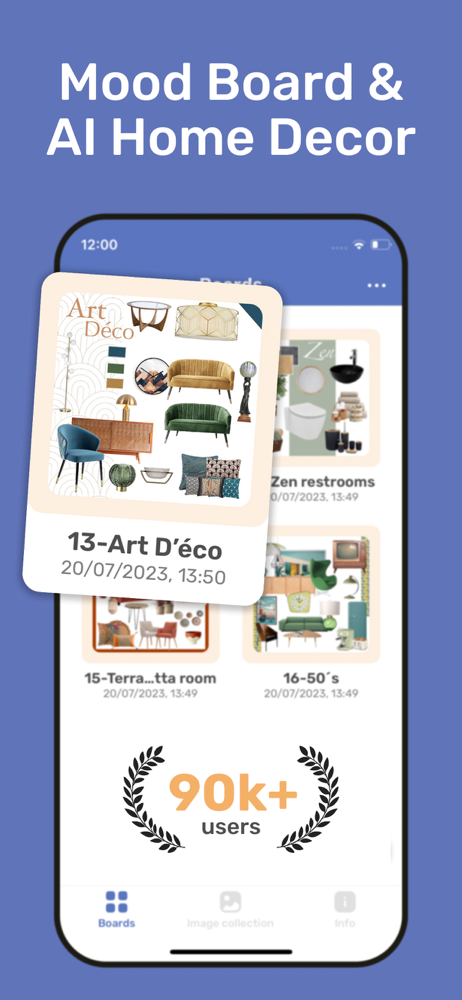
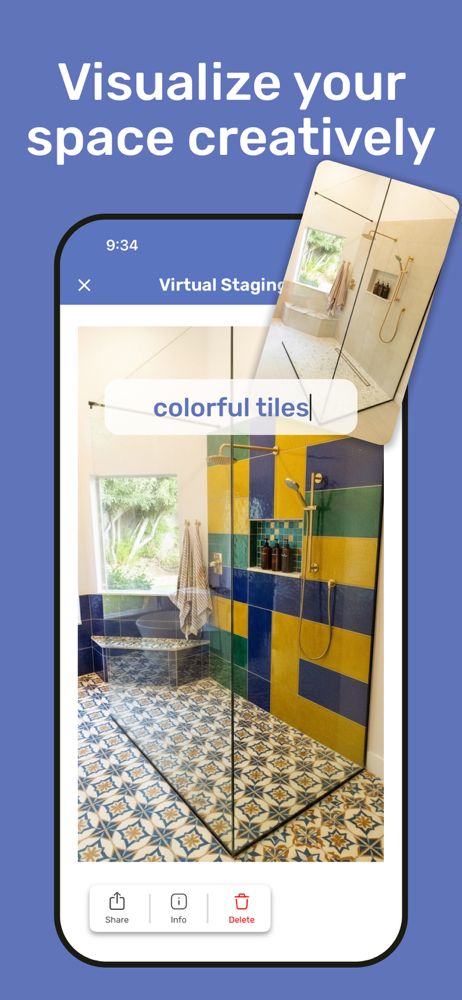
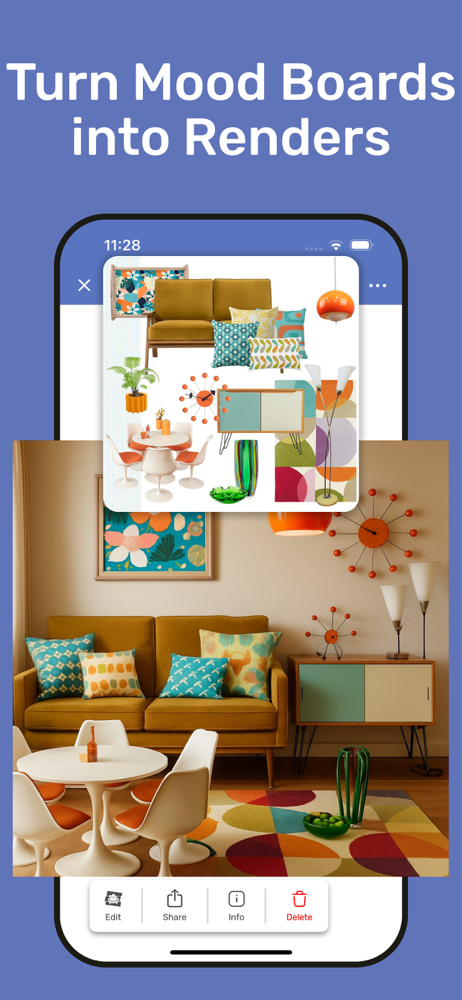
I’ve used this through several updates as we’ve remodeled everything. It’s the best way I found to put my inspiration pieces together, screen shots of what I plan to buy and photos of what I have in order to find a cohesive look. As a mood board it was very helpful to see my kitchen lights, stools, cabinets, accessories etc all in one place before buying things and then putting those boards next to the ones for other rooms. Now with the AI update I’m figuring the best way for my bathroom and imo putting cropped photos next to each other is way easier than trying to describe in words how I want it to look. It’s worth paying the monthly for 200 AI credits a month when you’re in the thick of planning. I downloaded other apps in the last couple days but AI kept making weird changes in addition to what I asked and wasted my credits. Not with this one. If I have a picture of a vanity next to a toilet and then a shower it keeps that layout it doesn’t rearrange everything. Way easier too for anyone who doesn’t want to describe every tiny detail.
Love this app! User friendly and helps me with all my projects. I bought the subscription for a year, that’s how often I use it! Before decorating or changing anything in my house, I use this for my mock ups!
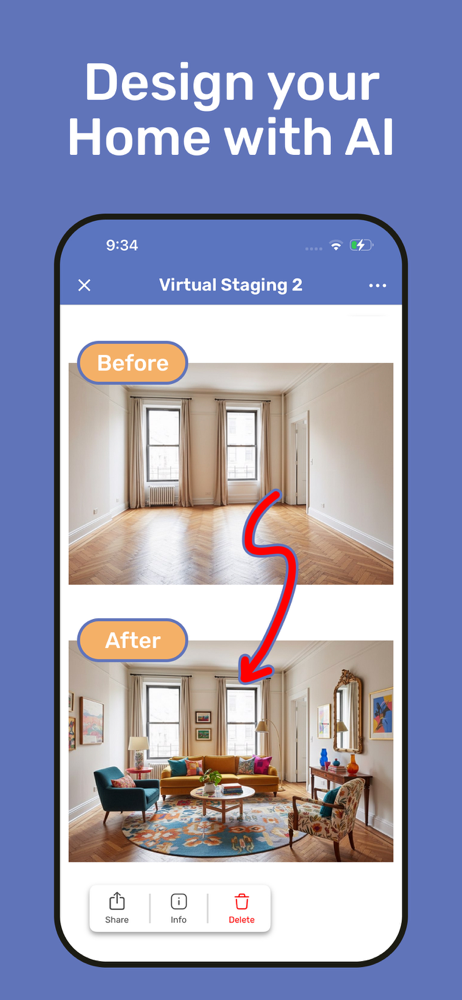
Update 6/9/23: Received a quick response from someone on the Dev Team. Apparently the function I suggested is already available; I just wasn’t aware. This just makes this app even better! Highly recommend! This is the best app ever! I used it to redecorate my apartment. Great for people who have trouble visualizing and need to see things in their actual space. You can take pictures of your space, find pictures of various things online, and drop them in. One suggestion … it would be nice to have a button that allows you to move items to the background/foreground. Right now it seems you have to place them in order from back to front. Takes some time to redo things if you want to add something later on. Hope that makes sense. Regardless … love the app! Very useful.
Bring your design ideas to life with HomeBoard, the easiest way to visualize interiors. Perfect for redecorating, remodeling, or planning your next Ai...
| Name | Price | Type |
|---|---|---|
| HomeBoard Pro Version weekly | $2.99 | Weekly |
| HomeBoard Pro Version weekly | $3.99 | Weekly |
| HomeBoard Pro Version monthly | $5.99 | Monthly |
| HomeBoard Pro Version weekly | $6.99 | Weekly |
| HomeBoard Pro Version monthly | $7.99 | Monthly |
| HomeBoard Pro Version monthly | $9.99 | Monthly |
| HomeBoard Pro Yearly | $24.99 | Yearly |
| HomeBoard Pro Version yearly | $35.99 | Yearly |
| HomeBoard Pro Version yearly | $39.99 | Yearly |
| HomeBoard Pro Version yearly | $49.99 | Yearly |