
Check the acquisition promise
Read the store headline, screenshots and description. What problem is the app promising to solve?
Study the storefront ↗
Microsoft Corporation · iOS
Explore the ad evidence, study the storefront, and build your next acquisition hypothesis.
01 / Creative research
Read the store headline, screenshots and description. What problem is the app promising to solve?
Study the storefront ↗Explore apps with direct store-link matches. Compare their hooks and formats without assuming the same approach works here.
Browse observed advertisers ↗Store rankings and revenue estimates describe market context. They do not establish ad spend, conversions or ROAS.
Review the market context ↗02 / Storefront & product
Study the product story and store experience behind the acquisition funnel.


03 / Market context
Keep revenue, downloads and store rankings separate from advertising performance.
Thanks guys, a great app. I’m a 25 year old man that has suddenly had every game he plays marked as inappropriate and that I need to have an adult sign in. I’m using the same account I have since I was a child so I said, “weird but okay I’ll jump through your hoops Microsoft” I have been trying for days to regain access to any game rated above E, first I was told I had to log into the new family safety app, I did it. And then I found no content restrictions listed, I called the help line who was unable to help. The best they gave me was to make a new account and log into the family safety through that and change the restrictions by proxy. Which I did, the content restriction was set to unrestricted, I still switched it to another one and back. I was told it would take 24 hours to take effect, so I waited and lo and behold no change to the games I can play, my Xbox subscription just reupped- meaning I’ve ostensibly just poured 20$ down the drain, ever since they launched this I have had nothing but issues with my account which has been increasingly frustrating. If you’re going to put content restrictions on your kids accounts just do the right thing and pay attention or learn about their interests so you don’t have to pretend to care about their safety via spying on them or blocking them from playing a game fully. I mean honestly if a content rating system puts the F word and gore into the same category you should find new ways to rate game context.
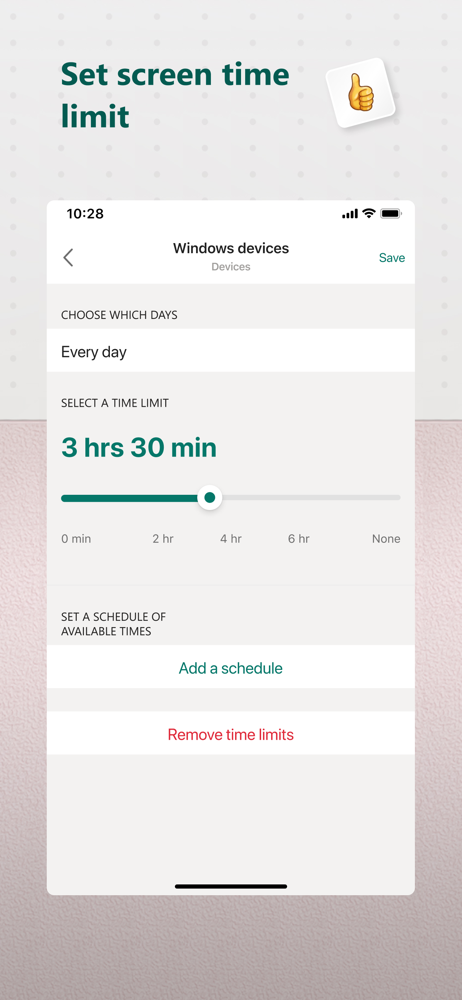
Update- seems to be fixed! I am very relieved. However, I still would prefer if Microsoft would not make it so difficult to use the website on a mobile device. The App and website do have slightly different functionality and I would like to be able to choose for myself which one I use without constantly having to confirm, that, Yes, I actually want to use the website on my phone. The app repeatedly crashes. I can no longer get it to function at all. The worst aspect of this is that whenever I try to use the family safety website instead (which works just fine) Microsoft tries to shunt me to the app. It is sooooo annoying because continually telling Microsoft that, no, I don’t want to use the app, takes a lot of time. It takes so long to give my child extra screen time (usually just to save and quit) that he often ends up dying in game, before he can get back on to save and quit. Because of my son’s ADHD/Autism it is very difficult for him to switch tasks and even when he knows that his screen time is running out, he can’t make the mental switch to saving progress and quitting. When the app worked, our house was much more peaceful- because I could give him that extra five minutes he needed to transition after the screen time ended. Just to clarify- the delay is caused by Microsoft continually try to get me to use the app whenever I sign into the family safety website on my phone.
With each of the last updates, all my settings get lost. When you update, please create a process to port the existing settings into tge new version. It takes time to set these up. Plus for a time all settings, so all safety features, are lost until the parent realizes it updated and the settings are no longer active. This is not acceptable for a family safety app. Otherwise, the app gets better. Just don’t make this any more complicated. It’s starting to have too many layers. People may be asking for minute levels of control but not realize that it makes the set up that much more steps or involved to get it. Then every time we lose our settings we have to do all that again. Simple is best. Thankful for this app though. Makes it so we don’t have to argue. When time is up, it’s up.
The Microsoft Family Safety app helps empower you and your family to create healthy habits and protect the ones you love. Get peace of mind that your...


